82
NEO 1 and NEO 2
User Manual
W ORKING WITH ALPHAS MART MANAGER
Starting AlphaSmart Manager and Connecting Your NEO
. . . . .
Starting AlphaSmart Manager and Connecting Your NEO
To start AlphaSmart Manager, follow the steps below. (If you have not
installed the program yet, install it now by following the instructions in
“Installing AlphaSmart Manager” on page 16.)
1. Windows: Click Start Programs AlphaSmart Manager 2 Start
AlphaSmart Manager 2. AlphaSmart Manager opens.
Macintosh: Open the Applications folder on your computer. Then, open
the AlphaSmart folder and open the AlphaSmart Manager 2 folder.
Double-click AlphaSmart Manager. AlphaSmart Manager opens.
2. Connect your NEO to your computer as described on page 9, or connect
your cart.
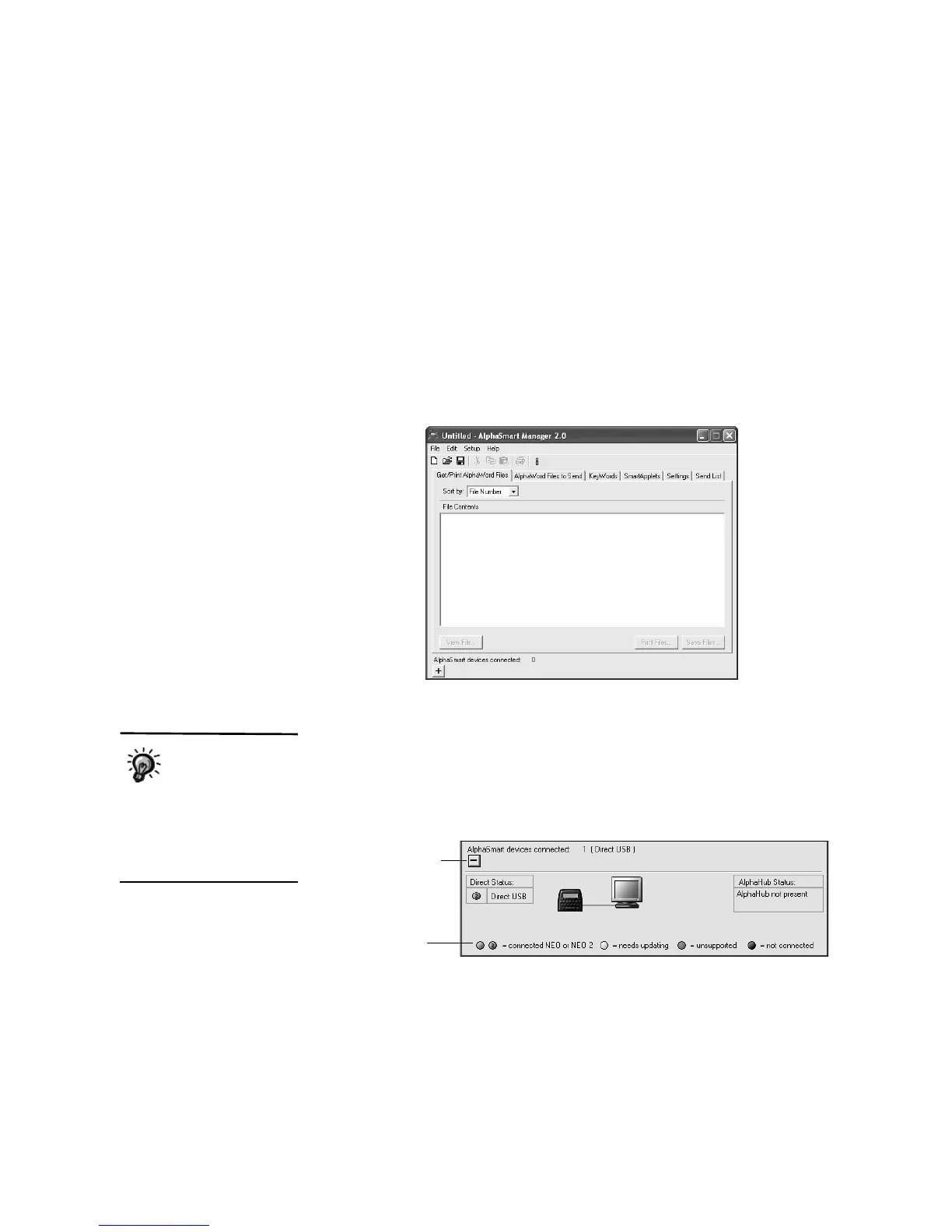
3. In AlphaSmart Manager, click the plus sign (Windows) or triangle
(Macintosh) at the bottom of the screen to view connection status.You
might need to wait a few moments before the connection status light
appears.
The example shows
what the screen
looks like when you
connect one NEO 2 with a
cable. For more about
connecting multiple NEOs,
refer to the AlphaSmart
Manager 2 User Manual.
Color indicates the
connection status,
and the “2” indicates
a NEO 2.
Click to expand or
hide the Connection
Status area.



 To Next Page