W RITING ON NEO USING ALPHAW ORD PLUS
Using the Thesaurus
39
. . . . .
NEO 1 and NEO 2
User Manual
Using the Thesaurus
Keeping writing lively and interesting can be a challenge, but a thesaurus can
help. AlphaWord Plus on NEO comes with a thesaurus that you can use to
look up a word and select a synonym or antonym to replace it.
To use the thesaurus, follow these steps:
1. In your file, move your cursor so it is either just before the word you want
to look up or inside the word. (You can skip this step if you want to look up
a word that isn’t in your text.)
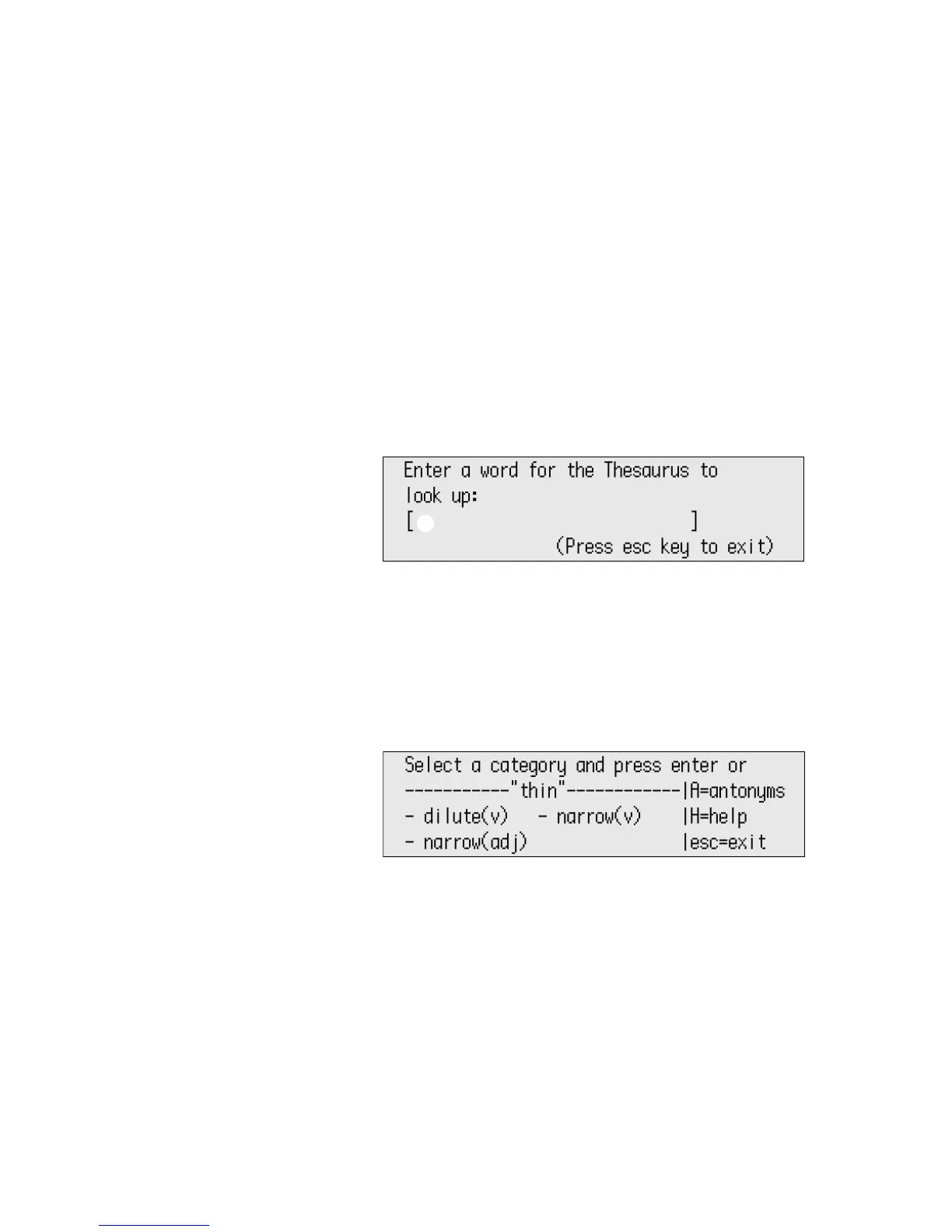
2. Press ctrl-T to open the thesaurus. If you moved the cursor next to a
word, it will be shown between the brackets
3. If there is no word in the brackets, or if you want to look up a different
word, type the word you want to look up
A. (If you need to delete text that
is already between the brackets, press clear file.)
4. Press enter.
5. If the word was found, you will be asked to pick a category (or part of
speech) as shown below. Use the arrow keys to move the cursor next to a
category and press enter. (If the word could not be found in the
thesaurus, you can press enter to look up a different word or esc to exit.)
A



 To Next Page