W ORKING WITH ALPHAS MART MANAGER
Deleting SmartApplets from NEOs
105
. . . . .
NEO 1 and NEO 2
User Manual
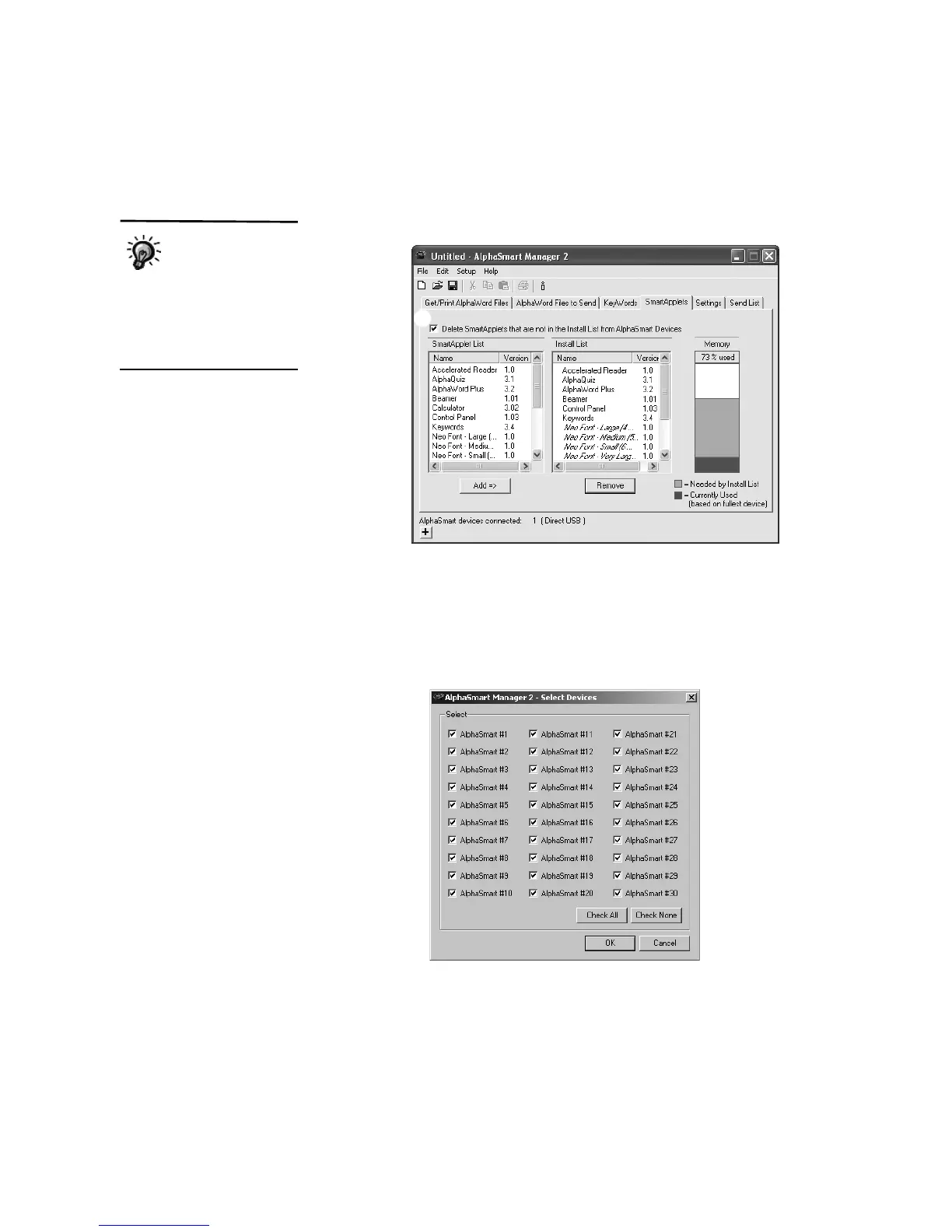
In the example below, the Calculator would be deleted since it isn’t
included in the Install List.
4. Click the Send List tab and verify that only the SmartApplets you want to
keep on your NEOs are in the Send List.
5. If you have a SmartOption Mobile Lab and you want to send the changes
to some, but not all, of the NEOs, click Select Devices, check the
numbers to which you want to send the text, then click OK. (To send to all
connected NEOs, skip this step.)
6. Click Send. If you have set a send list password (see page 116), you must
enter the password and click OK.
Be careful not to
delete non-
SmartApplet items
that you want to keep. The
SmartApplet list includes the
fonts included on your NEO,
spell check, and the
Thesaurus.
C
A
B



 To Next Page