CHAPTER 5: SETUP SOFTWARE
UB25 LINEAR DC RESISTANCE WELDING CONTROL
990-665 5-15
1 From the MAIN MENU, press the 9 key
to go to the CHAIN SCHEDULES
menu.
NOTE: You should program, or
"setup," the chain of schedules you want
before you turn this feature ON.
2 Press the 1 key to toggle CHAIN
SCHEDULES ON or OFF.
3 From the CHAIN SCHEDULE menu,
press the 2 key to go to the CHAIN
SCHEDULE SETUP menu.
4 Use the ▲▼ (Up/Down) keys on the
front panel to scroll vertically through
the schedules to highlight the weld
count for the schedule you want to chain.
5 Use the numeric keypad to enter the
number of times you want this schedule
to weld before going to the next
schedule.
6 Use the SCHEDULE key to move the
highlight horizontally to select NEXT.
7 Use the numeric keypad to enter the
number of the next schedule in the chain.
8 Use the SCHEDULE key to move the
highlight horizontally back to the
WELD COUNT column. Repeat Steps
4 through 8 to program the rest of the
chain.
9 When you finish programming the chain, press the MENU key to return to the CHAIN
SCHEDULES menu.
10 Press the 1 key to toggle between ON or OFF.
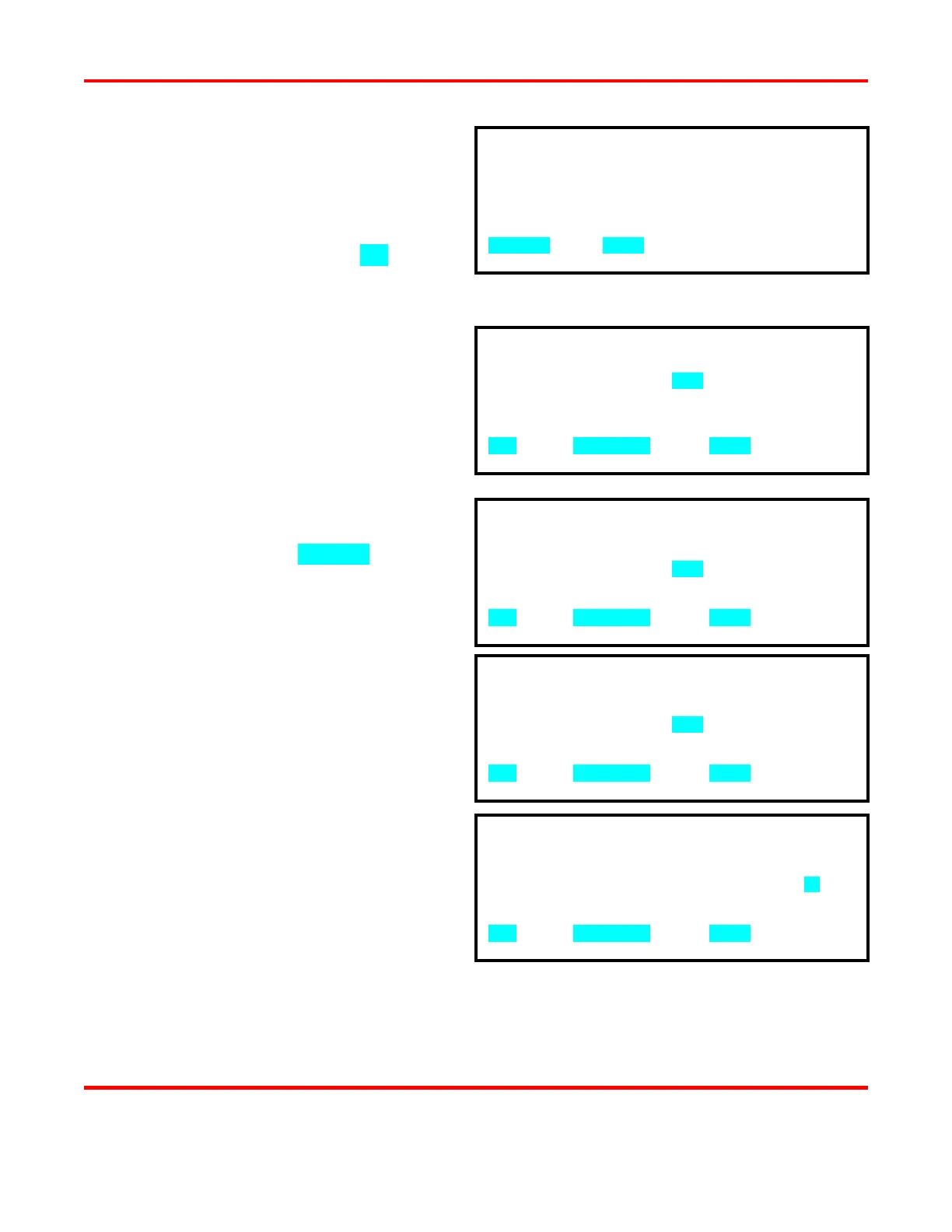
1. CHAIN SCHEDULE : OFF
2. SETUP CHAIN SCHEDULES
NUMBER Select, MENU Previous menu
SCHEDULE NUMBER WELD COUNT NEXT
01 0001 01
02 0001 02
03 0001 03
04 0001 04
▲▼ scroll, SCHEDULE select, MENU menu
SCHEDULE NUMBER WELD COUNT NEXT
04 0001 04
05 0001 05
06 0001 06
07 0001 07
▲▼ scroll, SCHEDULE select, MENU menu
SCHEDULE NUMBER WELD COUNT NEXT
04 0001 04
05 0002 05
06 0001 06
07 0001 07
▲▼ scroll, SCHEDULE select, MENU menu
SCHEDULE NUMBER WELD COUNT NEXT
04 0001 04
05 0002 05
06 0001 06
07 0001 07
▲▼ scroll, SCHEDULE select, MENU menu



 To Next Page