User Manual
15
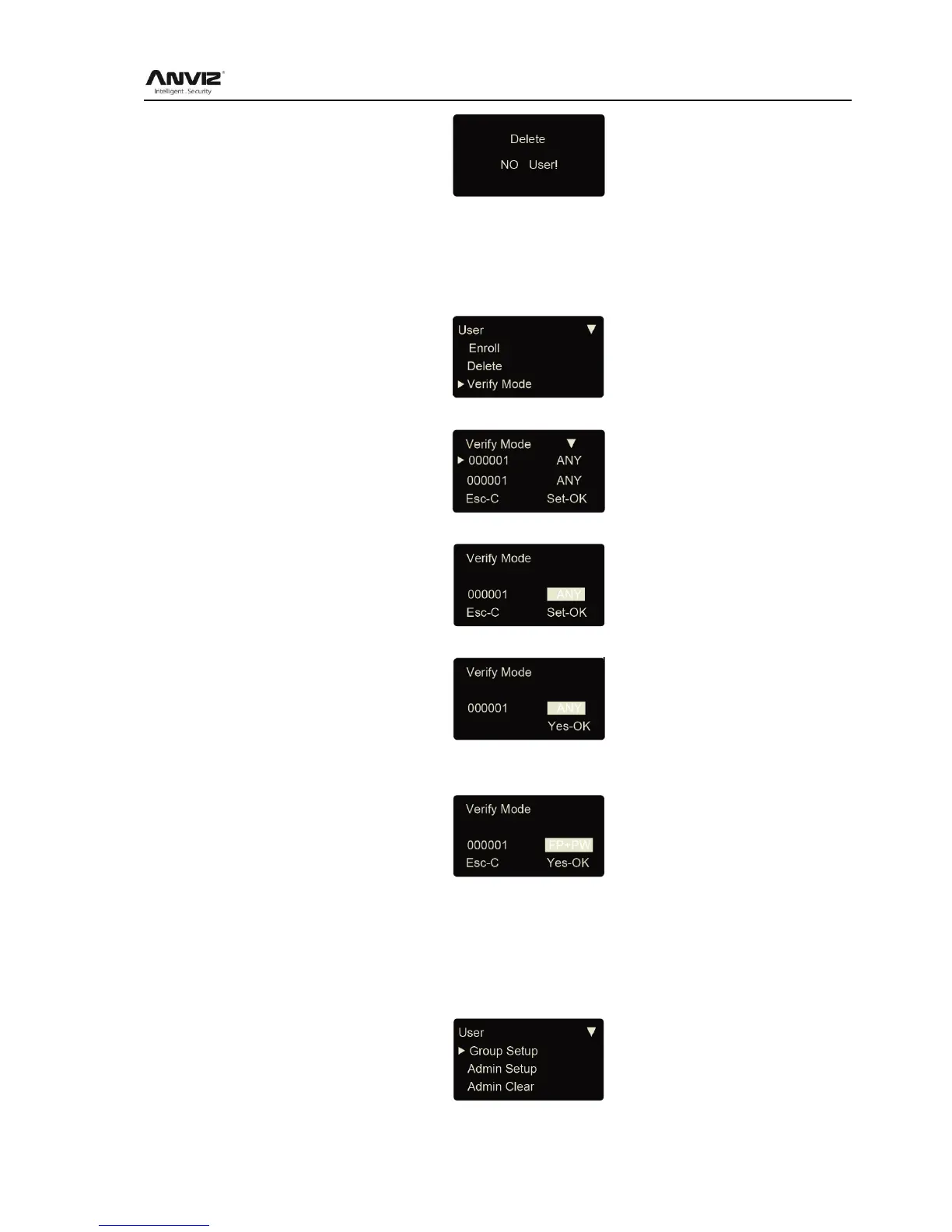
3.3.3 Verify Mode
Setting verify mode of the employee, there are four modes: SEPT, RF+PW, PW+FP, and
RF+FP.
In [User] menu, press [<] or [>] key to select [Verify Mode] option:
Press [OK] key to enter setting interface:
Press [<] or [>
After input user ID, press [OK] to enter setting interface.
verify mode through [<] or [>] key, then press [OK] key to confirm and enter
save interface:
Then press [OK] key to save; Press [C] key to cancel this operation.
3.3.4 Group Setup
Group is based on time zones. One group can set max 4 time zone. There are supply 16
groups. Normally, system will default group 0 as normal close, group 1 as normal open.
In [User] menu, press [<] or [>] key to select [Group Setup] option.
Press [OK] key to enter group setup interface.



 To Next Page