User Manual
16
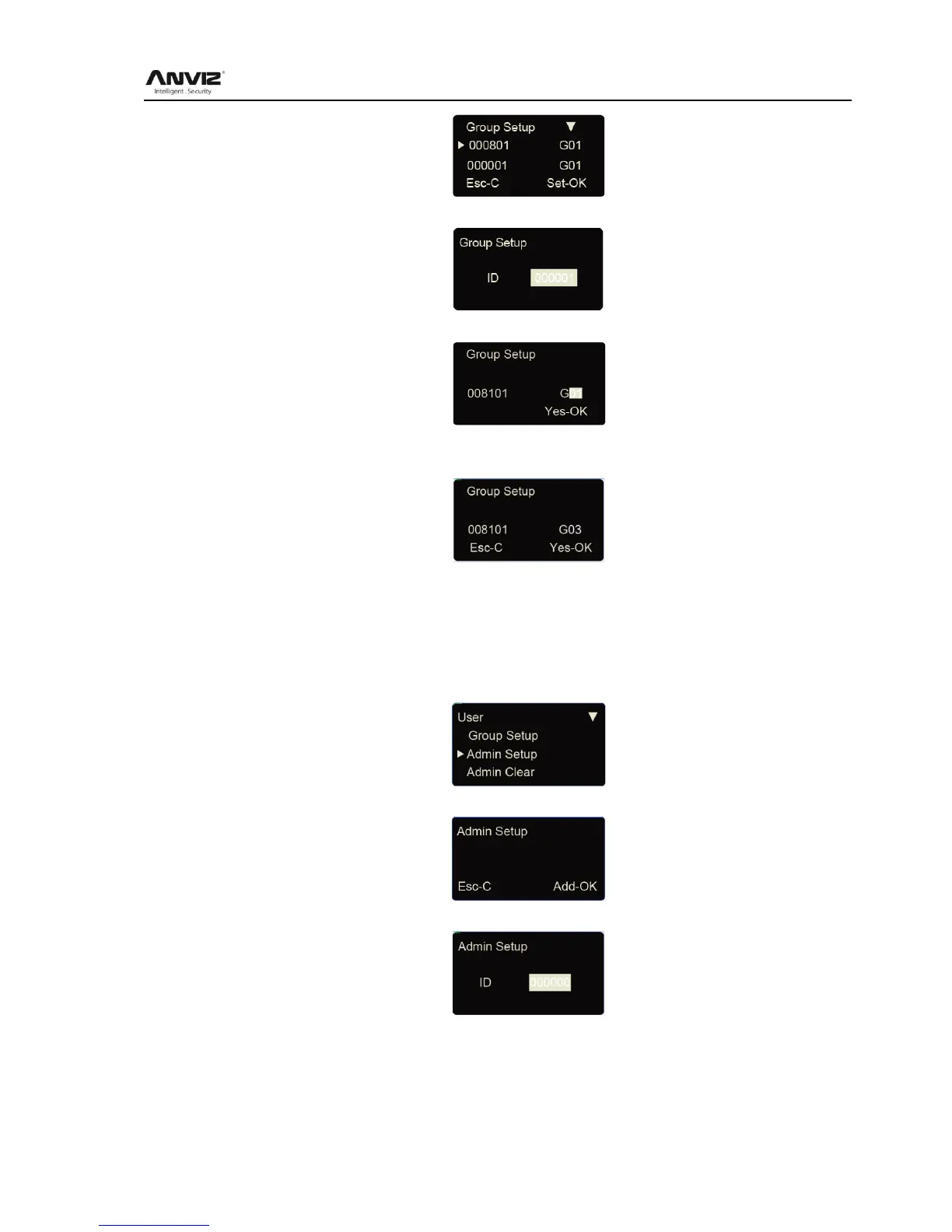
Press [<] or [>] key to select user ID or press [OK] to input user ID manually.
After input user ID, press [OK] to enter group interface.
Group number can be input through [<] or [>] key or number key. (Max group number is 16 ).
Press [OK] key to confirm and enter save interface.
Then
operation as well.
3.3.5 Admin Setup
To prevent illegal operation, we need to set device admin to enter menu.
In [User] menu, press [<] or [>] key to select [Admin Setup] option:
Press [OK] key to enter [Admin Setup] interface.
Press [OK] to start adding admin.
Input the user ID i.e. 8101. Press [OK] key to enter admin setup save interface.



 To Next Page