User Manual
62
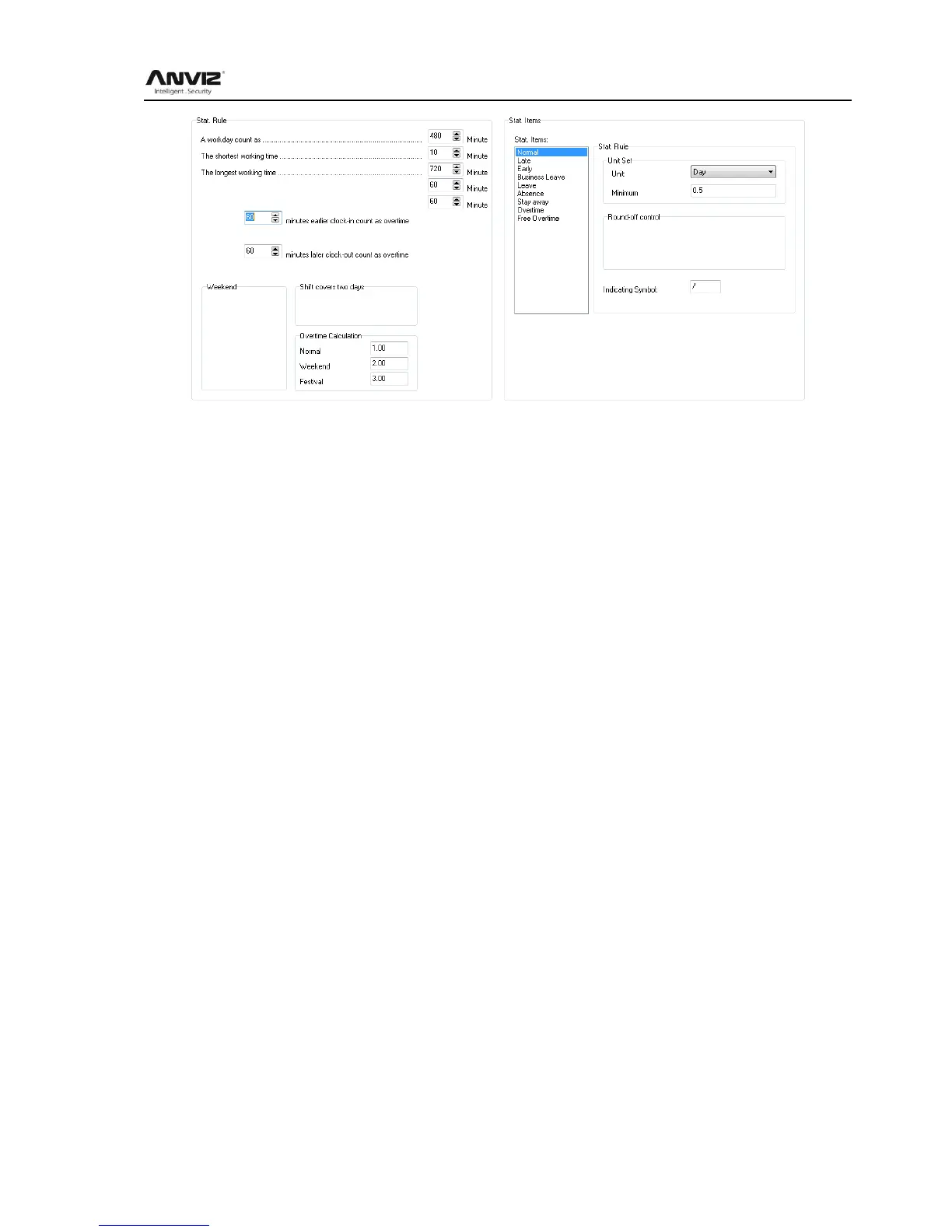
Stat. Rule:
Setup the role of attendance statistics
A work day count as: This value will be used as a constant value of late / early to leave / free
overtime / statistical project which calculate work hours of constant value. The Parameter
range:60-1200 min(default 480 min)
The shortest working time: In the statistical report, the minimum effective time intervals for
constantly punch card records , lower than this time interval will be ignored for participating
statistics.
Parameter range: 1-480 min(default 10 min)
The longest working time: In the statistical report, the maximum effective time intervals for
constantly punch card records , longer than this time interval will be ignored for participating
statistics.
Parameter range: 60-1440 min(default 720 min)
Not clock in count as late: Forget work attendance, attendance recognized by the system for the
day how many minutes late, as the punishment for forget to go to work
Parameter Range. : 1-480 min(default 60 min)
Not clock out as early: No attendance record for being late to work: forget work attendance,
identified by the system for the day and leave early attendance how many minutes, as a sign of
punishment for forget work
Parameter range: 1-480 min(default 60 min)
On duty X minutes earlier clock-in count as overtime: A statistics way for overtime, will be
recorded as record in this time range before the normal clock-in time
Parameter Range: 0-480 min(default 30 min)
Deduct the on duty X minutes earlier: Deduct the above recorded time as the over work time.
Off duty X minutes later clock-out count as overtime: A statistics way for overtime, will be
recorded as record in this time range before the normal clock-out time



 To Next Page