User Manual
37
synchronization time.
5.1.5 Unit Parameter
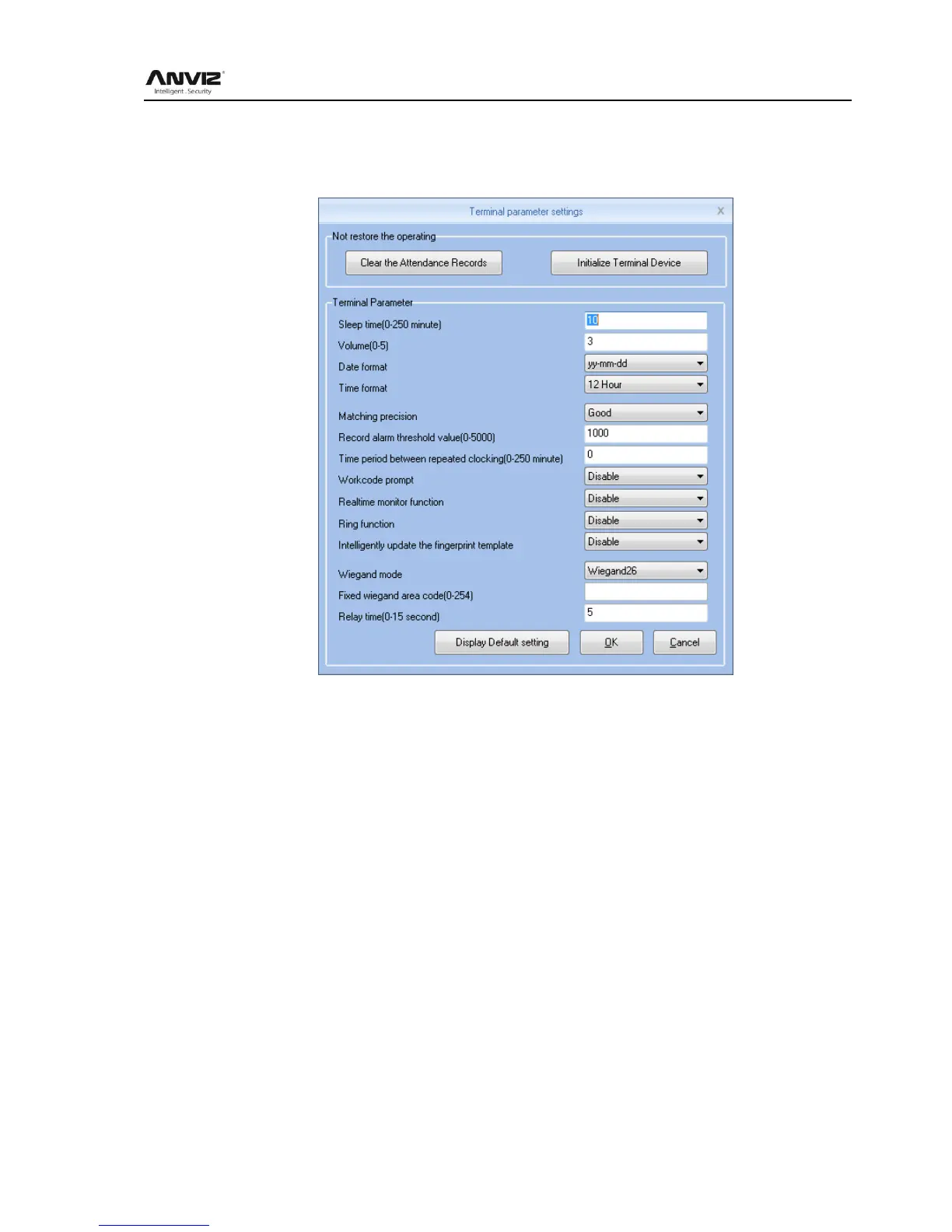
Click 【Device Parameter】 button open the 【Terminal parameter settings】 window:
[Sleep time]: Attendance from unattended to go to sleep interval, 0 means not hibernate,
maximum sleep time was 250 minutes
[Volume]: Attendance voice prompt volume level, 0 represents the mute, the maximum volume
of 5
[Date format]: Attendance in the date format, there are about several formats:
yy-mm-dd(year-month-day), mm/dd/yy(month -day-year), dd/mm/yy(day-month-year)
[Time format]: Attendance, the time display format minute 24-hour and 12-hour two kinds
[Matching precision]: normal, good, exact three levels, the default is good. The higher accuracy
of fingerprint requirements are also higher
[Record alarm threshold value]: When the attendance record set record number is greater than
the alarm threshold value, the machine will prompt the user to make the appropriate alarm
processing. 0 means no alarm, you can set the maximum number of records in 5000.
[Time period between repeated clocking]: The interval between the same user twice
attendance, 0 indicates no interval, the maximum interval is 250 minutes. Attendance during
the interval times, the system records only one record.
[Workcode prompt]: Work code function is enabled and disabled.
[Intelligently update the fingerprint template]:Fingerprint comparison on the process, it can
automatically replaces the previous low-quality storage of fingerprint data for the new
high-quality fingerprint data acquisition, thereby maintaining the latest fingerprint data, to avoid



 To Next Page