24
Delete internal memory files
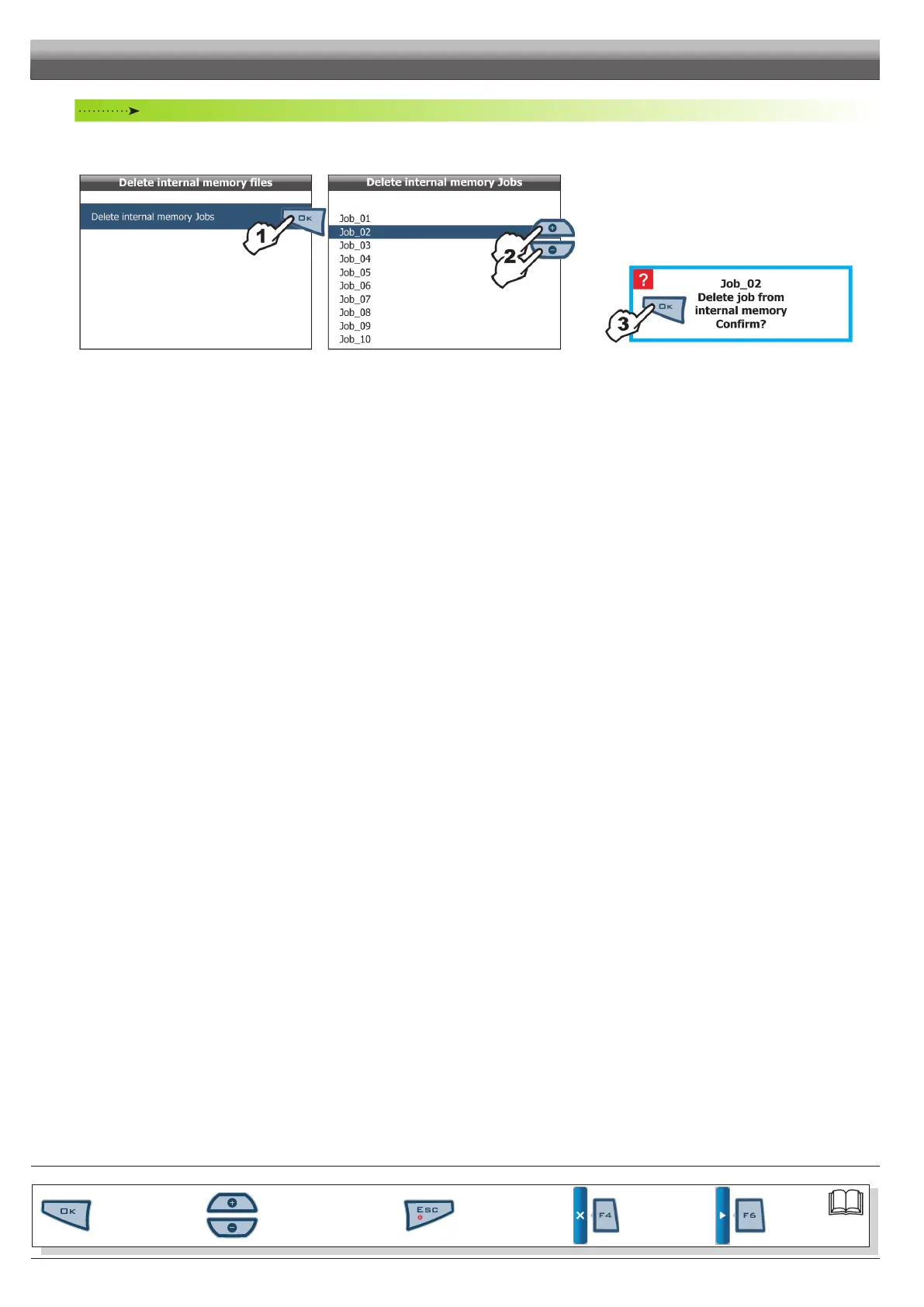
Allows you to delete saved data, about jobs, from Skipper LT internal memory.
• Delete internal memory Jobs
Fig. 60 Fig. 61
1 Select item
Delete internal memory Jobs (Fig. 60)
and press
OK;
2 Scroll the jobs list (Fig. 61) using keys
+ or - and select
the le to delete;
3 The message shown in Fig. 62 is displayed: conrm dele-
tion by pressing OK.
Fig. 62
END OF PAR. 6.6.1 - I
PROGRAMMING - MEMORIES MANAGEMENT
Par.
6.3
Scrolling menu items.
Increase / decrease data
Quit the function or
data changes
Conrm access or
data changes.
Shift the
cursor
Reset / disable
data



 To Next Page