49
8.4.5
F5 Erase
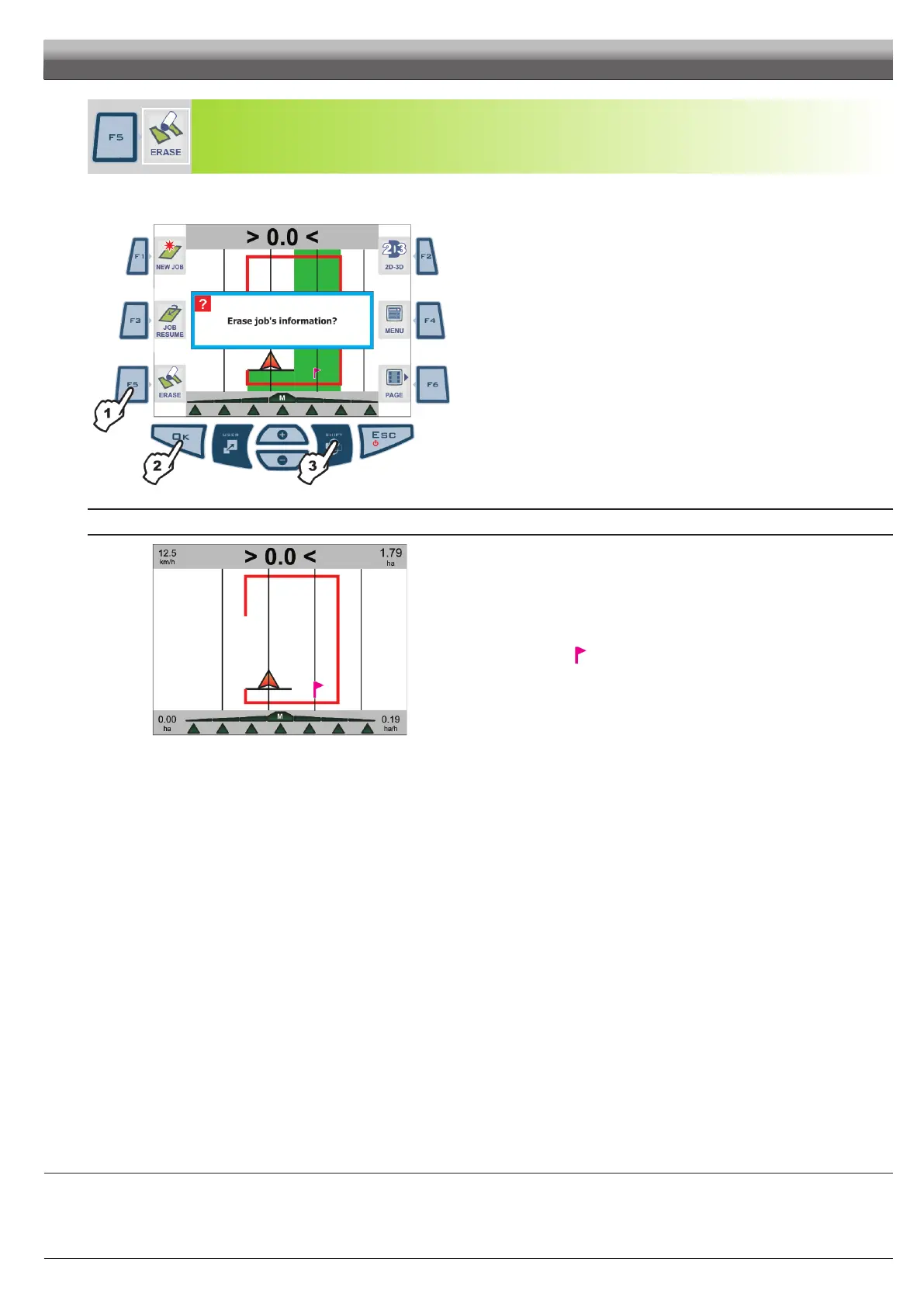
Delete completed job data.
1 Press
F5 to delete data. Conrmation prompt is displayed Erase job's information?(Fig. 146).
2 Press OK.
Fig. 146
REFERENCES ABOUT GUIDANCE PAGE
Fig. 147
Sprayed areas are deleted and job data is reset.
Reference tracks are maintained in the memory (par. 8.3.1 -
F1 Mark AB) as well as the
following, if any:
- The job breaking point
(par. 8.2.1 - F1 Pause).
- The perimeter drawn during the procedure for calculating the area (par. 8.2.5 - F5 Area).
END OF PAR. 8.4 - FUNCTIONS LIST - PAGE 4
WORK FUNCTIONS - PAGE 4



 To Next Page