7
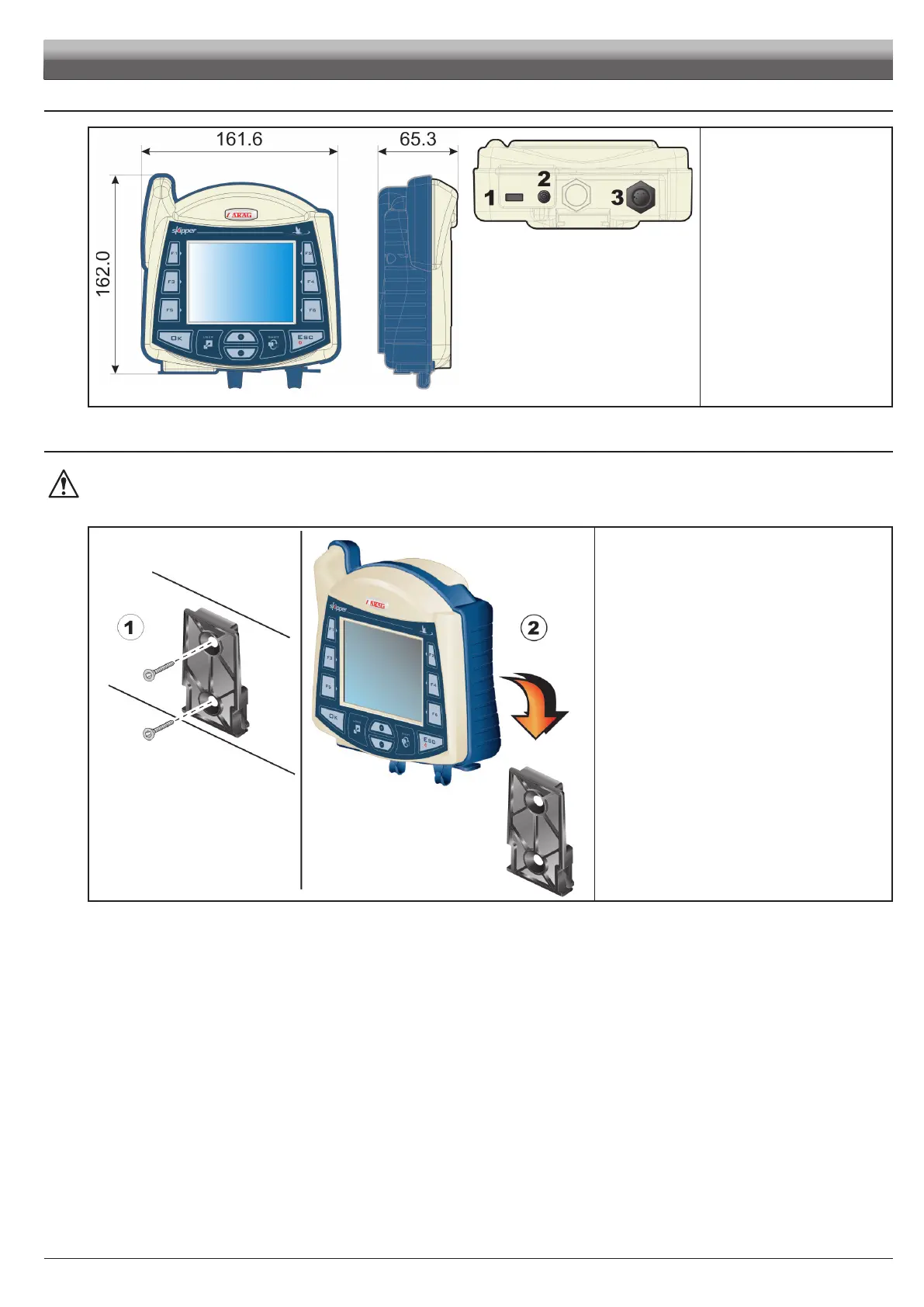
5.4 Overalldimensions
Fig. 3
Legend:
1 USB HOST port (pendrive, etc...)
2 GPS Antenna
3 Power supply - Treatment
status signal
5.5 SkipperLTnavigatorposition
Beforepositioningthesatellitenavigator,carefullyreadallinformationgivenunderpar.5.3-Generalprecautionsforlocatingthe
SkipperLTandcableruns.
Position Skipper LT centrally into the cabin so that it does not impair driving visibility while allowing data check during treatment.
Fi g. 4
1) Position the mounting rail in the cabin using the suitable
supplied screws, in a position where the navigator is in
view and within hands reach, but away from any moving
organs.
2) Fasten navigator by tting it to the rail and pushing down
until it locks in place.
INSTALLATION



 To Next Page