42
8.2.5
F5Area
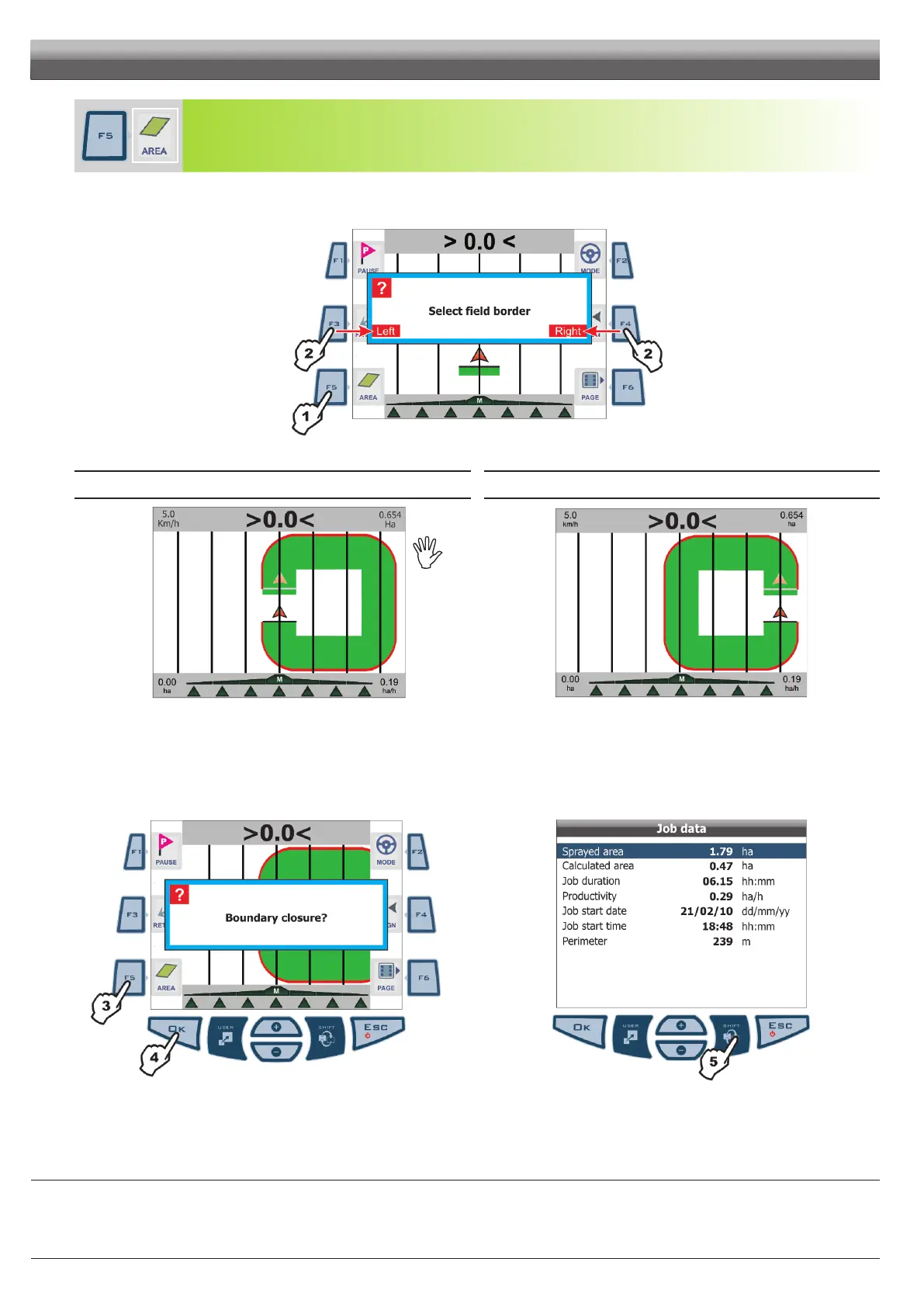
Activate the procedure to calculate the eld area, while driving on borders
1 Press
F5 to start the procedure and calculate the area (functions list is no longer displayed).
Message Select field border is displayed to set machine side to be used as eld outer edge.
2 Press
F3 (Left) or F4 (Right): the display will show a red line drawing the eld border as far as the tractor moves along.
Fig. 121
Following are the two possible instances:
FIELD BORDER ON MACHINE LEFT-HAND SIDE FIELD BORDER ON MACHINE RIGHT-HAND SIDE
Fig. 122
Fig. 123
3 Drive along eld borders or border of the area to be calculated.
To complete the procedure, view again the corresponding functions list page (Fig. 105) and press
F5.
4 Message Boundary closure? is displayed. Press OK (Fig. 124).
5 To view calculated data (Calculated area and Perimeter), press SHIFT a few times until viewing Job data page on the display (Fig. 125).
At any moment, during this procedure, press ESC to quit and delete drawn eld border.
Fig. 124
Fig. 125
END OF PAR. 8.2 - FUNCTIONS LIST - PAGE 2
Fieldouteredge
(redline)followsthe
pathoftheoutermost
sectionvalveopen.
Whenallsectionvalves
areclosed,eldborder
(redline)startsfromboom
centre.
WORK FUNCTIONS - PAGE 2



 To Next Page