34
USE
7.4 Sprayingaeld
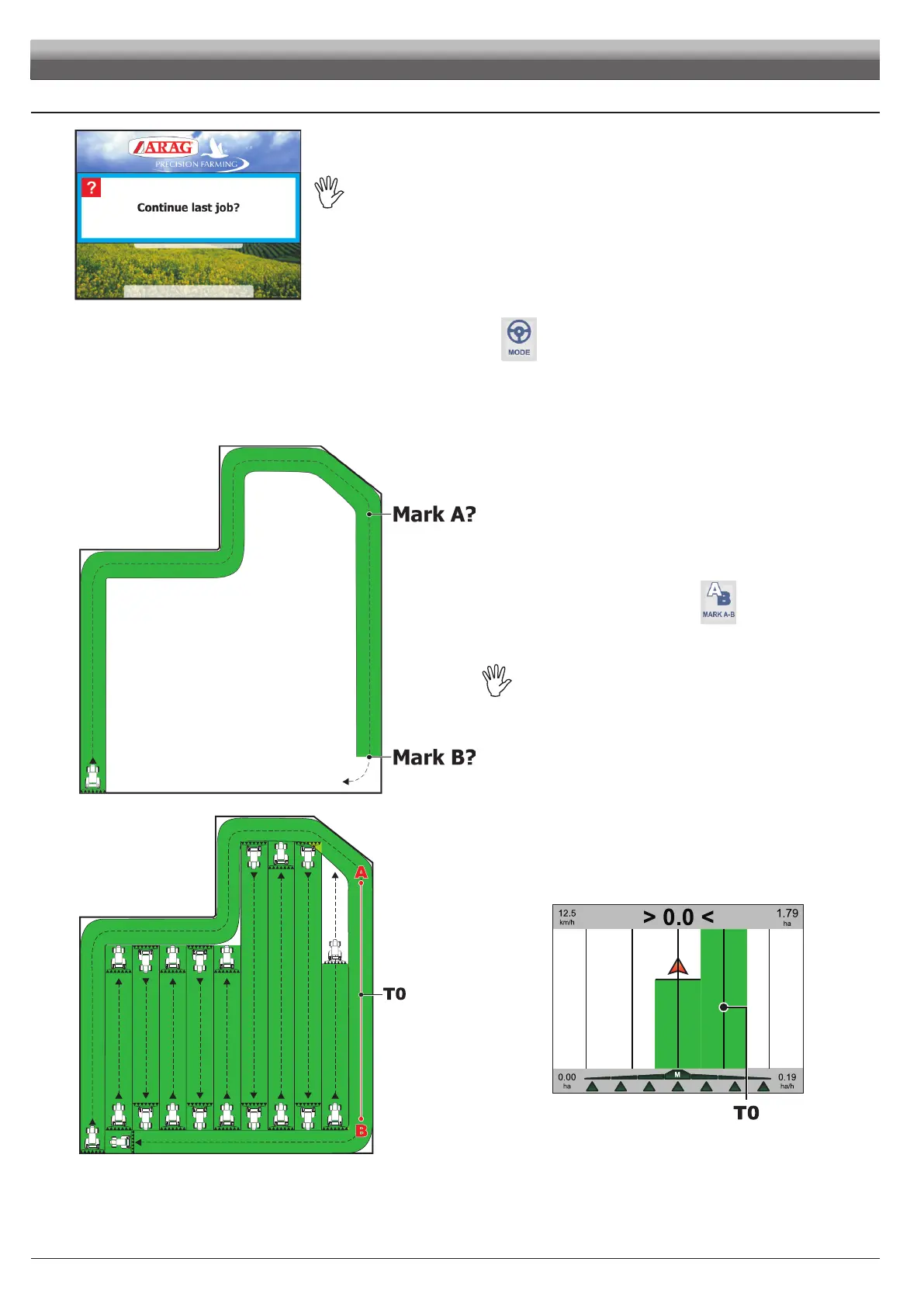
Fi g. 101
Let'sconsidertowishtosprayeldbyparallellines,
butonlyaftersprayingeldborders.
• Switch Skipper LT on (par 6.1).
After self-diagnosis routine, system asks if you wish to continue a previous job (Fig. 101).
Press ESC to start a new spraying job.
• Select guidance mode you wish to use during spraying job: execute function
(par. 8.2.2).
• Set at the beginning of eld to spray (Fig. 102).
• Start spraying by working the relevant activation command according to system in use:
press
USER key and enable spraying job on machine.
• Start driving along eld border. During this path, message
Mark A? is displayed.
Fig. 102
MARKING POINTS A AND B
• While driving eld border you will mark two points A and B
(as described under par. 8.3.1 - function
).
This step is essential to allow Skipper LT to guide you, during the job, along
tracks parallel to the reference one, obtained by marking points A and B.
WerecommendthatyoumarkAandBattheendsofastraight
length as long as possible and while vehicleis moving: the
longerthemarkedlengthacrosspointsAandB,thelowerthe
errorcausedbyyourdeviationwhiledriving.
Fig. 103
• Once straight line A/B (T0) is tracked, the whole eld could be sprayed
along tracks parallel to it (Fig. 103), following the reference tracks that will
be displayed (Fig. 104).
Fig. 104



 To Next Page