36
8.1 FunctionsList:PAGE1-SECTIONVALVESCOMMANDS
IMPORTANT:Activatedfunctionindicatessectionstatusbutdoesnotmakeanycheckonthem:valvesshallbeworkedusing
otherdevices,referringtotherelevantinstructionsmanual.
Indicatingwhathappensontheeld,SkipperLTcouldgiveguidanceindicationsandgatherallworkdata.
Using the function keys on PAGE 1 it is possible to indicate "sequential" opening and closing of section valves, from right to left and vice versa,
according to the depressed function key. State of spraying boom sections will be displayed (par. 7.3).
8.1.1
F1Open
(LEFT)
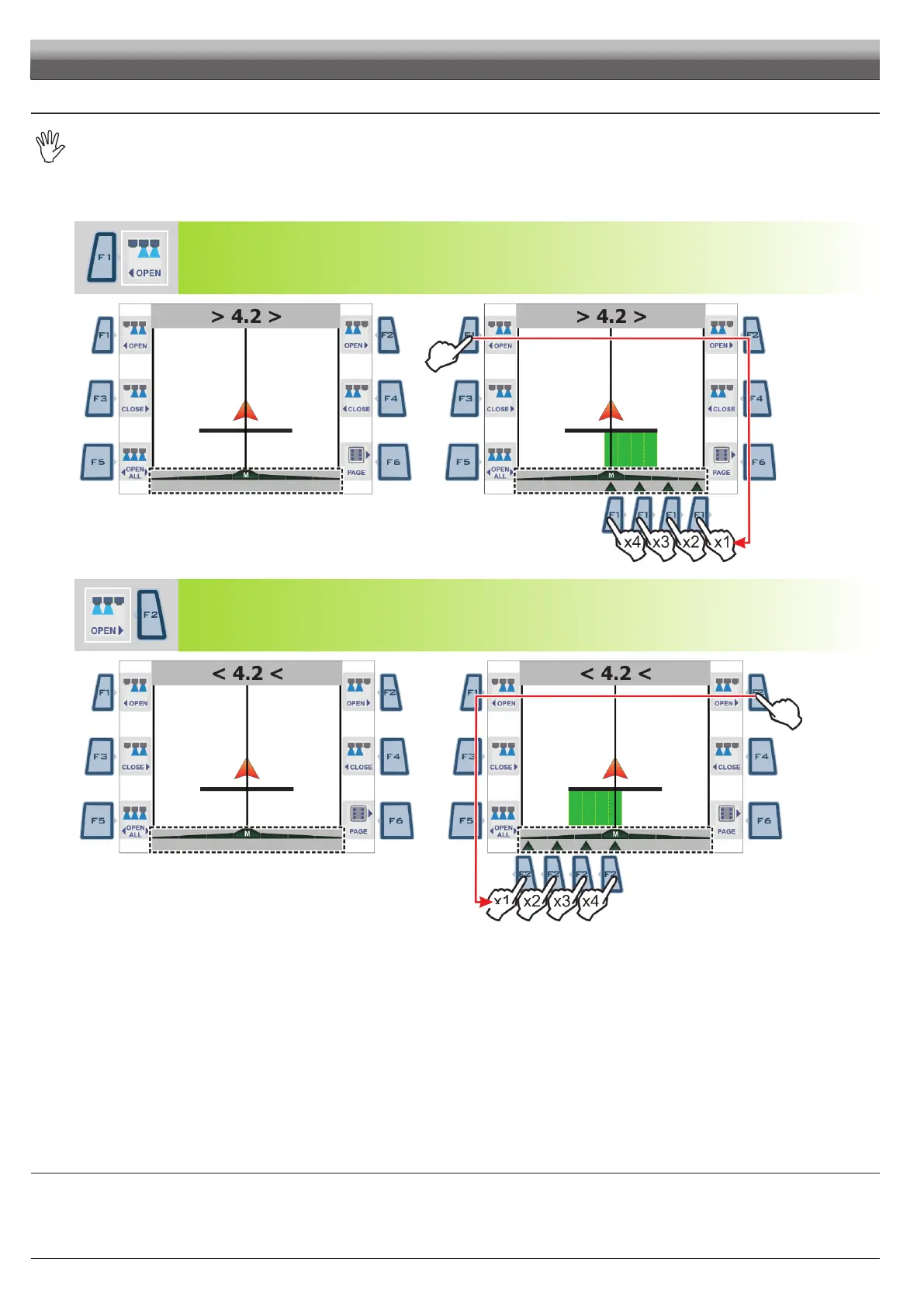
Press a few times to indicate valve opening, one at a time, from right to left, starting from the rst closed section valve (Fig. 106).
Fig. 106
8.1.2
F2Open
(RIGHT)
Press a few times to indicate valve opening, one at a time, from left to right, starting from the rst closed section valve (Fig. 107).
Fig. 107
WORK FUNCTIONS - PAGE 1
CONT'D



 To Next Page