30
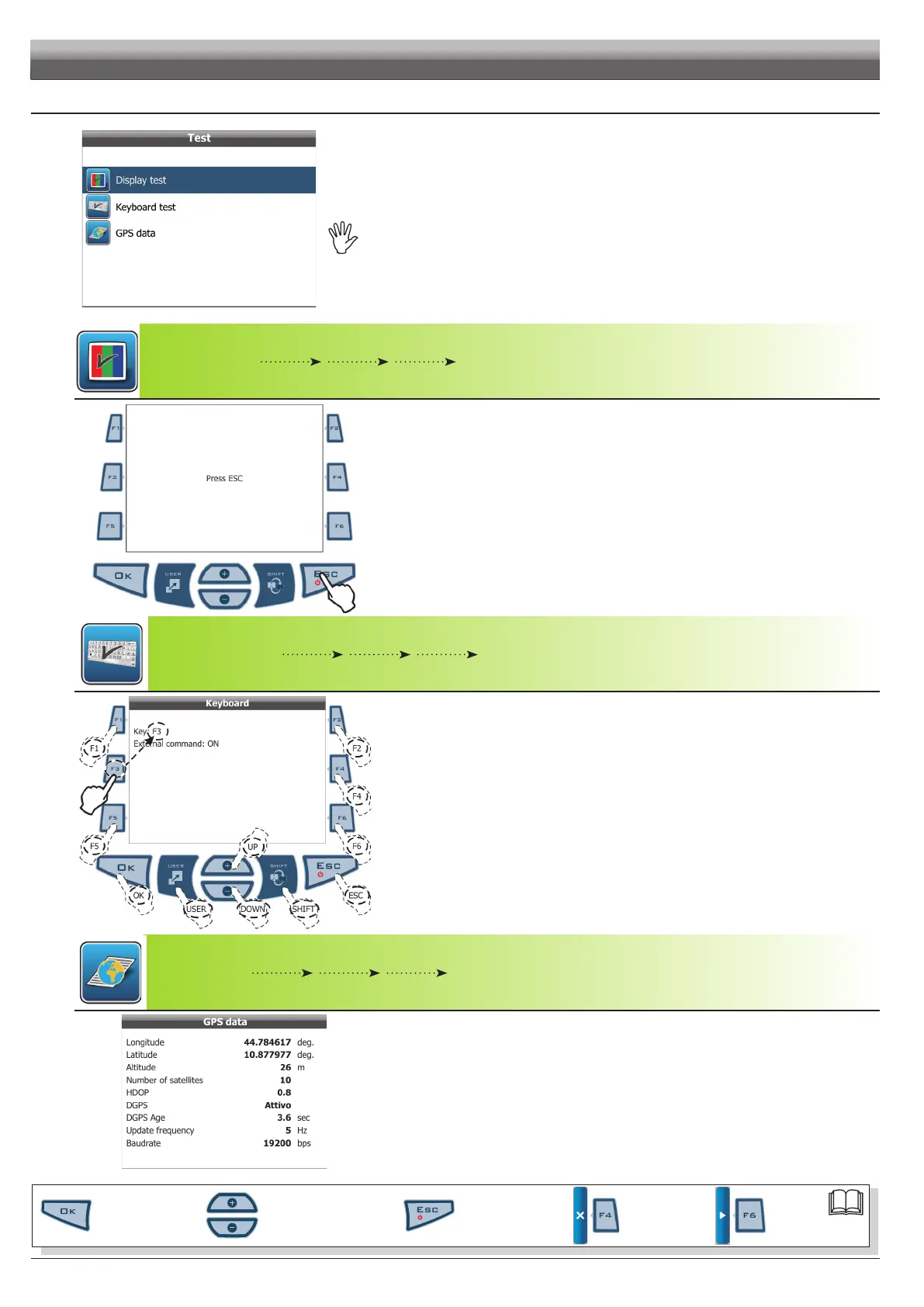
6.8 Test
Fig. 88
Allows you to check Skipper LT correct operation:
TestsareREADING-ONLYdata.
6.8.1 - Display test
Fig. 89
Test basically consists in switching display on to check its correct operation;
press
ESC to quit.
6.8.2 - Keyboard test
Fig. 90
Key: press all keys one at a time: if operation is correct, the display will show the name of key de-
pressed.
External command: the display shows the presence of an external command to start the spraying job
(par. 6.5.4 - User preferences / Guidance settings / Spraying activation).
6.8.3 - GPS data
Fig. 91
Allows you to read data sent by GPS receiver.
PROGRAMMING - TEST
Par.
6.3
Scrolling menu items.
Increase / decrease data
Quit the function or
data changes
Conrm access or
data changes.
Shift the
cursor
Reset / disable
data



 To Next Page