26
6.6.3 - Load/Save settings
Fig. 72
Skipper LT settings can be loaded or saved to pendrive to be able to restore device settings when needed, solve
problems or set another Skipper LT without having to repeat all operations manually.
Onceinstallationiscompleted,andyoucheckedmachinecorrectoperation,werecommendyouto
storethewholecongurationontopendrive.
TodisplaythemenuitemsitisnecessarytoconnectthependrivetoSkipperLTusingthesuitableconnec-
tor(par.5.4). Ifconnectionisnotestablished,themessagePendrive not found! isdisplayed.
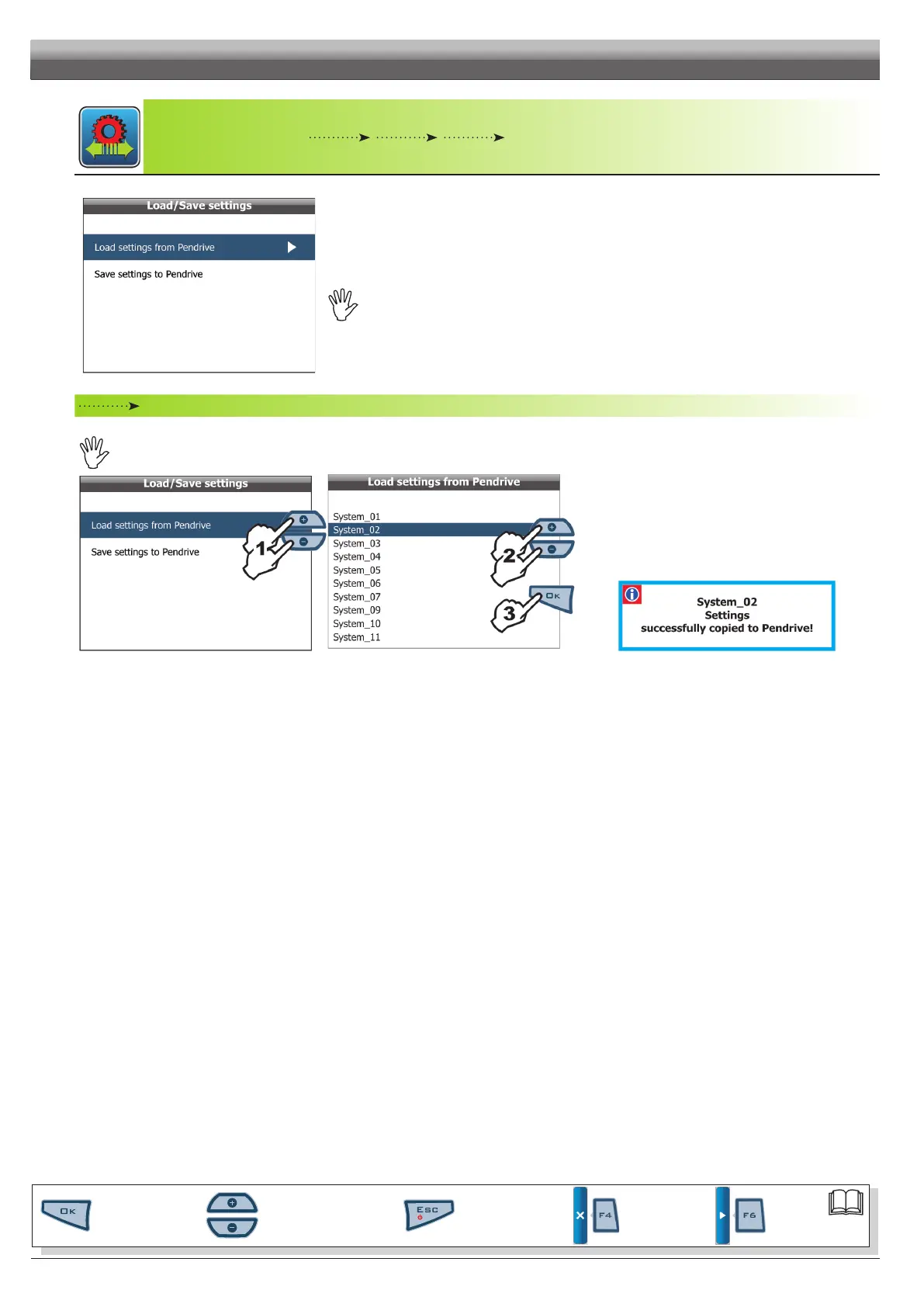
Load settings from Pendrive
Allows you to select a conguration le stored on pendrive and reset Skipper LT.
WARNING:UPLOADINGACONFIGURATIONFILETOSkipperLTWILLDELETEALLSETTINGSMADESOFAR.
Fig. 73
Fi g. 74
1 Select item
Load settings from Pendrive (Fig. 73) and
press OK;
2 Scroll the settings list (Fig. 74) using keys + or - and select
the le to load;
3 Conrm loading by pressing OK.
A conrmation message is displayed once setting is com-
pleted (Fig. 75). Press ESC.
Fig. 75
Par.
6.3
Scrolling menu items.
Increase / decrease data
Quit the function or
data changes
Conrm access or
data changes.
Shift the
cursor
Reset / disable
data
PROGRAMMING - MEMORIES MANAGEMENT



 To Next Page