33
7.3 Sprayingboom
Allows enabling/disabling acoustic warning (two close beeps) indicating that it is necessary to open or close sections (par. 6.5.1).
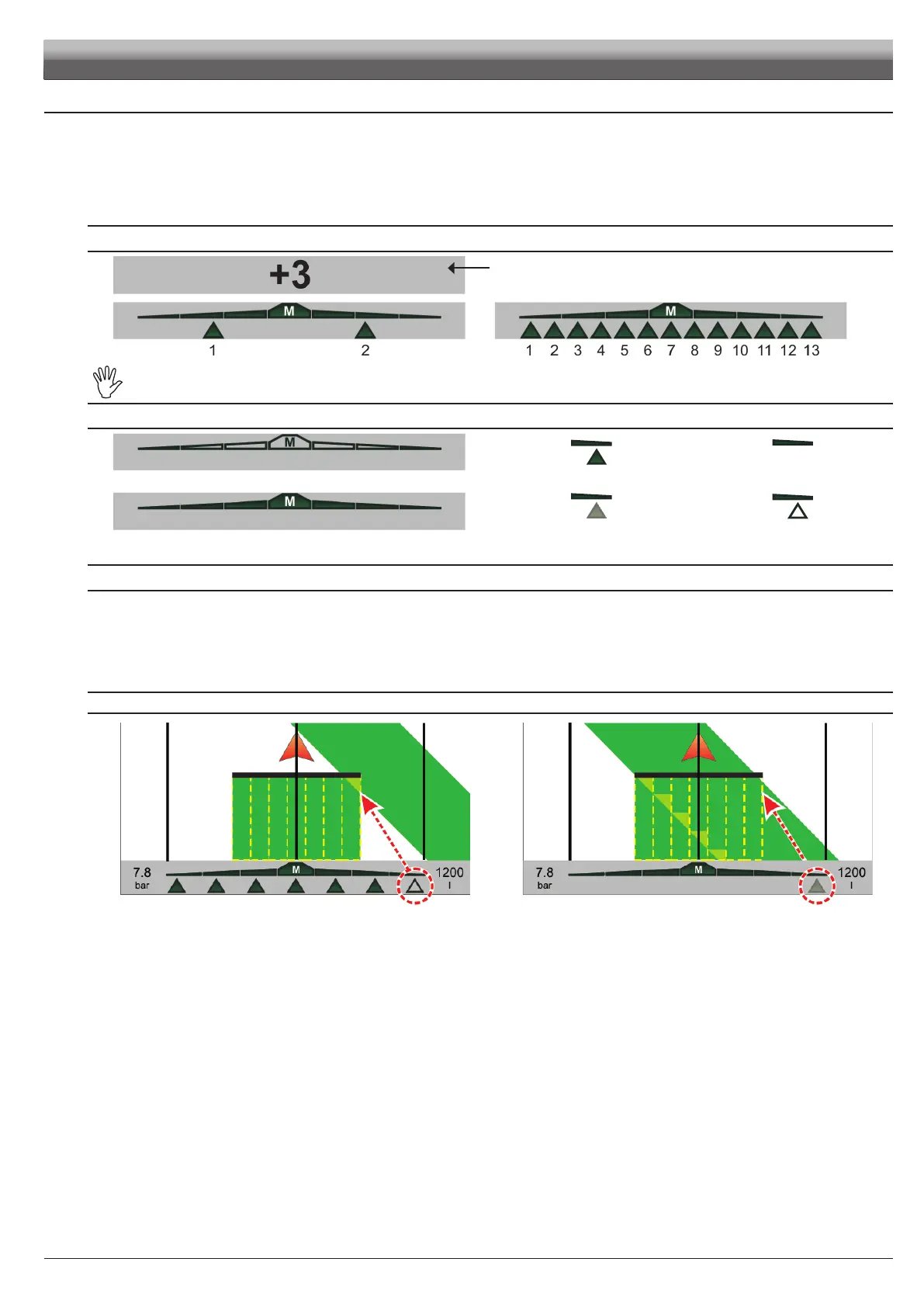
The display shows the following:
• Number of boom sections (max. 13)
• Spraying status (ON / OFF)
• Boom section status (ON / OFF)
• Opening or closing indications.
NUMBER OF BOOM SECTIONS
DISPLAYEDONLYIF1SECTIONISSET:
the display shows the number of the track vehicle is covering.
Thedisplaydoesnotactuallyindicatetheboomnumber,itisshownherejustforeaseofreference.
INDICATION OF BOOM SECTION STATE
Spraying OFF
Section ON Section OFF
Spraying ON
Area to be sprayed.
OPEN SECTION
Area already sprayed.
CLOSE SECTION
OPENING OR CLOSING INDICATIONS
- When overlapping exceeds set value for Overlapping limit, Skipper LT prompts you to CLOSE affected sections (Fig. 99).
Close section valve and inform Skipper LT about its closing using the relevant function key (par. 8.1).
As far as vehicle moves on, signal will be triggered for every overlapping section.
- When overlapping goes back to allowed limits, Skipper LT prompts you to OPEN affected sections (Fig. 100).
Open section valve and inform Skipper LT about its opening using the relevant function key (par. 8.1).
As far as vehicle moves on, signal will be triggered for every section.
CLOSING PROMPT OPENING PROMPT
Fig. 99 Fig. 100
USE



 To Next Page