47
8.4.3
F3 Job
resume
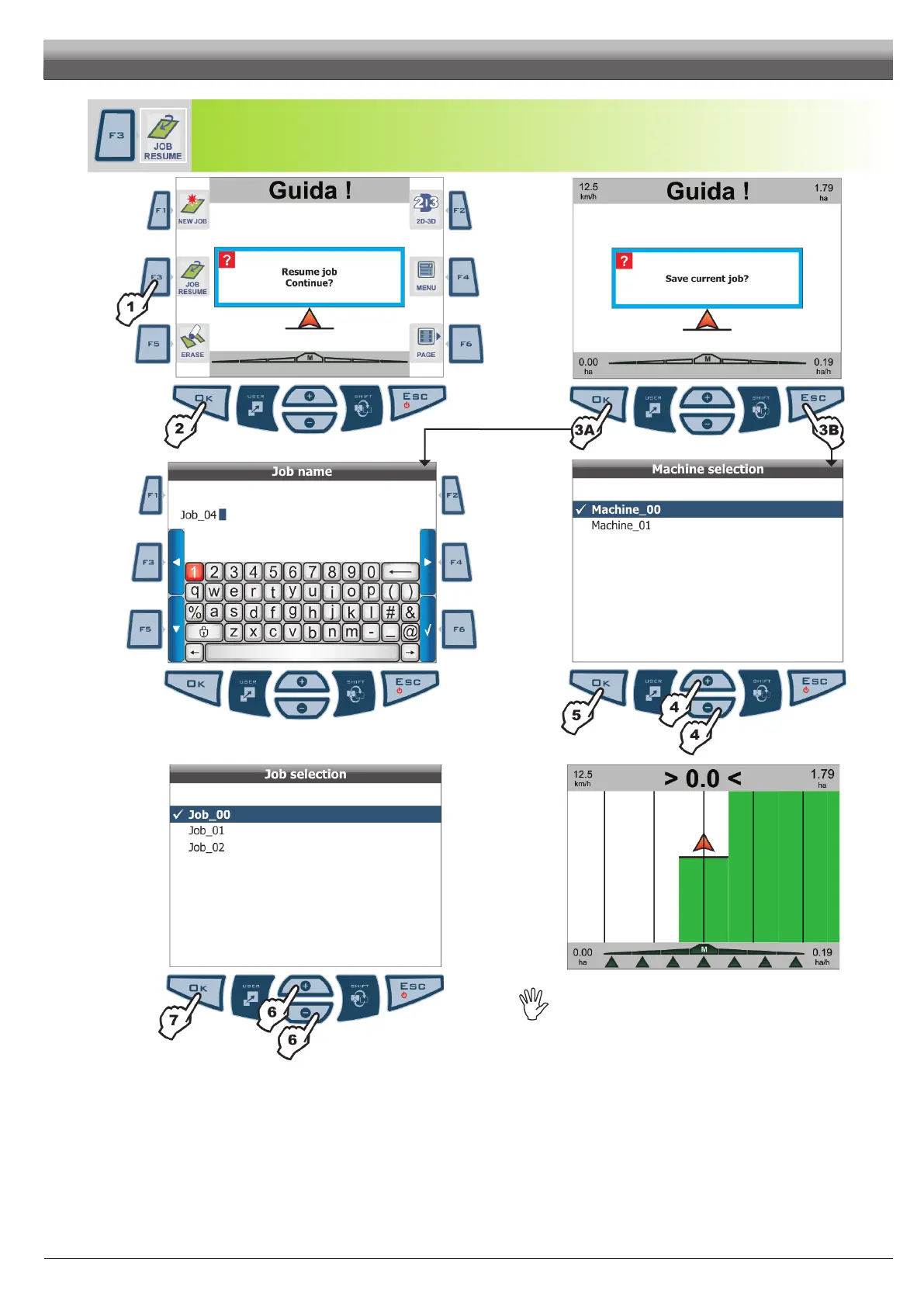
Activate the procedure to resume a spraying job previously interrupted (Fig. 139)
Fig. 139
Fig. 140
Fig. 141
Fig. 142
Fig. 143
Fig. 144
Whenresumingan"old"job,SkipperLTgivesguidanceindications
byrecallingactiveconditionsuponsaving:
-Guidancemode.
-MarkingpointsAandB.
-Markingpointstocalculatethearea.
1 Press
F3 to resume a job previously interrupted, among the saved ones. Conrmation prompt is displayed to start procedure.
2 Press OK. Skipper LT requests you to save job you were carrying out before starting the procedure.
Press
OK (3A) or ESC (3B):
3A OK allows you to save job: enter a name (Fig. 141). Type in name as described under par. 6.3 - Using the programming keys.
3B ESC lets you go to machine selection page (Fig. 142) withoutsavingjob:work data displayed so far will be lost.
4 Press keys to select the "machine"* in use among the listed ones.
5 Press
OK to conrm machine selection.
6 Skipper LT asks you to select job to be resumed. Press keys to select among listed jobs.
7 Press
OK to conrm machine selection. Drive and perform the job.
* "machine": includes all settings you set up during Skipper LT programming (chapt. 6.5), concerning tractor you will use for the job.
For instance, you could use Skipper LT with many machines so to obtain the correct information you shall recall the features of the machine in use.
WORK FUNCTIONS - PAGE 4



 To Next Page