95
ARCHTTP PROXY SERVER INSTALLATION
5.6 ArcHttp Conguration
The ArcHttp proxy server will automatically assign one additional
port for setup its conguration. If you want to change the
"archttpsrv.conf" setting up of ArcHttp proxy server conguration,
for example: General Conguration, Mail Conguration, and
SNMP Conguration, please start web browser http:\\localhost:
Cfg Assistant. Such as http:\\localhost: 81. The port number for
rst controller McRAID storage manager is ArcHttp proxy server
conguration port number plus 1.
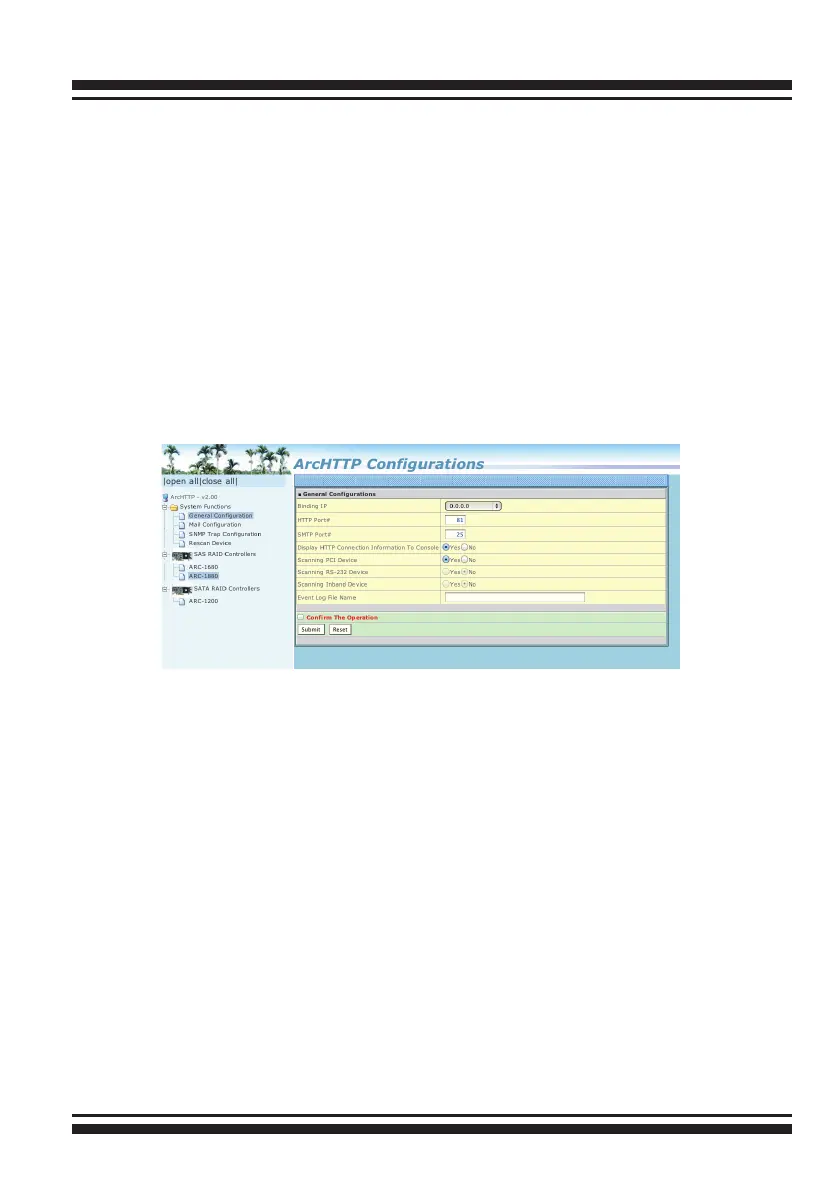
The ArcHttp conguration starts as following:
• General Conguration:
Binding IP: Restrict ArcHttp proxy server to bind only single
interface (If more than one physical network in the server).
HTTP Port#: Value 1~65535
Display HTTP Connection Information To Console: Select “Yes" to
show Http send bytes and receive bytes information in the console.
Scanning PCI Device: Select “Yes” for ARC-1XXX series controller
Scanning RS-232 Device: No
Scanning Inband Device: No
• Mail (Alert by Mail) Conguration:
To enable the controller to send the email function, you need to
congure the SMTP function on the ArcHttp software. To enable
the RAID controller email sending function, click on the “Mail Con-
guration” link. The "SMTP Server Congurations" menu will show
as following:



 To Next Page