ARCHTTP PROXY SERVER INSTALLATION
96
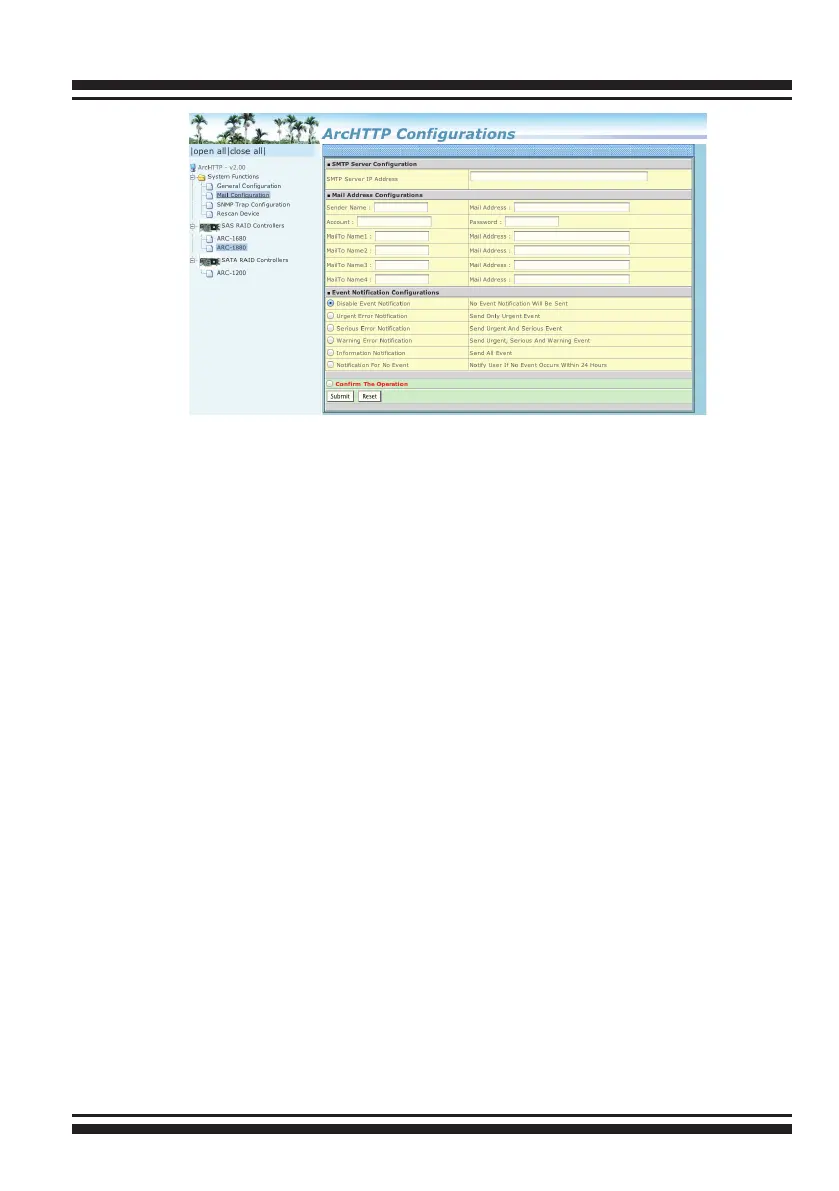
When you open the mail conguration page, you will see following
settings:
SMTP Server Conguration:
SMTP server IP Address: Enter the SMTP server IP address which is
not MCRAID manager IP.Ex: 192.168.0.2
Mail Address Congurations:
Sender Name: Enter the sender name that will be shown in the
outgoing mail.Ex: RaidController_1Mail address: Enter the sender
email that will be shown in the outgoing mail, but don’t type IP to
replace domain name. Ex: RaidController_1@areca.com.tw
Account: Enter the valid account if your SMTP mail server need
authentication.
Password: Enter the valid password if your SMTP mail server need
authentication.
MailTo Name: Enter the alert receiver name that will be shown in
the outgoing mail.
Mail Address: Enter the alert receiver mail address
Ex: admin@areca.com.tw
Event Notication Congurations:
According to your requirement, set the corresponding event level :



 To Next Page