97
ARCHTTP PROXY SERVER INSTALLATION
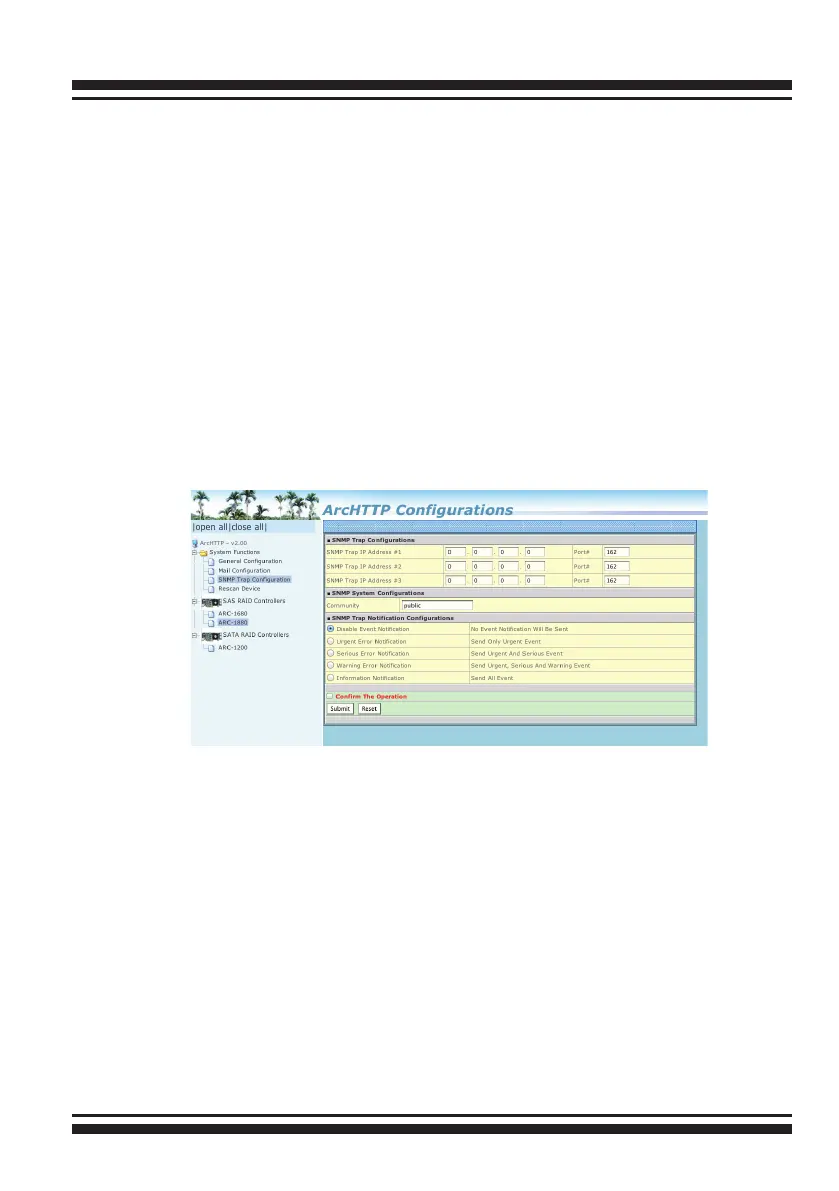
Disable Event Notication: No event notication will be sent. Urgent
Error Notication: Send only urgent event
Serious Error Notication: Send urgent and serious event
Warning Error Notication: Send urgent, serious and warning Event
Information Notication: Send all event
Notication For No Event: Notify user if no event occurs within 24
hours.
• SNMP Traps Conguration:
To enable the controller to send the SNMP traps to client SNMP
manager, such as Net-SNMP manager, you need to congure the
SNMP function on the ArcHttp proxy server software. To enable the
RAID controller SNMP traps sending function, click on the “SNMP
Conguration” link. The "SNMP Traps Congurations" menu will
show as following:
SNMP Trap Congurations
Enter the SNMP trap IP address.
SNMP System Congurations
Community name acts as a password to screen accesses to the
SNMP agent of a particular network device. Type the community
names of the SNMP agent in this eld. Before access is granted to
a request station, this station must incorporate a valid community
name into its request; otherwise, the SNMP agent will deny access
to the system. Most network devices use “public” as default of their
community names. This value is case-sensitive.



 To Next Page