ARCHTTP PROXY SERVER INSTALLATION
98
Note:
Event Notication Table refer to Appendix D.
After you conrm and submit congurations, you can use
"Generate Test Event" feature to make sure these settings are
correct.
SNMP Trap Notication Congurations
Before the client side manager application accepts the SAS RAID
controller traps, it is necessary to integrate the MIB into the
management application’s database of events and status indicator
codes. This process is known as compiling the MIB into the
application. This process is highly vendor-specic and should be
well-covered in the User’s Guide of your SNMP application. Ensure
the compilation process successfully integrates the contents of the
ARECARAID.MIB le into the traps database.
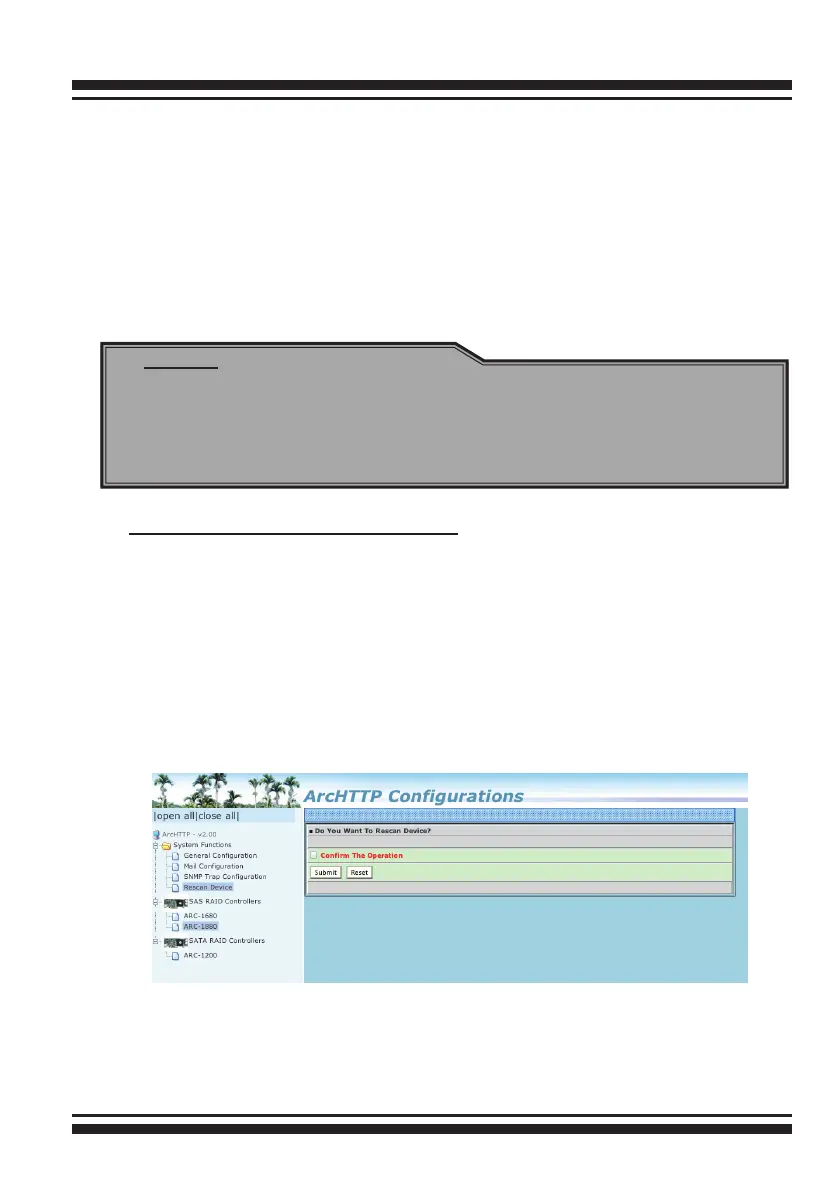
• Rescan Decive Conguration:
Let's assume you've put all Areca RAID adapters to a system.
The Archttp scans the RAID adapters on the system and create
a individual adapter icon located on left column of the Archttp
Congurations screen. This adapter icon is for user to launch web
browser RAID manager. If there is any RAID adapter missed on
the system start-up, you can use the Rescan Device function. The
Rescan Device function is a procedure which forces the archttp to
rescan the targets to allow a missed RAID adapter to be added.



 To Next Page