Optics 141
ARRIGLOW
The ARRIGLOW module is integrated in the optical viewfinder system of the
ALEXA Studio. It allows illuminated format markings to be superimposed
onto the viewfinder image with adjustable brightness.
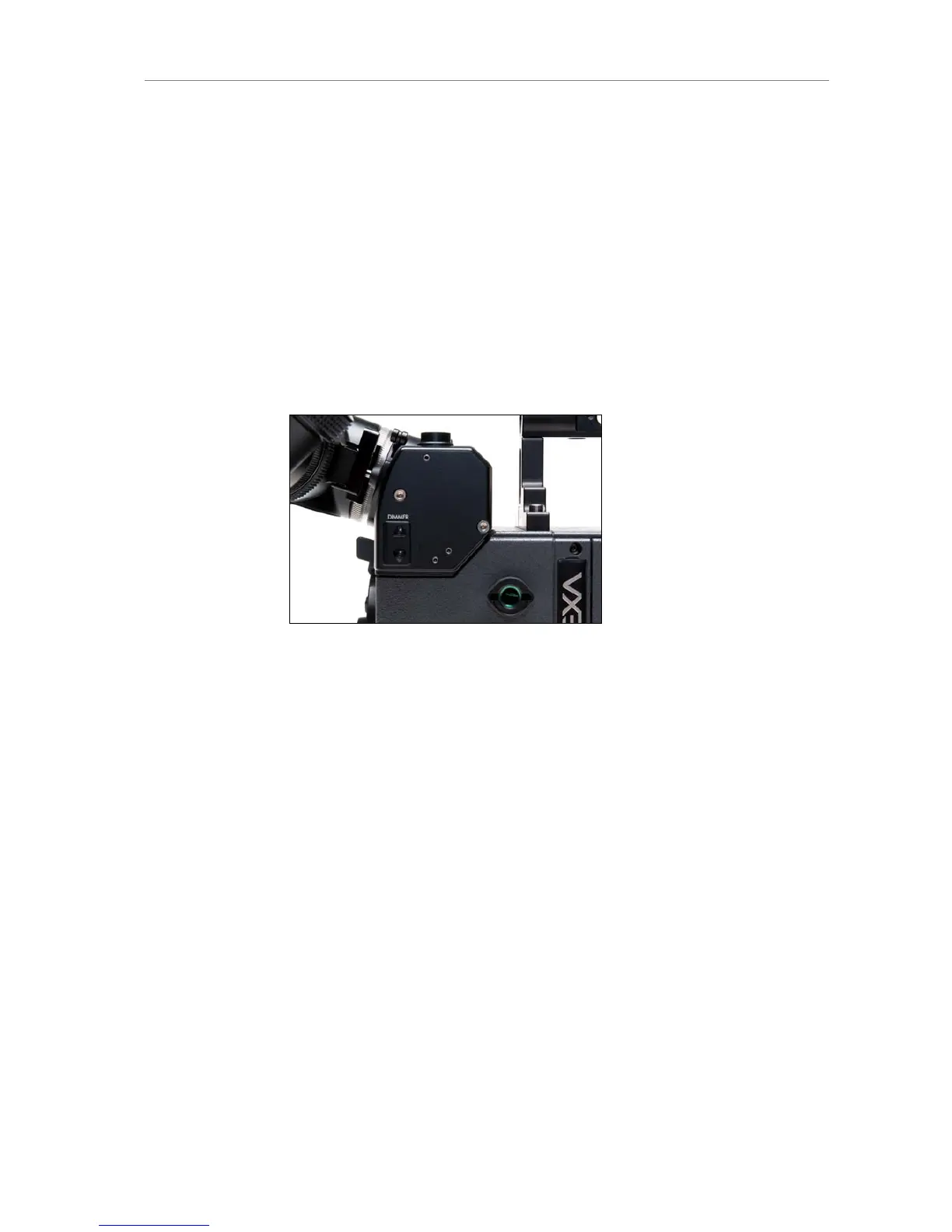
Press the buttons on the left side of the OVF below the DIMMER
engravement to adjust the brightness of the ARRIGLOW. At its lowest
brightness setting, the ARRIGLOW is switched off.
The ARRIGLOW color is set in the camera menu under
MENU>Monitoring>Frame lines> Frame lines color
Figure 106: ARRIGLOW buttons
Changing the ARRIGLOW mask
The ground glass used for the optical viewfinder should be combined with a
matching glow mask. To change the glow mask:
Loosen the 3mm allen screw next to the level bubble.
Remove the level bubble element.
Grab the glow mask with a Hirschmann clamp at the forceps hole and
pull it out of the glow mask frame.
Check that both the new glow mask and the glow mask frame are
clean.
Carefully push the new glow mask into the glow mask frame.
Make sure the glow mask is inserted completely.
Place the bubble element on top of the ARRIGLOW module and
tighten the 3mm allen screw.
Turn on the ARRIGLOW and check that ground glass and glow mask
are correctly aligned.











 To Next Page