Main Controls 75
Pressing the PLAY button opens the play screen and loads the last clip in
pause. Pressing the wheel plays the clip back. pressing the wheel again
brings the clip back into pause.
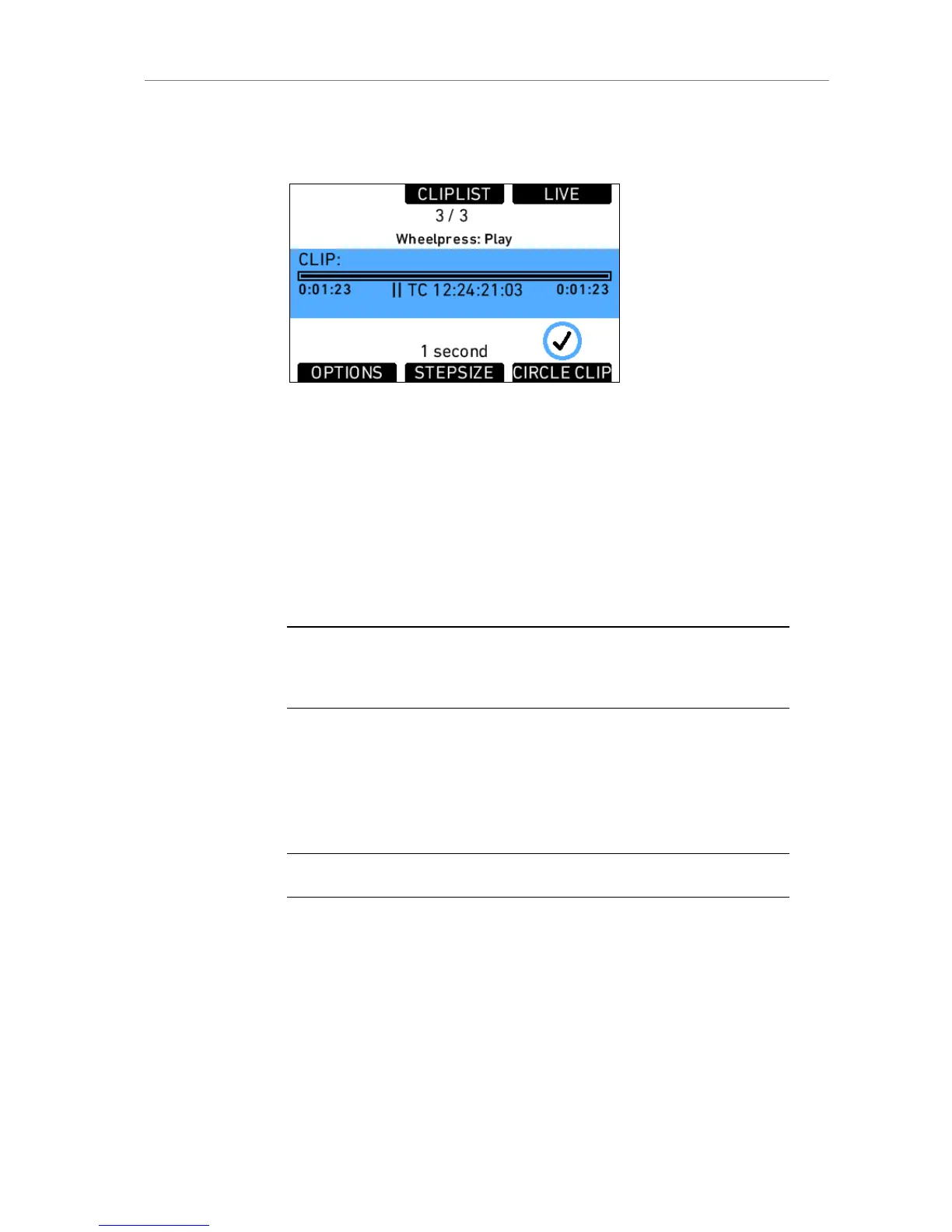
Figure 55: Play screen
In the play screen the playback actions can be controlled.
STEPSIZE Toggles the scrub stepsize between 1 frame and 1
second.
CIRCLE
CLIP
Mark the clip as circle clip. This will set the <GOOD>
tag in the FCP XML to YES. Press again to unmark it.
LIVE Switches to the live sensor image as long as the button
is pressed.
Note: When surround view is active, the image angle changes slightly when switching
between live and playback image because the playback image does not contain the
surround view.
The jogwheel can be used to scrub through the paused clip. The scrub
stepsize is shown in the lower mid of the screen.
Additionally, important clip information is visible. The clip name is shown in
the top line of the blue center bar. Below it is a progress bar showing the
current position in the clip. The current duration is shown below the progress
bar at the left, and the total duration at the right. The center shows the
playback Time code.
Note: Do not eject a card during playback.











 To Next Page