Main Controls 87
Show reel + clip
info
Reel & clip number are shown in the MON OUT
image
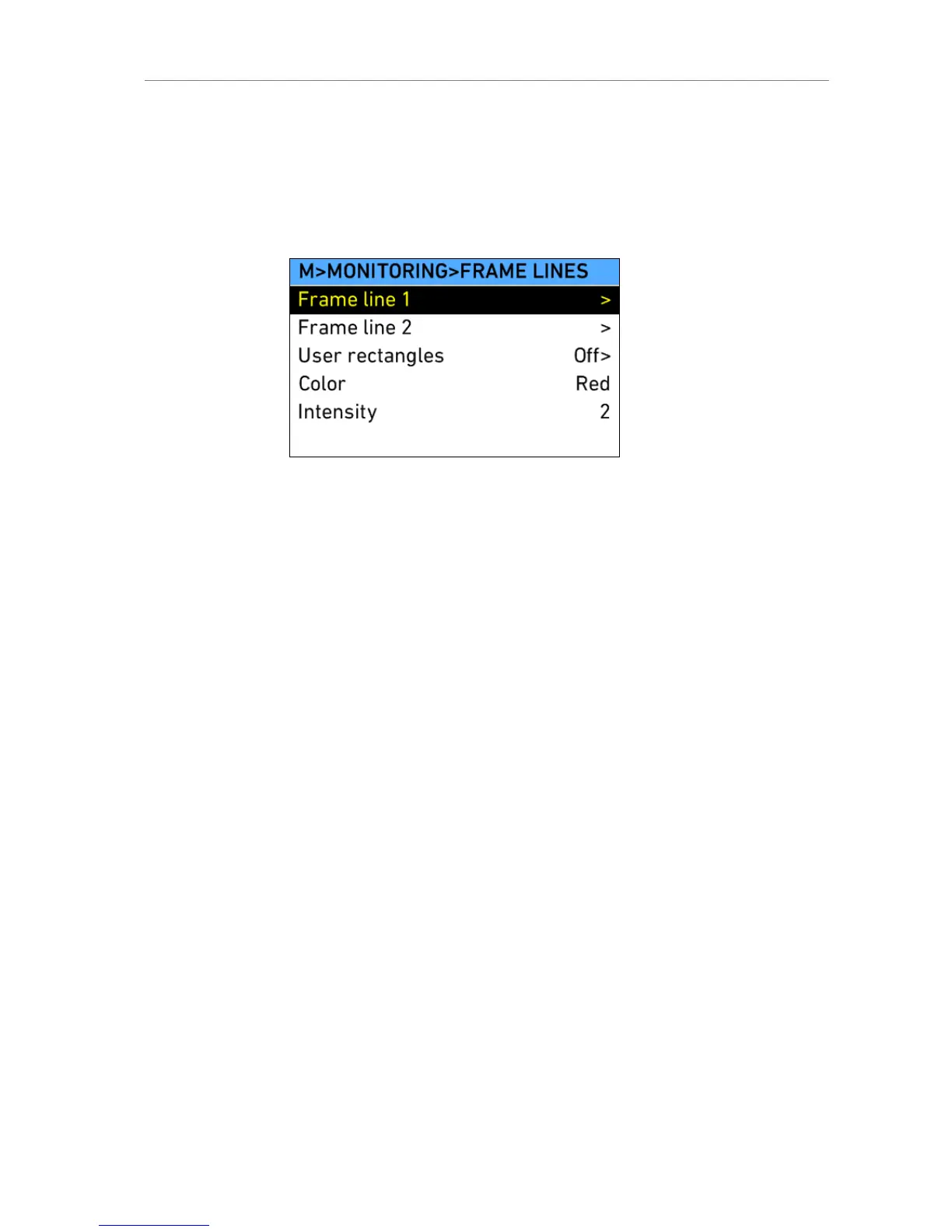
Frame Lines
Figure 64: MENU>MONITORING>FRAMELINES
Frame lines are an image overlay that can be applied to either the EVF
image, the MON OUT image, or both.
ALEXA frame lines are stored as XML files containing definitions what the
frame lines look like.
The camera contains default frame lines for 1.33:1, 1.66;1 1.78:1, 1.85:1,
2.39:1, 2.39 1.3x anamorphic and 2.39 2.0x anamorphic aspect ratios.
Additional frame lines can be loaded from the SD card.
To load more frame lines, press the ADD screen button in the Frame lines
data base screen. This opens a list of all frame line files located on the SD
card, which can then be copied to the camera. The camera supports up to
16 frame line templates.
Frame line 1 Select the main frame line template.
Frame line 2 Choose a second frame line, if desired.
User rectangles Opens a screen where two user rectangle overlays
can be adjusted.
Color In the frame lines definition file, lines can either be
given a fixed color, or they can have the color
specified as "User". If "User" is chosen for a line, the
setting chosen in this menu section is applied to the
line.
Intensity Sets the intensity of the frame lines. The higher the
number, the brighter the frame lines appear.
User rectangles screen
User rectangles Display up to two additional rectangles that can be
adjusted manually.











 To Next Page