TD 92483GB
2008-06-05/ Ver. B
Installation and Operation Manual
UPAC- Unite Packet for Messaging and Alarm
87
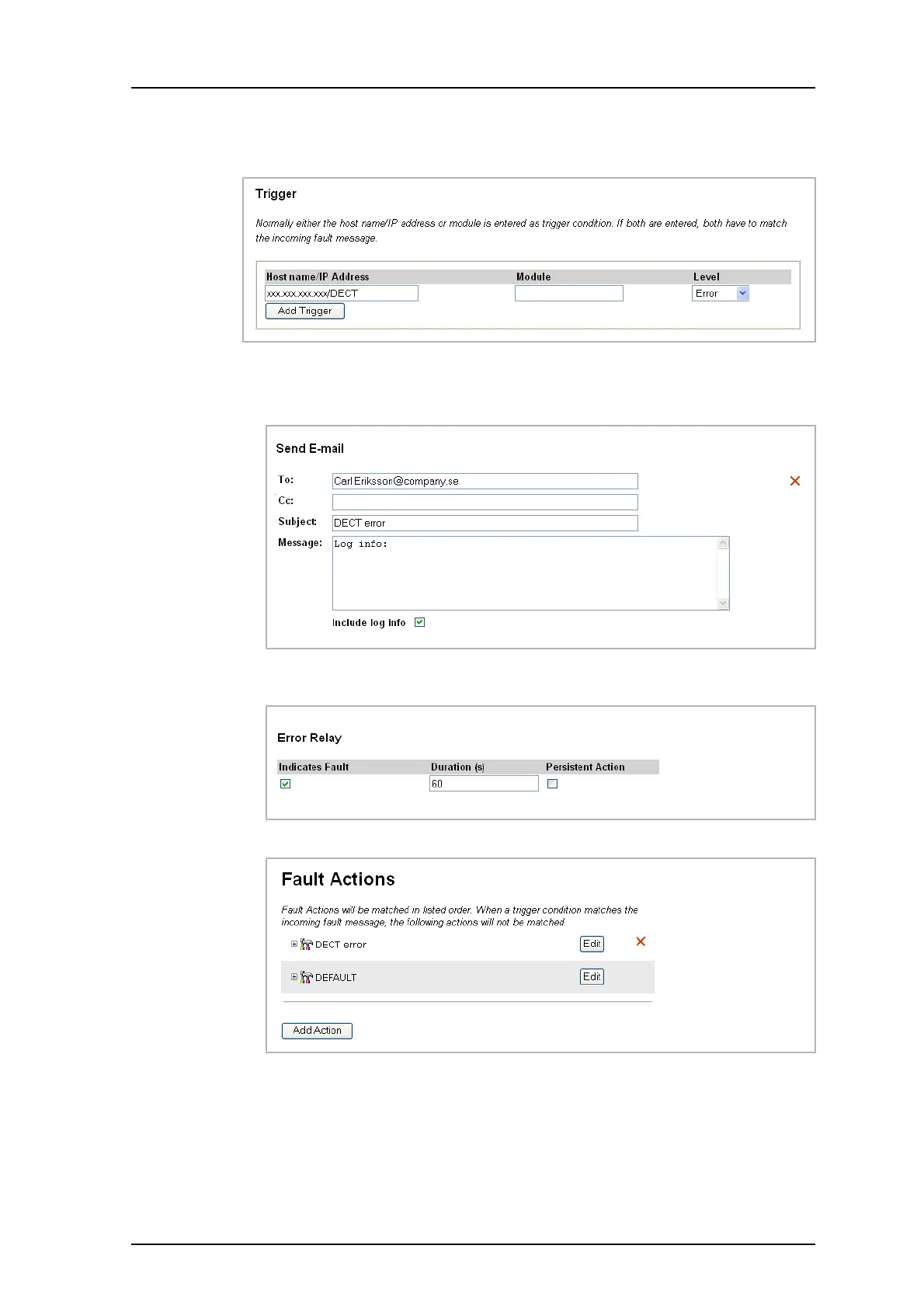
3 Enter the UPAC IP address “xxx.xxx.xxx.xxx/DECT” as trigger condition, where
xxx.xxx.xxx.xxx is the UPAC IP address.
4 Select the error level to trigger on as “Error”.
5 Select the action Send E-mail and enter the complete e-mail address to the
recipient. Mark the Include log info box.
6 Mark the Error Relay “Indicates Fault” box to use the output/relay to indicate fault.
Set the duration to 60 s.
7 Click “Save”.
Figure 49. The action list with the DECT error action.
UPAC is now configured to light the lamp connected to the error relay and to send an e-
mail with the log files, to someone responsible for the system in case of error.
Figure 113.
Figure 114.
Figure 115.
Figure 116.



 To Next Page