EFD1000 Installation Manual
DOCUMENT # A-01-126-00 PAGE 150-225 Revision H
© Copyright 2009 Aspen Avionics Inc.
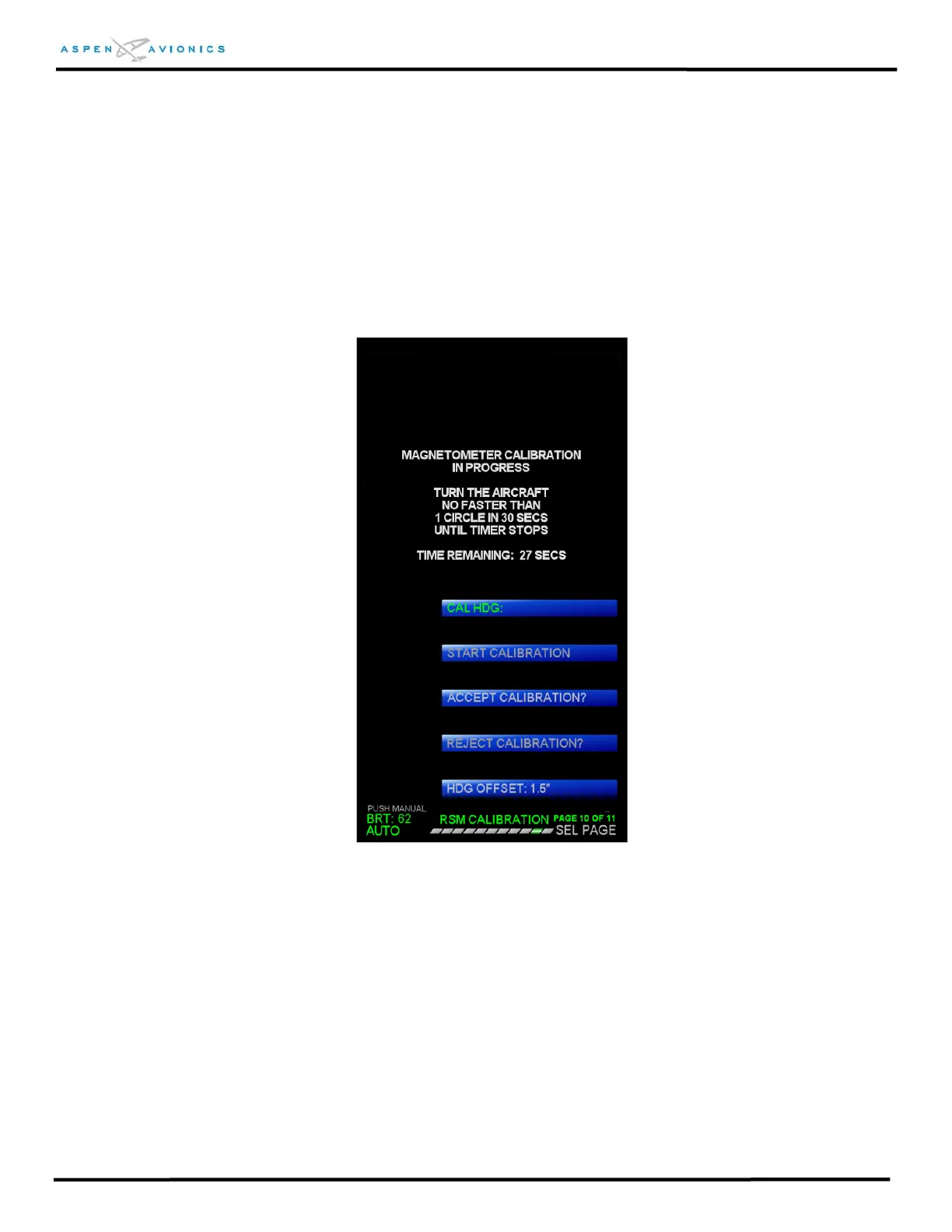
10.5.2 RSM Calibration Procedure
The RSM calibration routine is accomplished using the Installation Menu “RSM
CALIBRATION” menu page. See Section 10.4.5 (Installation Menu Access) for
instructions on entering the INSTALLATION MENU.
CAUTION: The “PITCH ATT TRIM “ and “ROLL ATT TRIM” must be set correctly on
Installation Menu page 4 of 11 prior to calibrating the RSM.
Figure 10.25 – RSM Calibration Page
On the “RSM CALIBRATION” menu page the current calibrated heading (to the
nearest 0.1 degrees) will be continuously displayed adjacent to the “CAL HDG:”
menu field.
NOTE: Verify CAL HDG is within 25 degrees of a calibrated compass source prior
to starting the RSM Calibration. This is a rough check of the hard and soft
iron effects (magnetic interference) in the vicinity of the RSM. Should the
CAL HDG be greater than 25 degrees then the RSM location should be re-
surveyed per Section 6.9.1.



 To Next Page