EFD1000 Installation Manual
DOCUMENT # A-01-126-00 PAGE 128-225 Revision H
© Copyright 2009 Aspen Avionics Inc.
10.4.5 INSTALLATION MENU – UNIT CONFIGURATION
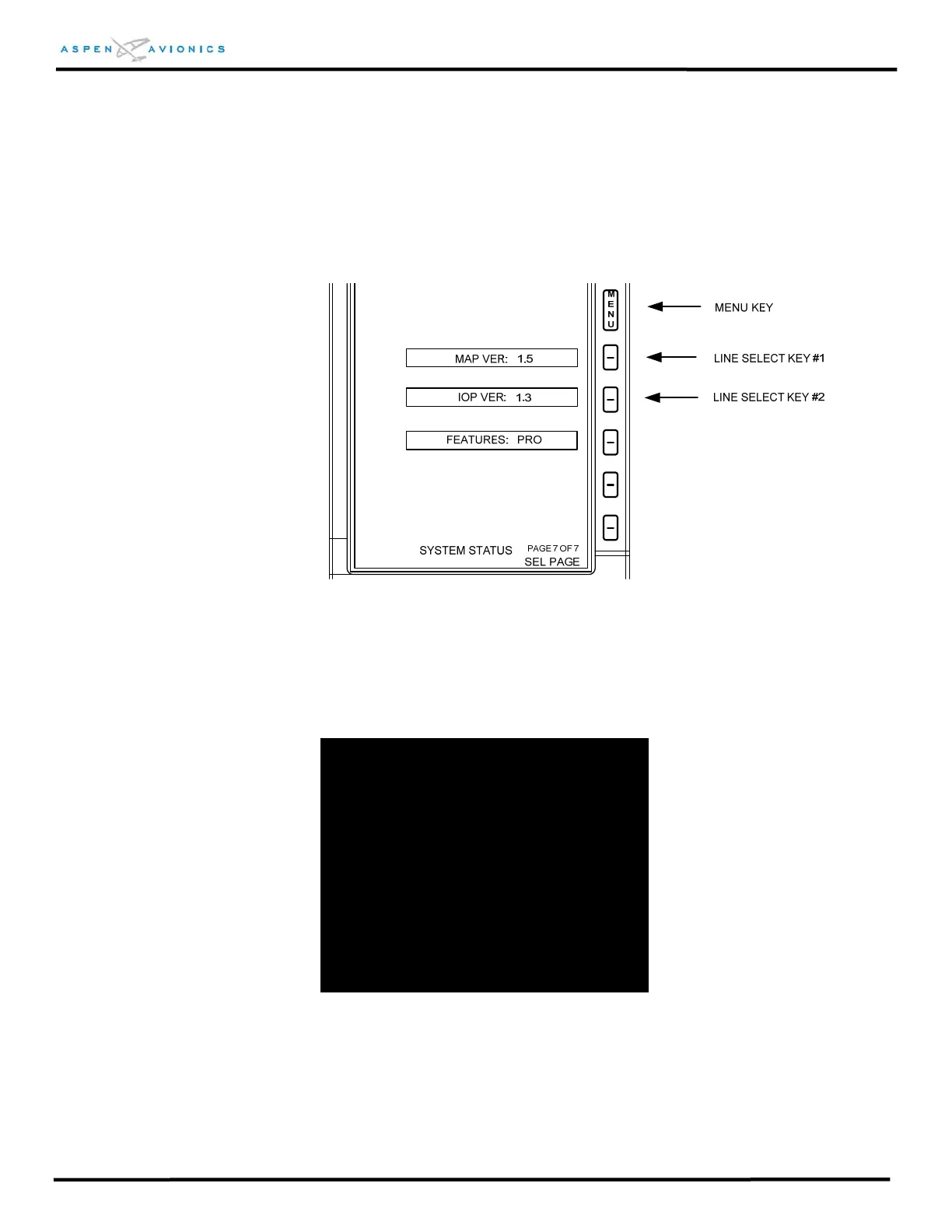
The Installation Menu is entered from the Main Menu “SYSTEM STATUS PAGE” (page 7
of 7). Simultaneously push and hold the MENU key, Line Select Key #1 and Line Select
Key #2 for 3 seconds while the airspeed is below 30 units.
Figure 10.8 – Installation Menu Access
Whenever the warning message in Figure 10.9 is displayed, pressing either control
knob shall advance the Installation menu.
PRESS EITHER CONTROL KNOB TO ACCEPT
PRESS MENU KEY TO EXIT
WARNING:
THE INSTALLATION MENU CONFIGURATION
SETTINGS MUST BE SET IN ACCORDANCE
WITH THE APPROVED INSTALLATION
INSTRUCTIONS. UNAUTHORIZED
MODIFICATION OF THESE INSTALLATION
SETTINGS MAY INVALIDATE THE TYPE
CERTIFICATED STATUS OF THIS AIRCRAFT
AND/OR RENDER IT UNAIRWORTHY.
Figure 10.9 – Installation Menu Warning
To exit the Installation Menu at any time press the MENU button. All data will be saved
as displayed. The system will reboot and “INITIALIZING” will appear on the display for
approximately 15 seconds.



 To Next Page