EFD1000 Installation Manual
DOCUMENT # A-01-126-00 PAGE 129-225 Revision H
© Copyright 2009 Aspen Avionics Inc.
WARNING: Only a Certified Mechanic may set the values on Installation Menu
pages 1 and 2. The values must match the certified speeds in the
Aircraft Flight Manual (AFM), Pilot Operating Handbook (POH), or
other legal form of documentation (e.g., Placard).
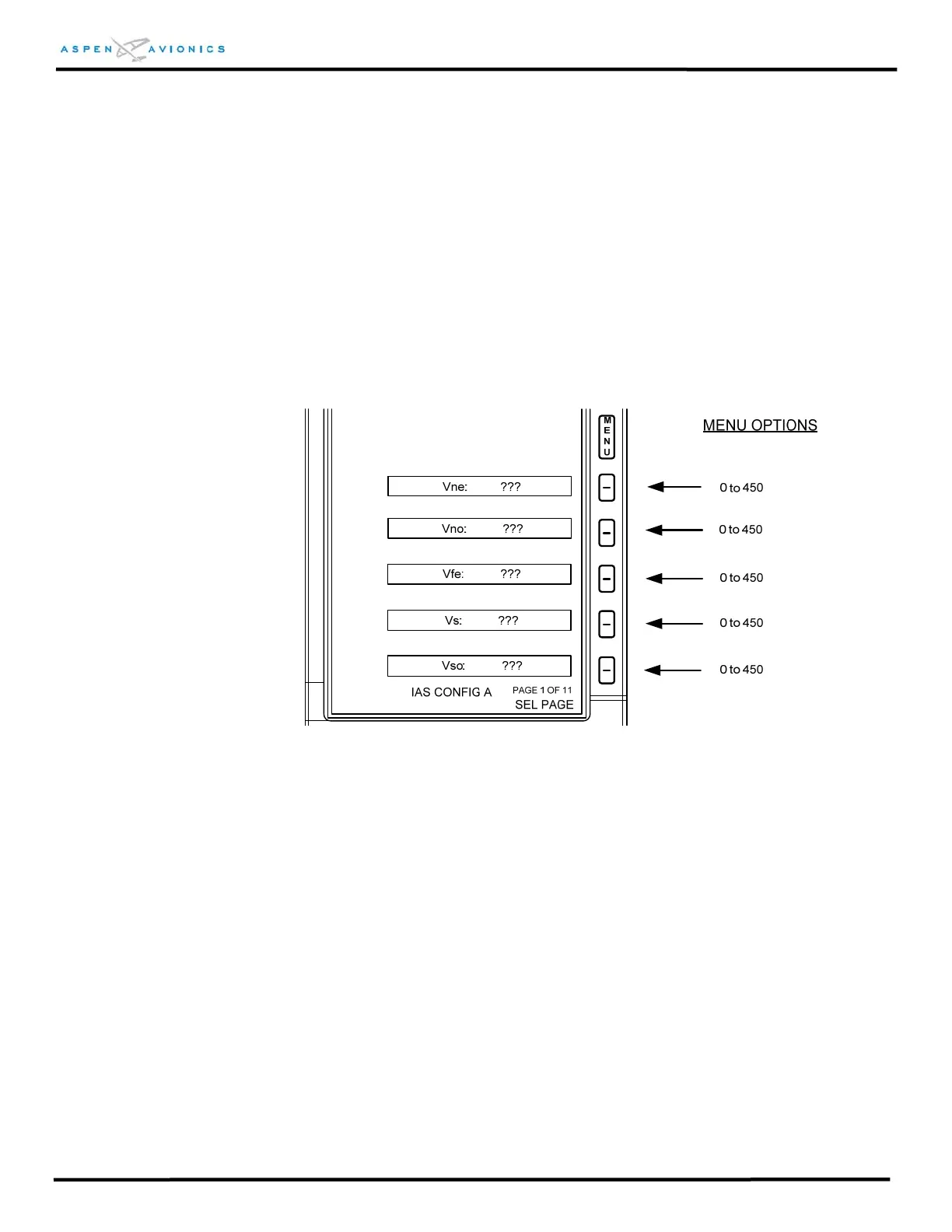
INSTALLATION MENU PAGE 1 - IAS CONFIG A
Set Speed Bands per Aircraft Flight Manual.
Figure 10.10 – Installation Menu Page 1
V
ne
: Never Exceed speed (beginning of red band)
V
no
: Maximum Structural Cruise speed (beginning of yellow band). For aircraft with no
published yellow speed band set V
no
= V
ne
.
V
fe
: Maximum Flap Extend speed (top of white band) - set to V
fe
= V
s
on
aircraft with no flaps
V
s
: No Flap Stall speed (bottom of green band)
V
so
: Full Flap Stall speed (bottom of white band) - set to V
so
= V
s
on aircraft
with no flaps



 To Next Page