EFD1000 Installation Manual
DOCUMENT # A-01-126-00 PAGE 174-225 Revision H
© Copyright 2009 Aspen Avionics Inc.
Nav Source Display
The name of the currently coupled CDI or bearing pointer navigation source will be
displayed directly above the associated button. When the coupled source data is invalid
or not available, the legend is slashed with a red line.
12.6 Back Light Control
The PFD includes an adjustable LCD backlight that provides both automatic and manual
brightness adjustments over a wide dimmable range. A single bezel-mounted photocell
measures the ambient light, allowing an automatic dimming mode to be selected by the pilot.
Manual dimming control is enabled by the pilot to override the photocell input and adjust the
display to any desired intensity level (except off).
In either mode, the bezel-key backlighting is maintained at a fixed brightness level.
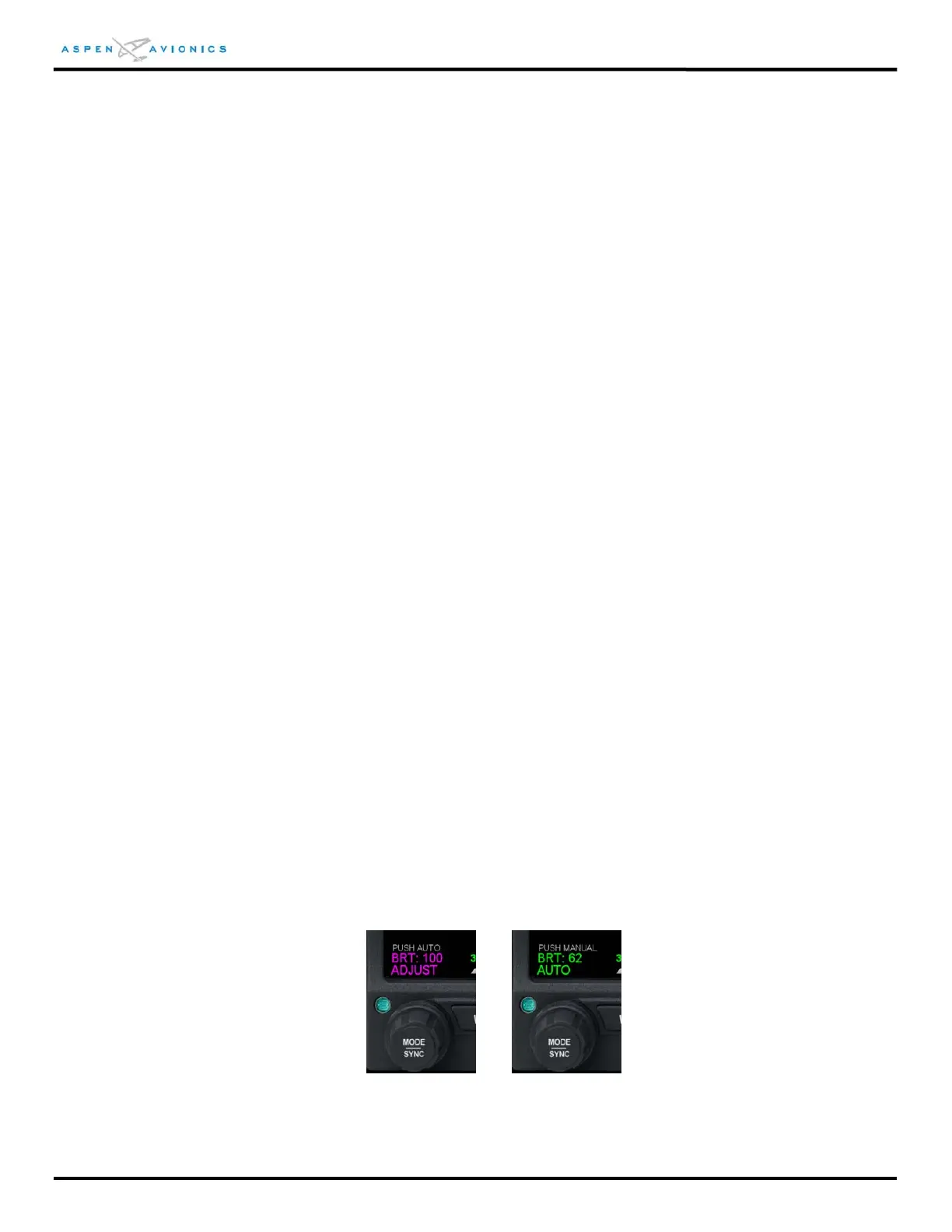
To adjust backlight intensity, press the MENU button and then press the left control knob to
toggle between auto (BRT AUTO) and manual brightness (BRT ADJUST) control.
To manually adjust the brightness, with BRT ADJUST displayed above the left knob rotate the
knob until the desired brightness level is set.
On power up, the display defaults to AUTO brightness control.
When operating on the internal battery, backlight intensity setting is capped at a value of 70 for
both manual and automatic operation.
Under extreme temperature conditions, such as may be encountered during ground operations
on extremely hot days, the system backlight will automatically dim to an intensity of 30
whenever internal sensors determine that the system operating temperature has exceeded
65ºC. Should this occur the pilot should take steps to reduce the cockpit ambient temperature.
Figure 12.5 – Lighting Control adjustment



 To Next Page