CHAPTER 2 CONTROLS AND DISPLAY
EFD1000 VFR PFD Pilot’s Guide
Page 2-11
091-00028-001 ( )
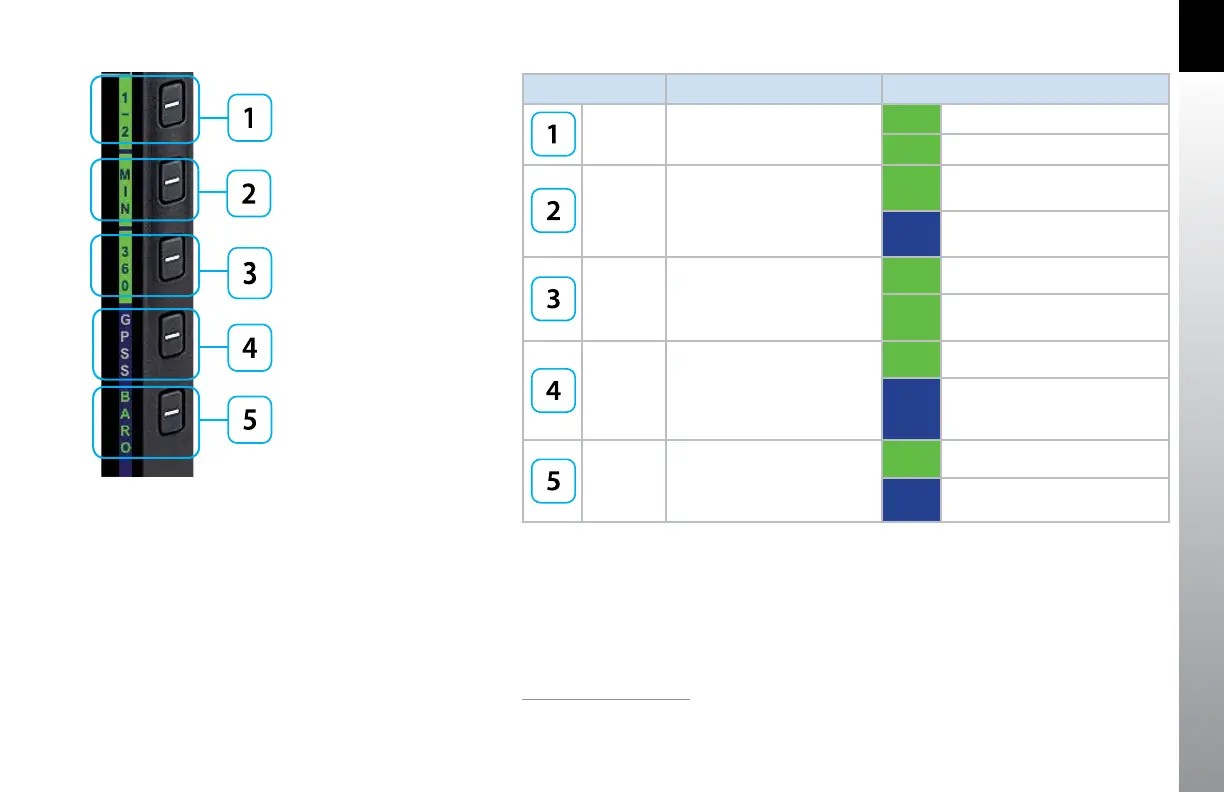
HOT KEY DESCRIPTION OPTIONS
1/2
1
Hot Key Menu selection
1/2 Hot Key Menu 1 of 2
2/2 Hot Key Menu 2 of 2
5
MIN
1
Enables and displays, or
disables and hides, Minimums
Alerter
1, 2
(see Section 4.2.3.4.)
MIN
Minimums displayed and
Altitude Alerter enabled
1
MIN Minimums alerter disabled
1
360 / ARC
Toggles between 360 and ARC
modes of Navigation Display
(see Section 4.4.1.)
360 360° Compass Mode
ARC ARC Compass Mode
GPSS
3, 4
Toggles between GPS Steering
(GPSS) Mode and HDG mode
for Autopilot/Flight Director
4
(see Section 4.7.1.)
GPSS GPSS on
GPSS GPSS O, HDG mode active
BARO
Toggles between BARO
adjustment on or o for
Barometric Pressure setting
BARO BARO adjustment on
BARO BARO adjustment o
Figure 2-8
Hot Key Menu 1 of 2
1. Included i n VFR to PRO upgrade



 To Next Page