How to Use - Setting the Incubator
19
1-3 Temperature Lower-limit Setting (Under Temperature Alarm)
In the same manner as temperature setting, temperature lower-limit setting can be made for each
control channel.
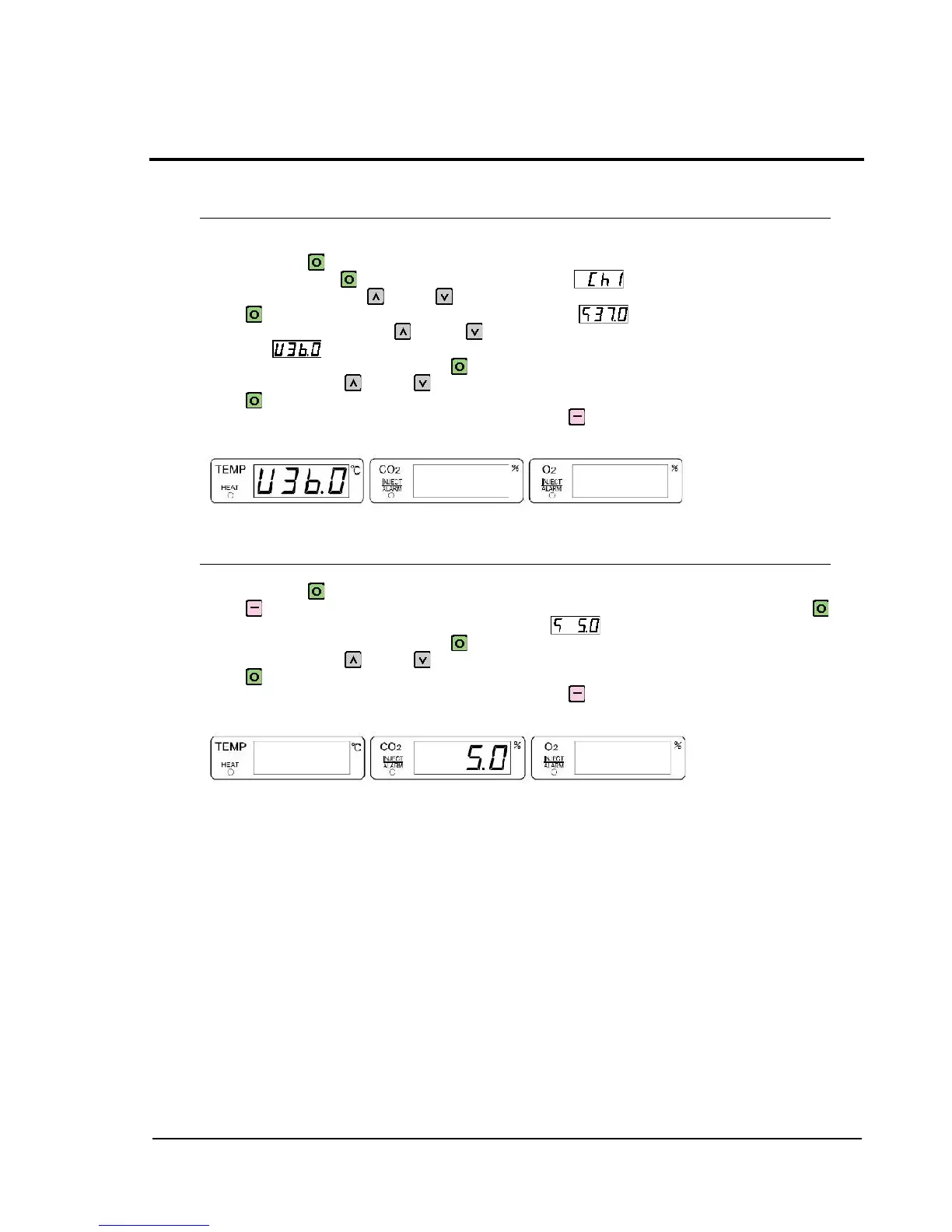
Press and hold [SET] for 1 second or longer to make the temperature indication flash. When
it is flashing, press SET, so that channel number is shown on the temperature
indication section. Press UP or DOWN to display the channel number to be set, and then
press SET to switch to temperature setting indication .
When in this display, press UP or DOWN to switch to temperature lower-limit setting
indication .
To change the current setting, press SET again to make the temperature setting indication
flash, and then press UP or DOWN to select the desired value. After changing the setting,
press SET to complete the setting.
To return to the previous layer of the setting item, press SILENCE.
Example of temperature lower-limit setting indication (Numeric value: Shown for reference)
1-4 CO
2
Setting
This item allows to preset the concentration of CO
2
gas to be used.
Press and hold [SET] for 1 second or longer to make the temperature indication flash. Then,
press SILENCE to make CO
2
concentration indication flash. When it is flashing, press
SET to switch the indication to CO
2
setting indication .
To change the current setting, press SET again to make the temperature setting indication
flash, and then press UP or DOWN to select the desired value. After changing the setting,
press SET to complete the setting.
To return to the previous layer of the setting item, press SILENCE.
Example of CO
2
setting indication (Numeric value: Shown for reference)



 To Next Page