50
PC Operations - User Management
2-13 User Management
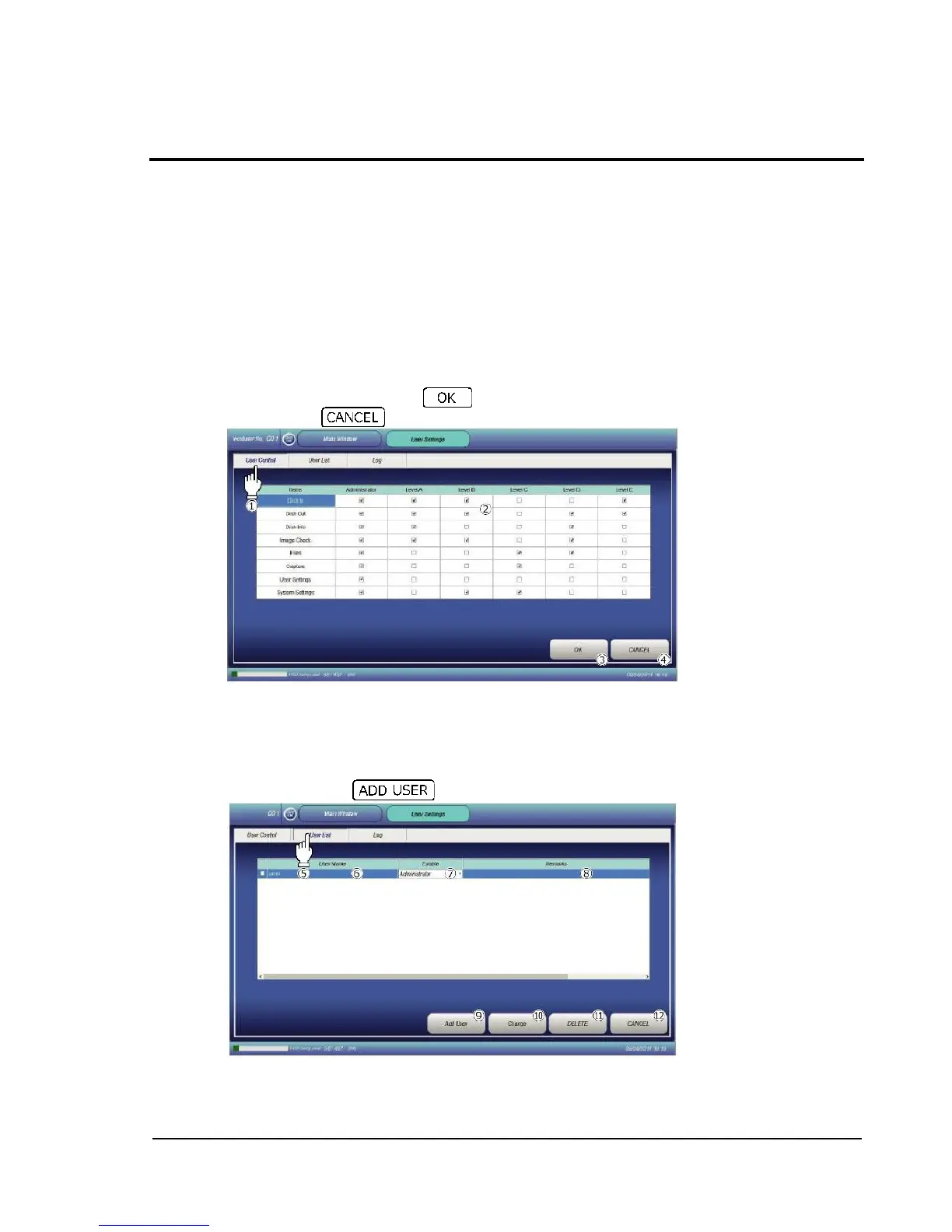
In this section, set user privileges regarding login.
Levels A to E can be set to users.
The screen here allows to set what can be operated with the individual levels. User management
based on levels in this manner makes it easy to change what can be operated by users.
2-13-1 User control
Touching User Control tab displays the User Control screen.
The following five user levels are selectable: administrator and Levels A to E. To make settings,
check the checkboxes of the privilege items in table by double-touching. Operations of the
checked items will be allowed to the user.
To reflect the changes, press the button . To return to the previous screen without
reflecting, press the button .
2-13-2 User list (User registration)
Touching User List tab displays the User List screen.
The screen allows performing of user registration and deletion.
2-13-2-1 User registration
To register a user, touch .



 To Next Page