47
PC Operations - File Deletion
2-12-2 Deleting image files
Use when deleting captured images. File batch-deletion is to be performed for each sample.
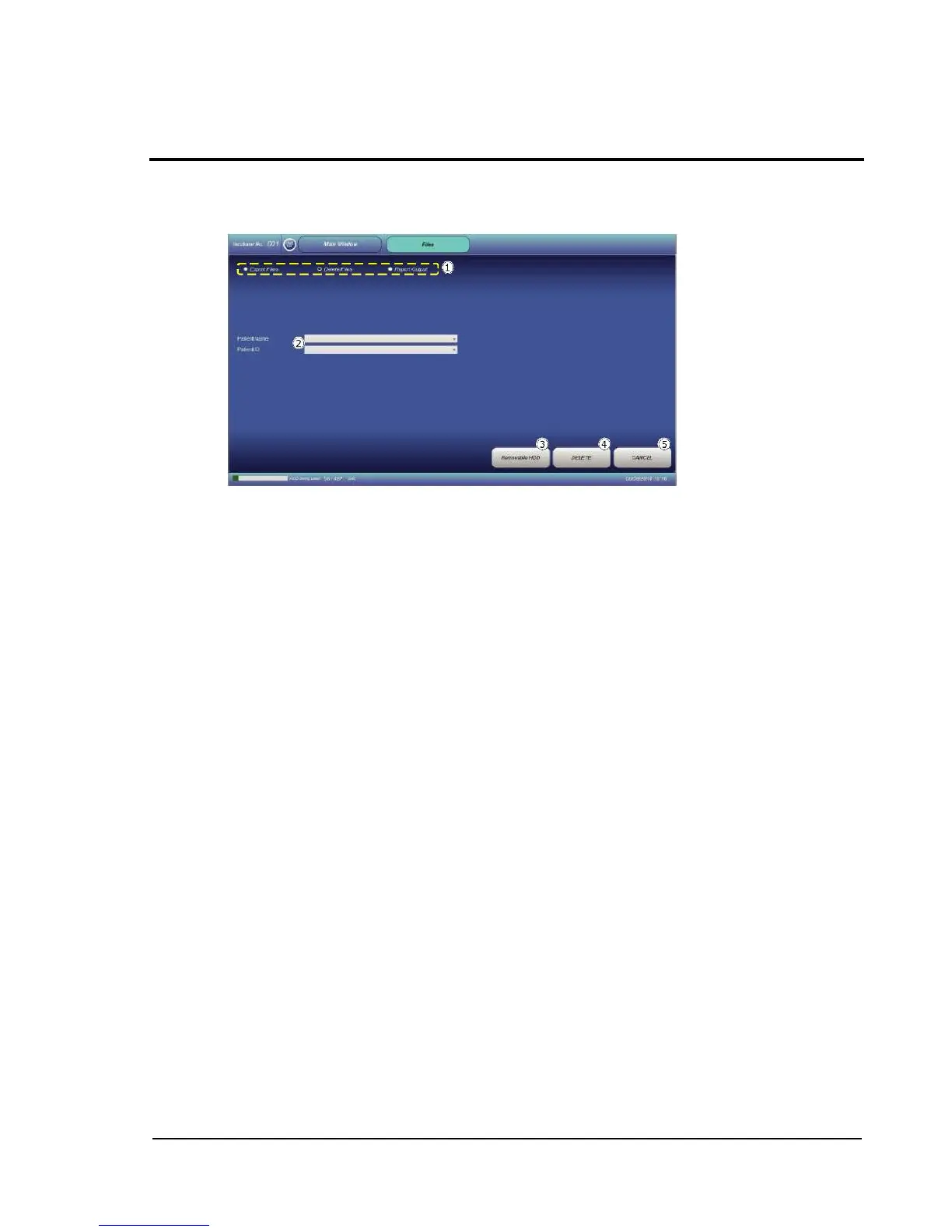
Touching the Delete Files radio button switches the display to the Delete Files screen.
From the pull-down menu of Patient Name or Patient ID, select the name or ID of the target
sample.
Removable HDD: Removes a USB-connected external storage device.
DELETE: Executes deletion of image files of the specified sample.
CANCEL: Restores the Main window without executing deletion.



 To Next Page