How to Use - Fine Adjustment of the Incubator
25
When in this display, press UP once or DOWN five times to display CO
2
fine-adjustment
mode indication .
Then, press SET to switch the indication to CO
2
SPAN setting indication .
Moreover, when in this display, press UP three times or DOWN once to display CO
2
alarm delay time setting indication .
To change the current setting, press SET again to make the CO
2
alarm delay time setting
indication flash, and then press UP or DOWN to select the desired CO
2
alarm delay time
value. After changing the setting, press SET to complete the setting.
To return to the previous layer of the setting item, press SILENCE.
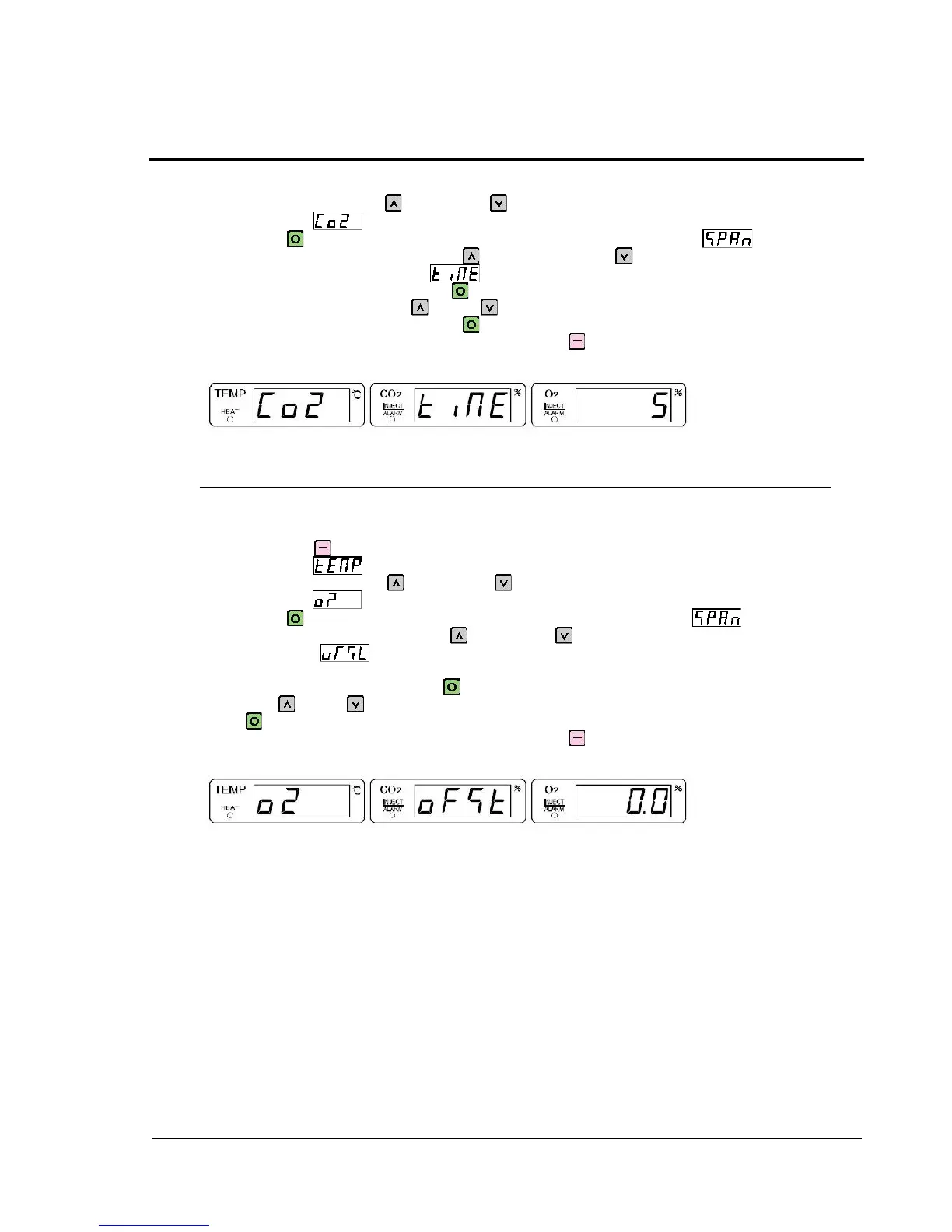
Example of CO
2
alarm delay time setting indication (Numeric value: Shown for reference)
1-17 O
2
Offset Setting
O
2
offset setting allows to adjust so that the indication values of the O
2
sensor will be identical
with measurement values of an instrument such as a gas analyzer.
Enter difference values for O
2
indication and measurement values so that both will be identical.
Press and hold SILENCE for 1 second or longer to display temperature fine-adjustment
mode indication .
When in this display, press UP twice or DOWN four times to display O
2
fine-adjustment
mode indication .
Then, press SET to switch the indication to O
2
SPAN setting indication .
Moreover, when in this display, press UP once or DOWN three times to display O
2
offset
setting indication on the CO
2
indication section and display the offset value on the O
2
indication section.
To change the current setting, press SET again to make the O
2
offset setting value flash, and
then press UP or DOWN to select the desired O
2
offset value. After changing the setting,
press SET to complete the setting.
To return to the previous layer of the setting item, press SILENCE.
Example of O
2
offset setting indication (Numeric value: Shown for reference)



 To Next Page