44
PC Operations - Image Check
2-11 Image Check
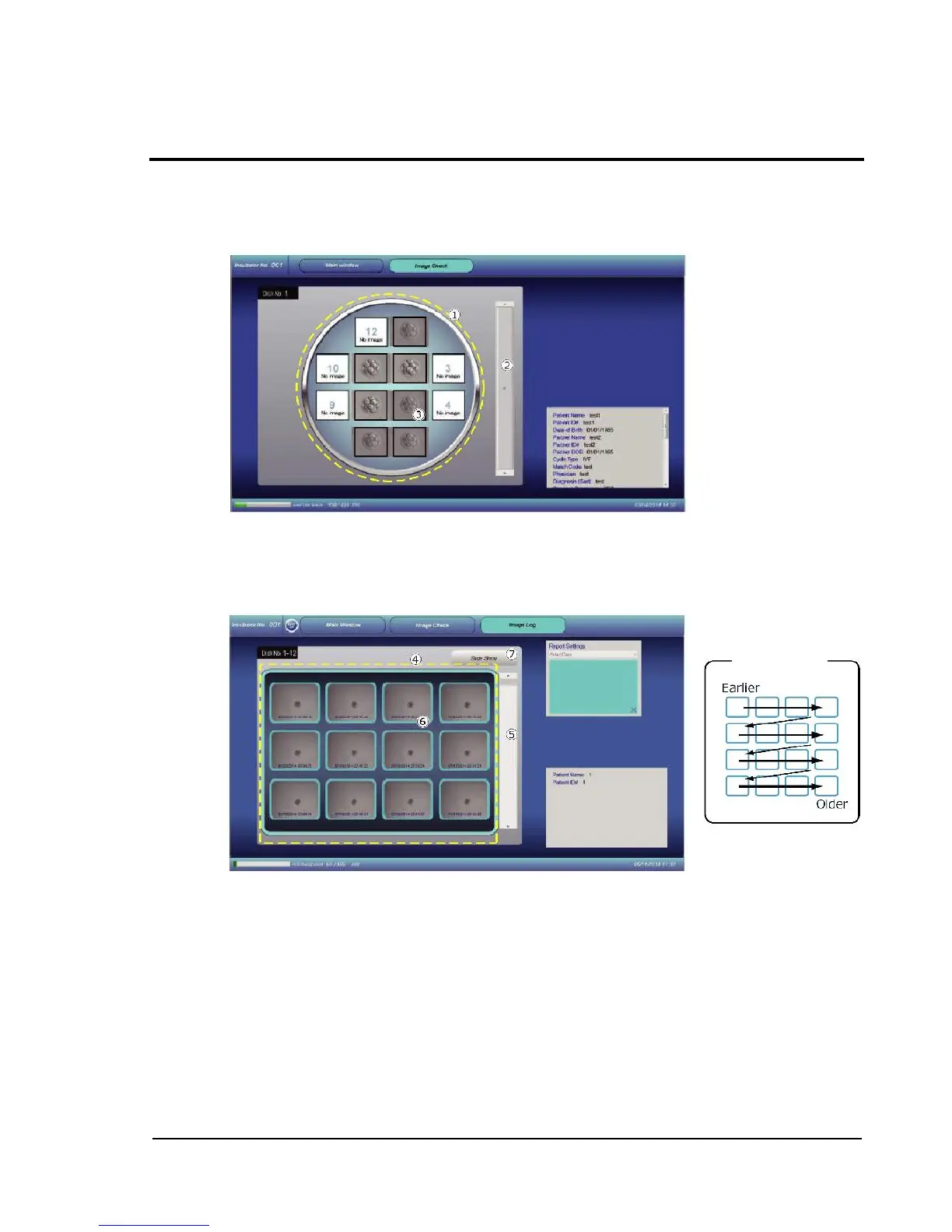
This function allows checking of saved image files.
Images captured for each well in the image display of a dish are shown.
Moving the slider allows display of images in the temporal sequence of capture. Images
captured most lately are shown at the top, and the oldest images are shown at the bottom.
Double-touching an arbitrary well causes images captured from the well to be listed for display
(Image Log screen).
This is the list display area. Images captured from the well are arranged, starting with the latest
one.
When the number of images is large, the display can be scrolled with the slider.
Double-touching an arbitrary image enlarges it.
Tapping the Slide Show displays images in the form of slide show.



 To Next Page