48
PC Operations - Report Output
2-12-3 Report Output
2-12-3-1 Preparation
For preparation of report generation, an image to be put on the report has to be selected.
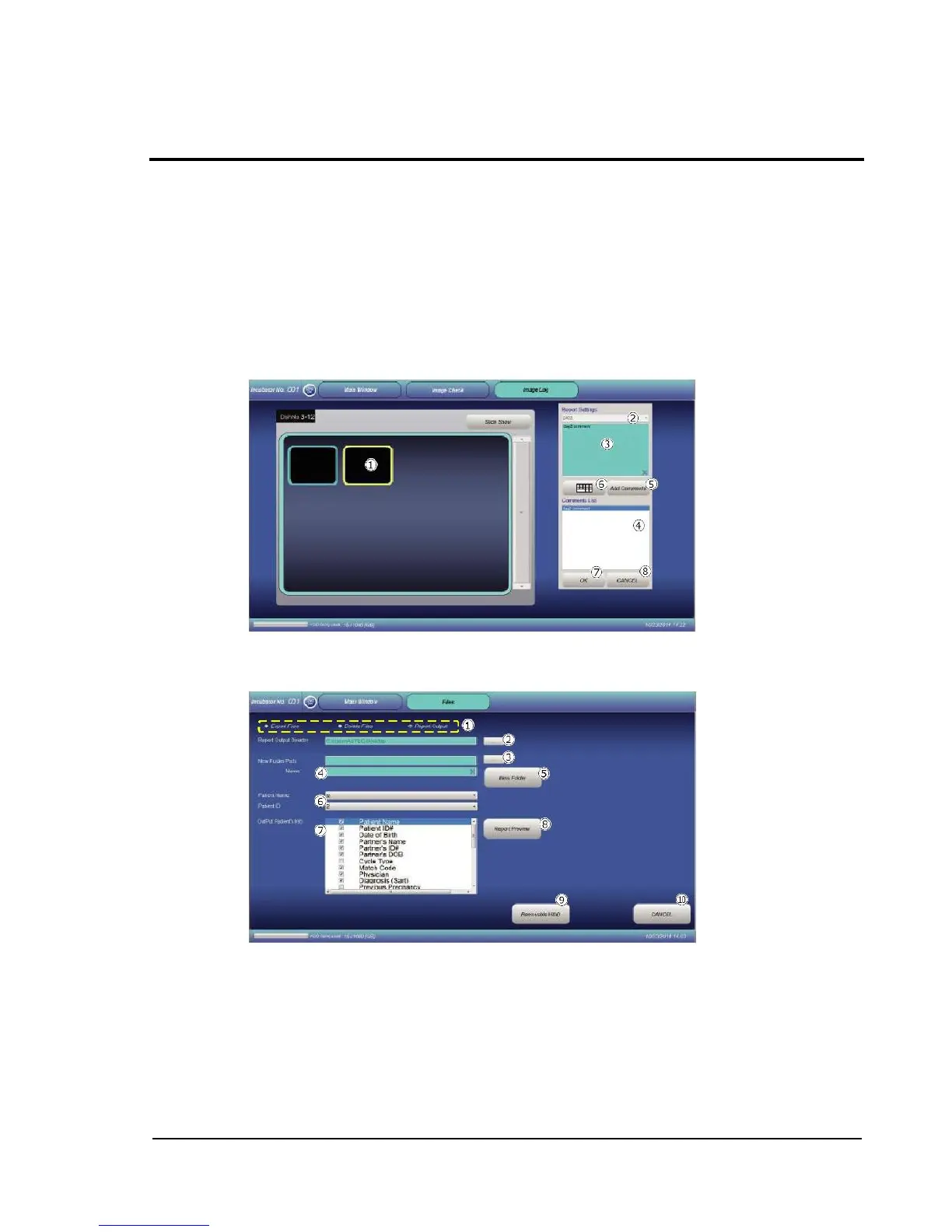
On the Image Check screen shown in 2-11 Image Check, select an image to be put on the report.
When the selected image has been highlighted in yellow, select the capture time period of the
image from the pull-down menu (DAY1 to DAY6) of Select Days .
As needed, a comment for the selected image can be entered into field . In field , a preset
comment is shown. To add a comment, select and touch Add Comments . Entry with a keyboard
is also possible by touching the keyboard button .
After entries, touch OK to confirm the entries. If CANCEL is touched, the entries are not
confirmed.
2-12-3-2 Report output
This function allows generation of a report for cultivation results.
Touching the Report Output radio button switches the display to the Report Output screen.
Touch button , and then select a report output destination directory through the directory selection
dialog.



 To Next Page