37
PC Operations - Dish-In
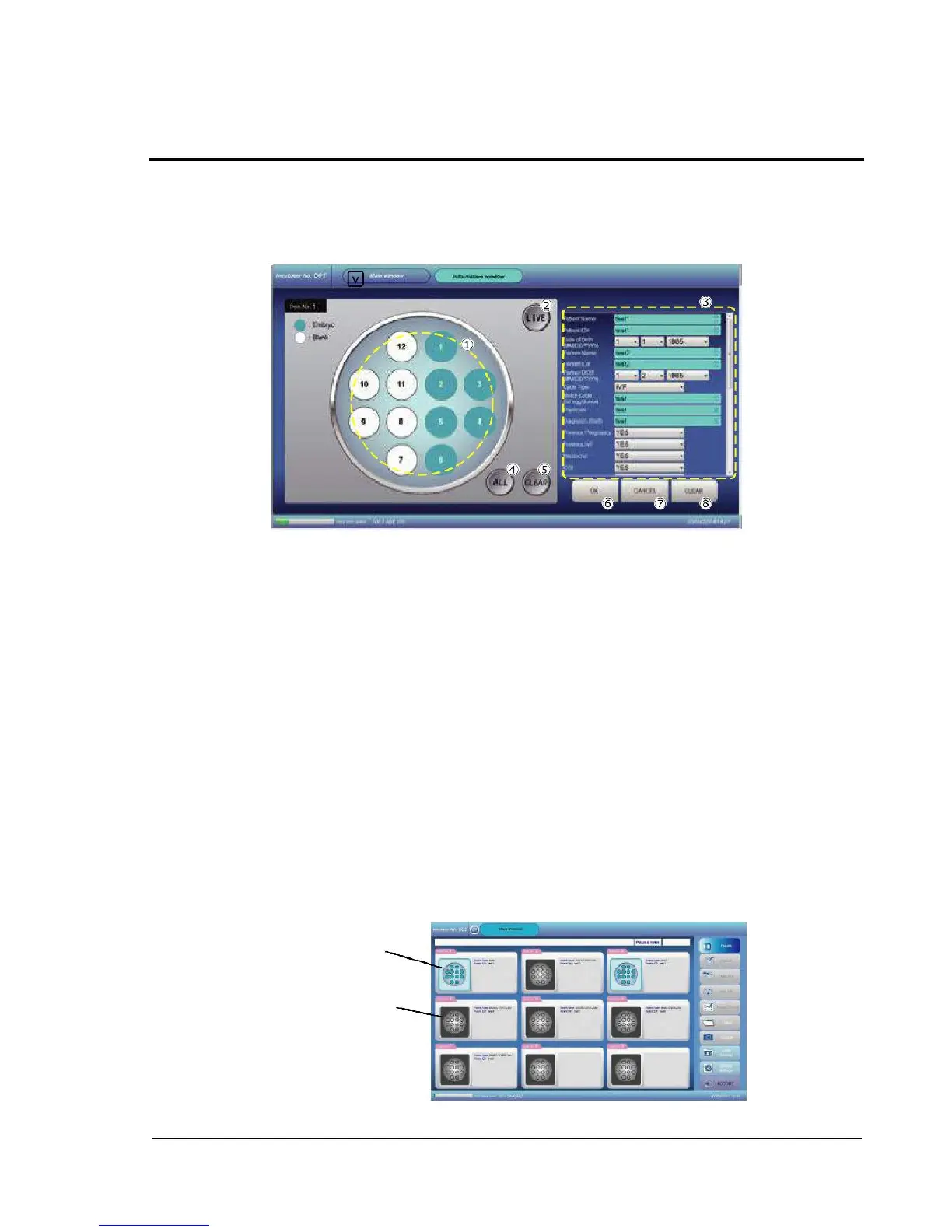
The screen allows to identify (before starting cultivation) which wells contain fertilized eggs, to view
live images for image capture point alignment, and to enter sample-related information.
If the previous cultivation information still remains when executing Dish-In processing, enter new
information after pressing the CLEAR buttons for the well map information and for the sample
information.
Well map: Shows the locations of wells in a dish. Wells containing fertilized eggs (Embryo) are
shown in blue, and wells not containing fertilized eggs (Blank) are shown in white, so that
cultivation status can be recognized easily.
By touching a target well on the screen, the color of the well changes from white to blue, or
from blue to white.
LIVE button: Presents live view of the specified well. After touching the LIVE button, touch the
target well number on the well map. Then, the Live screen which shows the well is displayed.
For details about live view, see the section for the Live screen.
Sample information: Allows entry of sample-related information. Touching the target position
for entry makes a software keyboard appear on the screen. With the keyboard, enter
information as needed.
ALL button: Sets all wells as ones containing fertilized eggs (Embryo), on the well map.
CLEAR button: Sets all wells as ones not containing fertilized eggs (Blank), on the well map.
OK button: Confirms information which has been set and entered on this screen and restores
the previous screen.
CANCEL button: Restores the previous screen without reflecting information which has been
set and entered on this screen.
CLEAR button: Deletes all sample-related information entered.
On the Main screen, display in different colors allows to distinguish dishes subjected to Dish-In and
dishes not subjected to Dish-In.



 To Next Page