Ch. 13. Cell Body and Sample Stage Guide Sec. 13.1. Cell Body Guide
13.1.2.3. Gas Cell Cable Installation
1. Raise the engage stage fully (see Step 1 on page 131).
2. Unlock the scanner and pull it all the way forward. This will give enough access to plug in the
cable. You may find it more comfortably to take the scanner out of the AFM completely. To do
so, turn off the system power and follow instructions here:
Section 16.1 on page 183.
3.
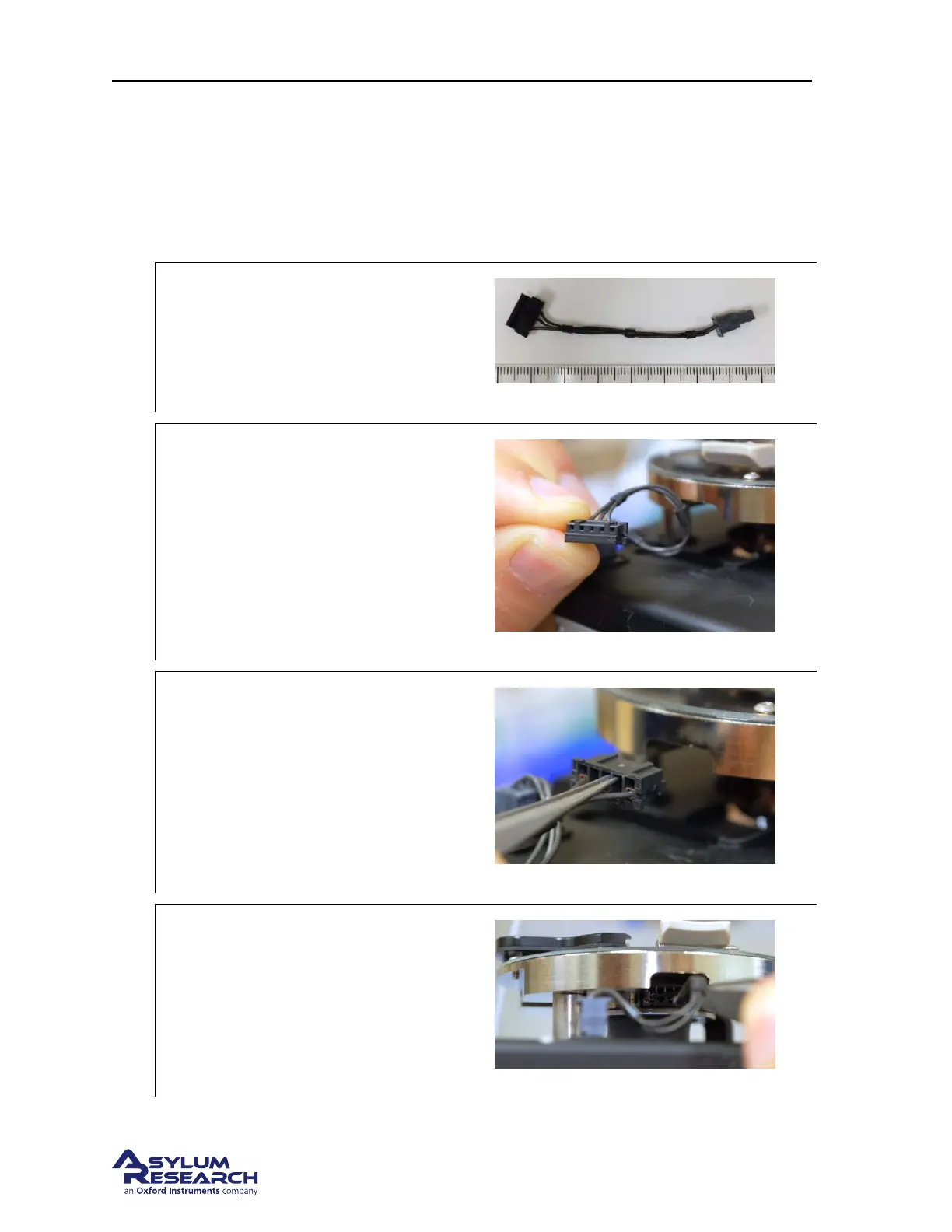
Locate Cable:
• Locate the Gas Cell Cable (448.137).
4.
Orient the cable:
• The cable will plug in with the holes
facing toward the top of the scanner.
5.
Grip the cable with tweezers:
• Using sharp straight tipped tweezers,
grip the connector as shown.
6.
insert the connector:
• Carefully insert the connector as shown.
DRAFT
Page 151



 To Next Page