Ch. 13. Cell Body and Sample Stage Guide Sec. 13.4. Tutorial: Sample Stage Swap
2.
Prepare scanner for Removal.
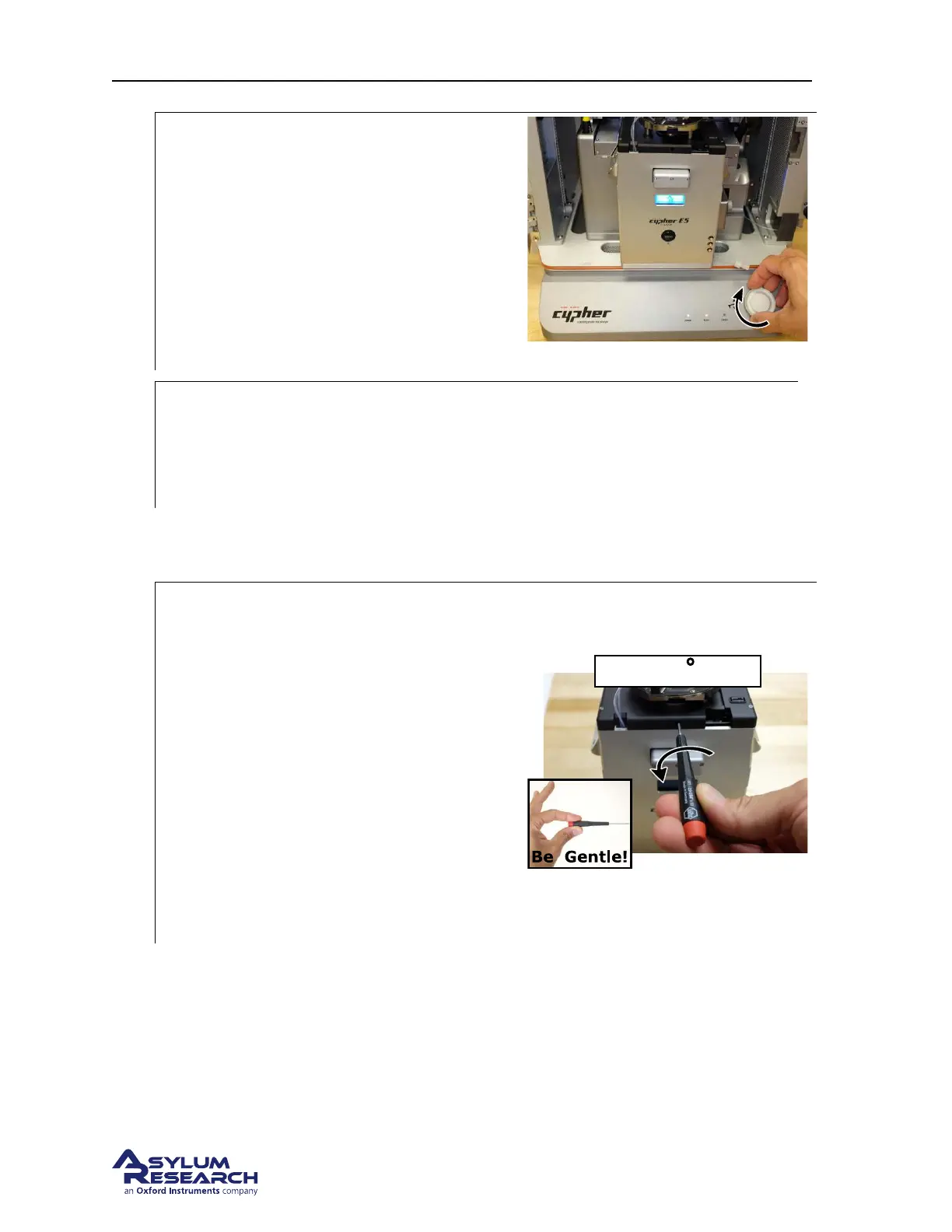
• RAISE THE COARSE ENGAGE
STAGE by turning the Engage Control
Knob clockwise.Raise the stage until it
reaches its upper limit of travel.
This will prepare the engage mechanism for a
later step of installing a heated temperature
stage.
3.
Remove the scanner:
• Turn off the ARC2 controller power and remove the scanner from the Cypher Chassis
(see
Section 16.1 on page 183 for further details) and place it on a well lighted clean
work surface.
13.4.3. Remove the Sample Stage and Chamber
1.
Loosen the sample stage clamping screw:
• Insert the 5/64” Hex Driver into the
screw hole at the front of the scanner.
• Turn the Hex Driver counterclockwise at
most THREE full rotations to loosen
sufficiently.
Note Turning the locking screw (114.576)
more than three turns may cause the screw to
come all the way out.
Note If the screw comes all the way out, you
may need to lean the scanner forward until
the screw slide out to a place where you can
put it back on the wrench.
DRAFT
Page 166



 To Next Page