Ch. 13. Cell Body and Sample Stage Guide Sec. 13.4. Tutorial: Sample Stage Swap
3.
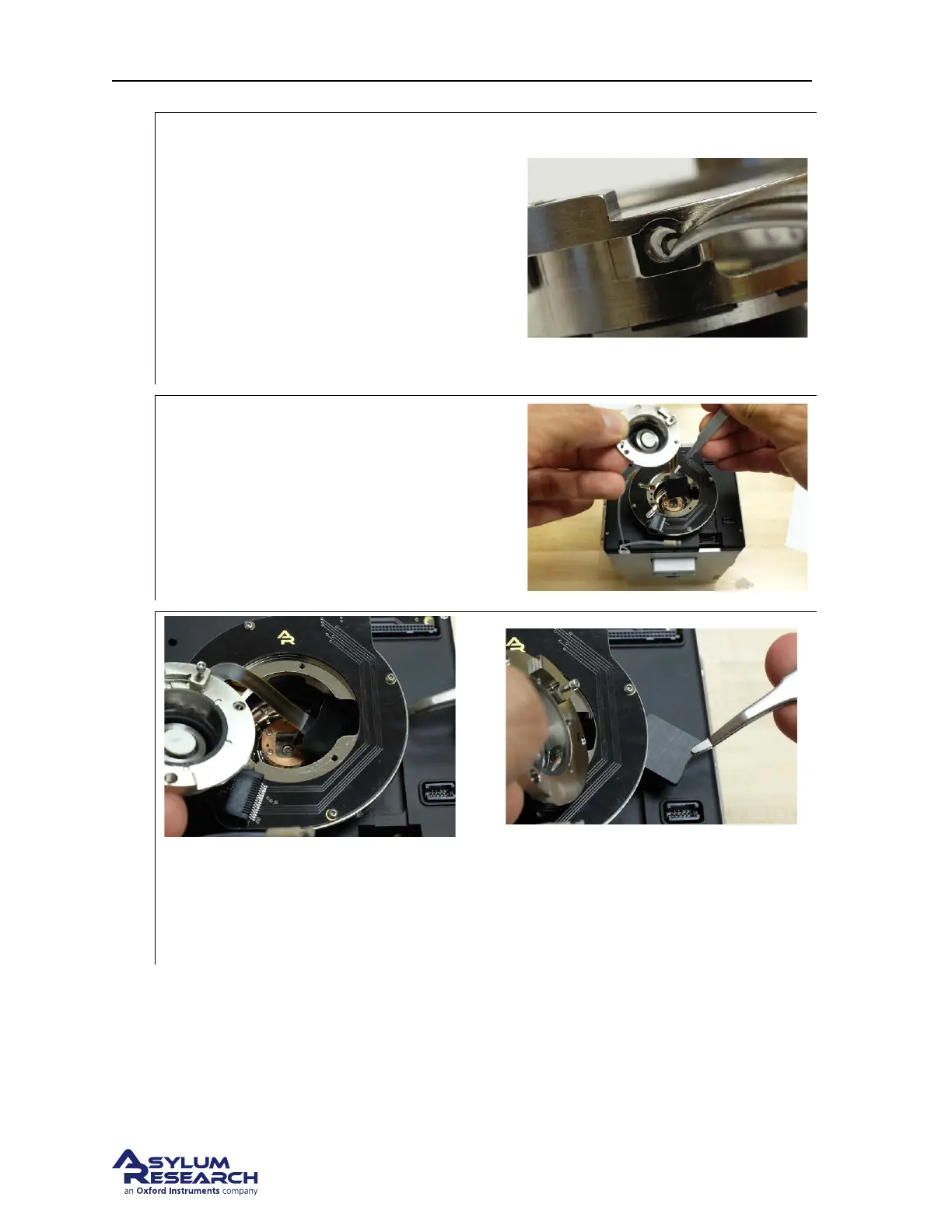
Place O-rings if necessary:
• If no O-ring (230.040) is present, place
it in the bottom of the port, up against
the glass.
• If the O-ring is not properly centered,
remove it (preferably with a sharp
wooden stick) and replace it.
• If you are gentle with the cell, the
O-rings should stay in place during the
following steps.
4.
Prepare to route the cable:
Note This step requires that the engage stage
was fully raised before the scanner was
unplugged.
• Hold the stage/cell as shown and tuck
the cable connector under the engage
ring using the “platypus” tweezers.
5.
Guide the heater cable under the ring:
• As shown, guide the connector under the ring.
• Leave it sitting loose on the top of the scanner.
DRAFT
Page 169



 To Next Page