Ch. 18. Laser Sources Sec. 18.3. ’Spot On’ calibration
2.
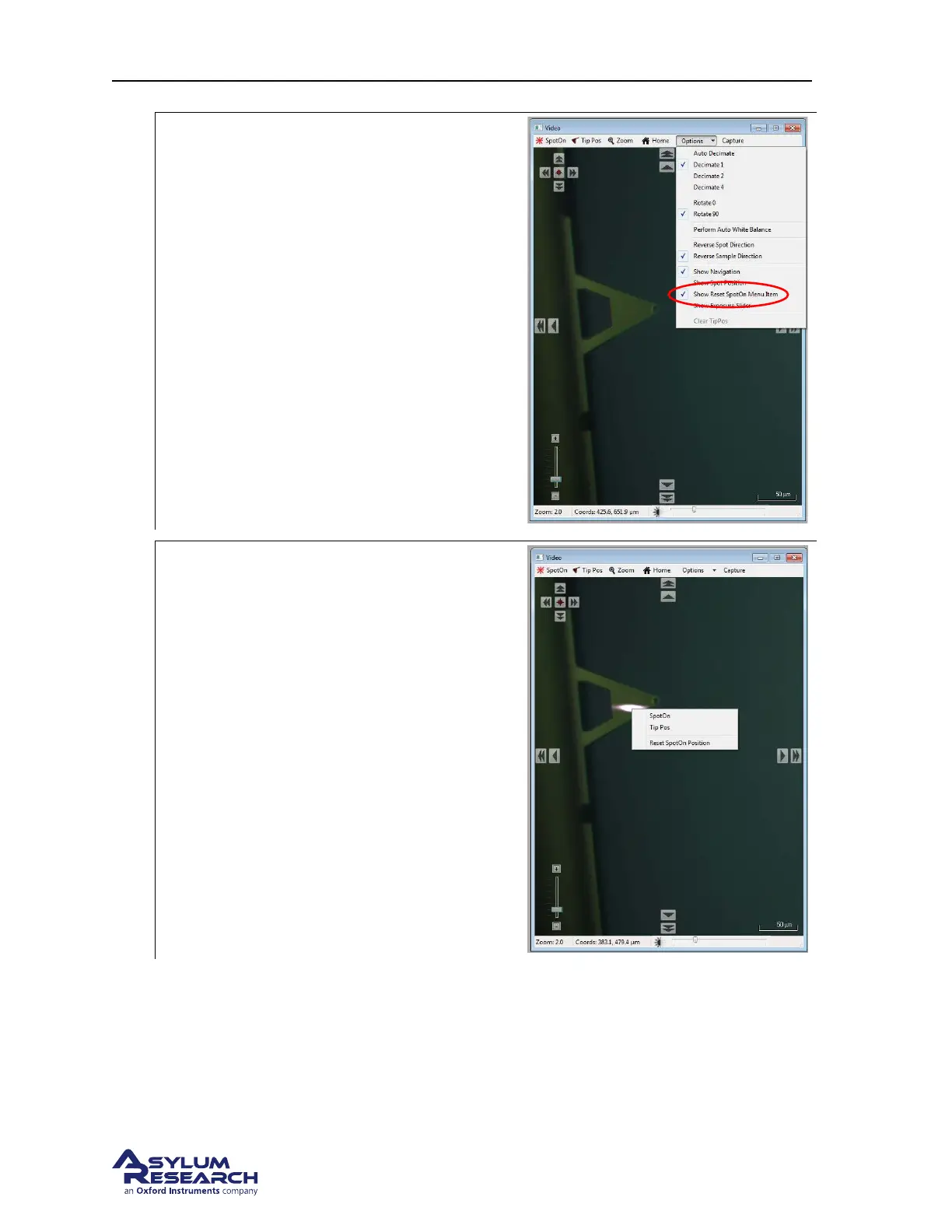
Prepare to reset:
• Click on “show reset spot on menu
item” in the options pull down selection.
3.
Reset the spot position:
• Zoom in at least once.
• Point the mouse cursor to the center of
the laser spot. Right click and click on
“reset spot on position”.
• The new XY spot centers will be stored
in the light tube’s infoblock.
Note The photo shows a laser spot which did
not quite center onto the cantilever holder,
hence the need for the recalibration.
BETA
Page 196



 To Next Page