Ch. 19. Air Temperature Controller Sec. 19.3. Hardware Setup
from the heater flows to the neutral line which is essentially at 0V relative to earth ground. The chopping
circuit is only on the load line and cannot operate correctly with 2 phase power.
The ATC has built-in sensors on both the load and neutral lines to monitor their condition. If the sensor
on the neutral line detect a voltage higher than 10VAC, the system will detect a fault state and the
software will display an error message indicating that 2 phase power is present.
Please consult your facilities personnel to establish weather or not you have the proper supply voltage
in you lab.
19.3.2. Connect the ATC air hose
The hose feeding the ATC air connects to a fitting on the lower half of the enclosure. If the ATC was
purchased with the Cypher, the fitting will be attached. If the ATC was a separate purchase after the
Cypher, the fitting will need to be attached using the following instructions.
1. Shut the ARC2 controller power off.
2.
Disconnect Cypher cables: Disconnect:
• The Motor Power
• The Main controller cable
• The USB cable
• The Fire wire cable
Note For ease of installation only. If you have unobstructed access to the back of the
Cypher then you may choose to leave the cables connected.
3. Position the Cypher so you have access to the back of the enclosure.
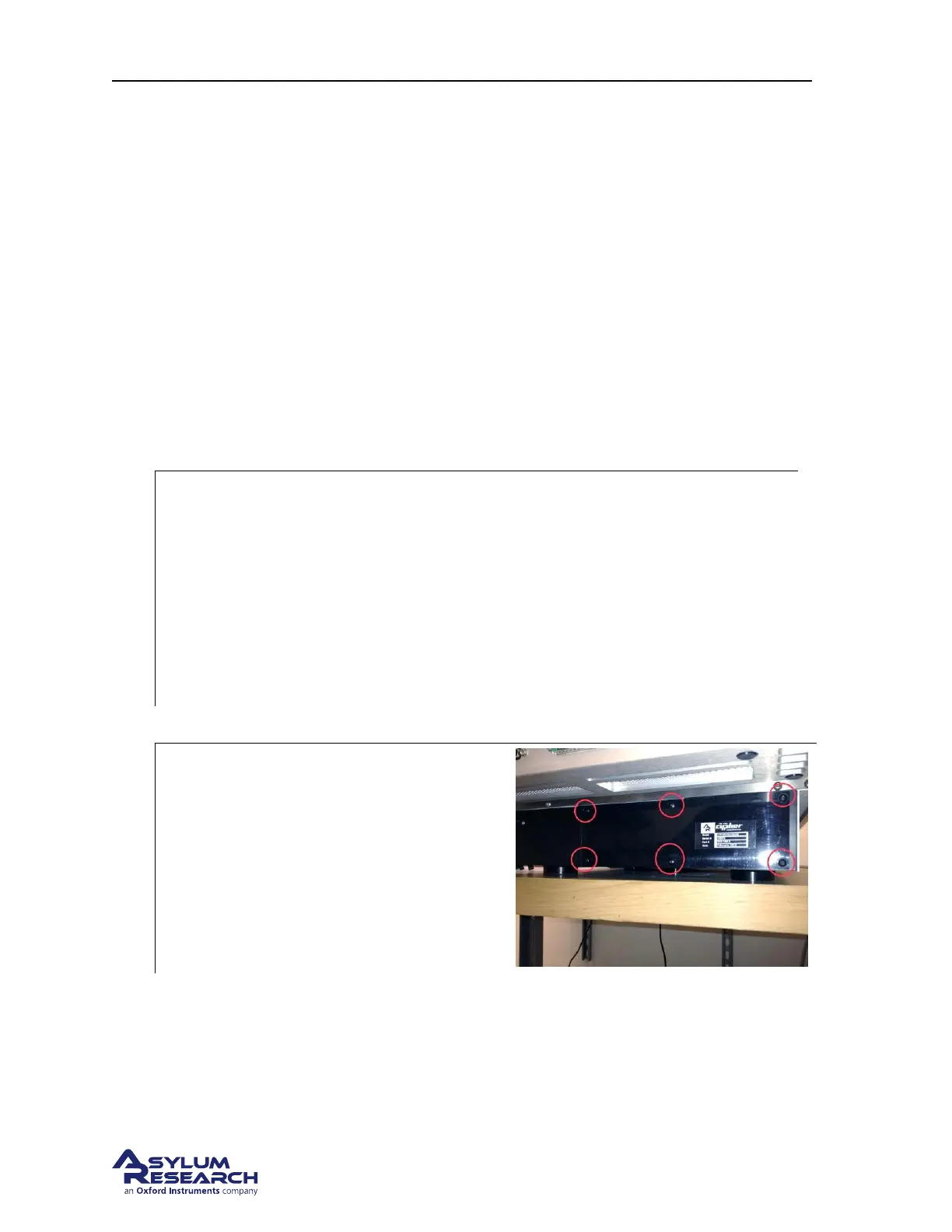
4.
Remove cover: The air inlets and outlets
need to be uncovered.
• Locate the 5/64” hex wrench.
• Remove the six screws holding the
cover onto the enclosure
• Remove the cover and save with the
other Cypher accessories
BETA
Page 207



 To Next Page