Ch. 19. Air Temperature Controller Sec. 19.3. Hardware Setup
19.3.3. Connect the ATC
1.
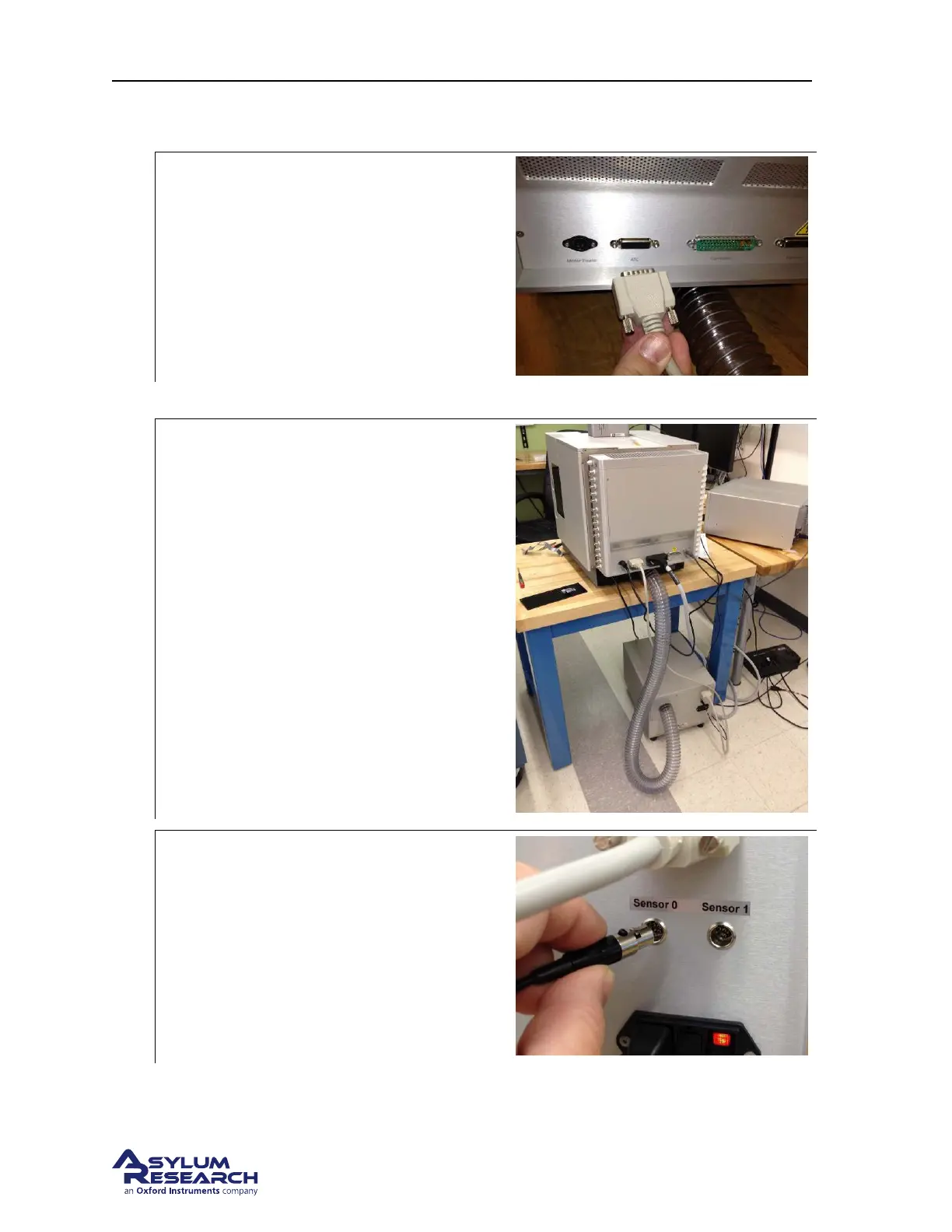
Connect the ATC control cable:
• Connect the cable to the connection
labeled ATC on the backpack.
• Route the cable over the table and down
to the ATC unit.
• Connect the ATC Control cable to the
ATC.
2. Connect the AC power cord to the ATC and plug it into wall power.
3.
Reconnect the Cypher cables: Reconnect:
• The Motor Power
• The Main controller cable
• The USB cable
• The Fire wire cable
The final result is shown in the photo to the
right.
4.
Plug in remote temperature sensor:
• As shown to the right, connect the
auxiliary temperature sensor.
• Locate the sensing end in a place where
it is sampling the room temperature.
Choose a location away from warm
instrument enclosures or plumes of
warm instrument exhaust air.
BETA
Page 209



 To Next Page