Ch. 19. Air Temperature Controller Sec. 19.4. Operation
2.
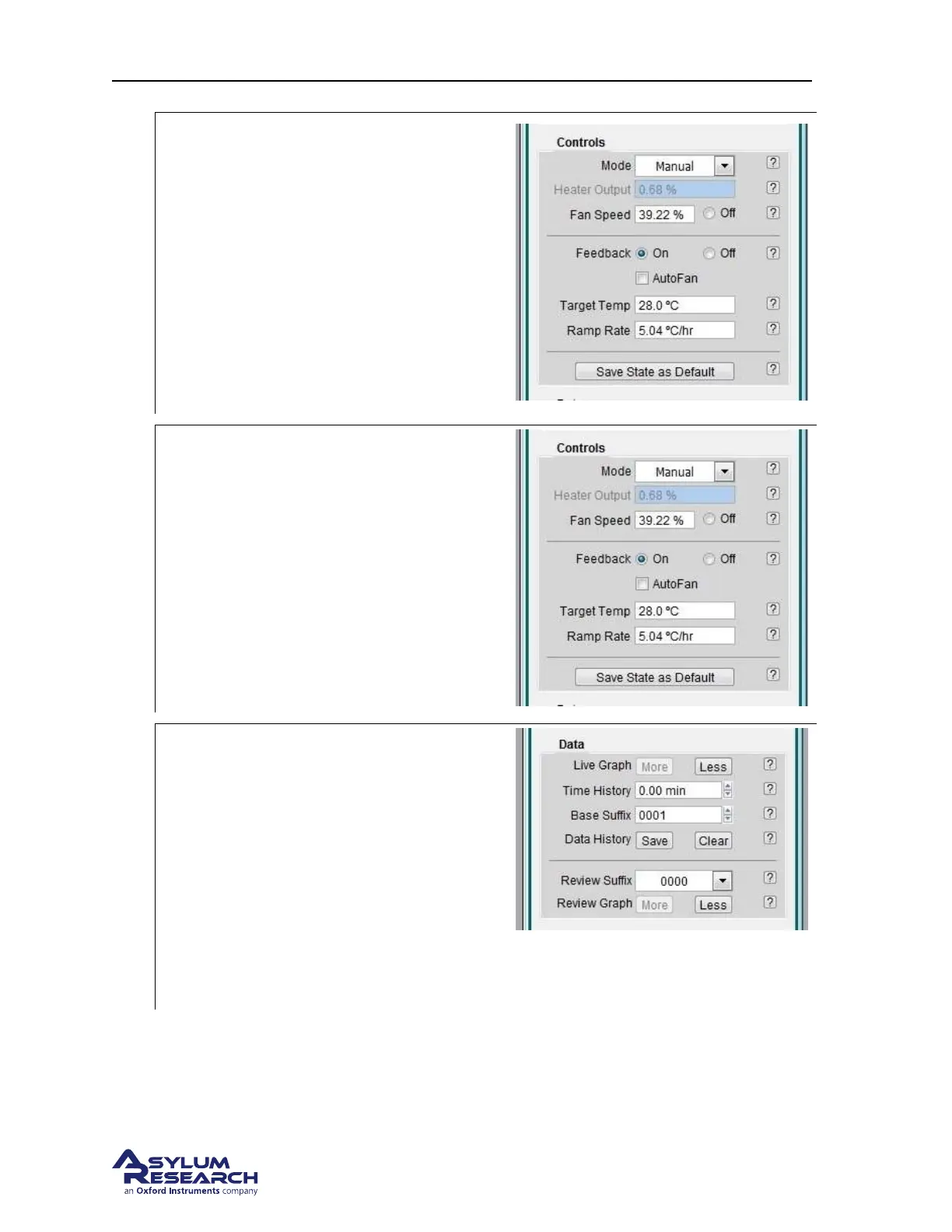
Choosing the temperature setpoint:
• Make sure the feedback is set to off.
• Make sure the mode is set to manual.
• Set the ‘Target Temp’ to ~3 degrees C
above the room temperature recorded in
the previous step.
• Check that the ramp rate is 5C/sec and
change if necessary.
Note Target Temp is the temperature setpoint
for the ATC temperature feedback control.
3.
Set fan speed:
• Start with a fan speed of 100%.
• If you find imaging artifacts related to
the fan, consider lowering the speed.
4.
Display datalogging: It’s important to be
aware of how well the temperature feedback
is operating so you should get used to
monitoring the temperature data history:
• Live graph - Click on the ‘More’ button
once to display the graph. Click on the
‘More’ button multiple times to add
sensors to the data plotted.
• For more information on datalogging,
please see
Section 19.7 on page 217.
Note Even if you don’t display the data, it is
logged nonetheless for later inspection.
BETA
Page 212



 To Next Page