Ch. 19. Air Temperature Controller Sec. 19.8. Using the Remote Temperature Sensor
19.8.2. Using the remote sensor for temperature feedback control
1.
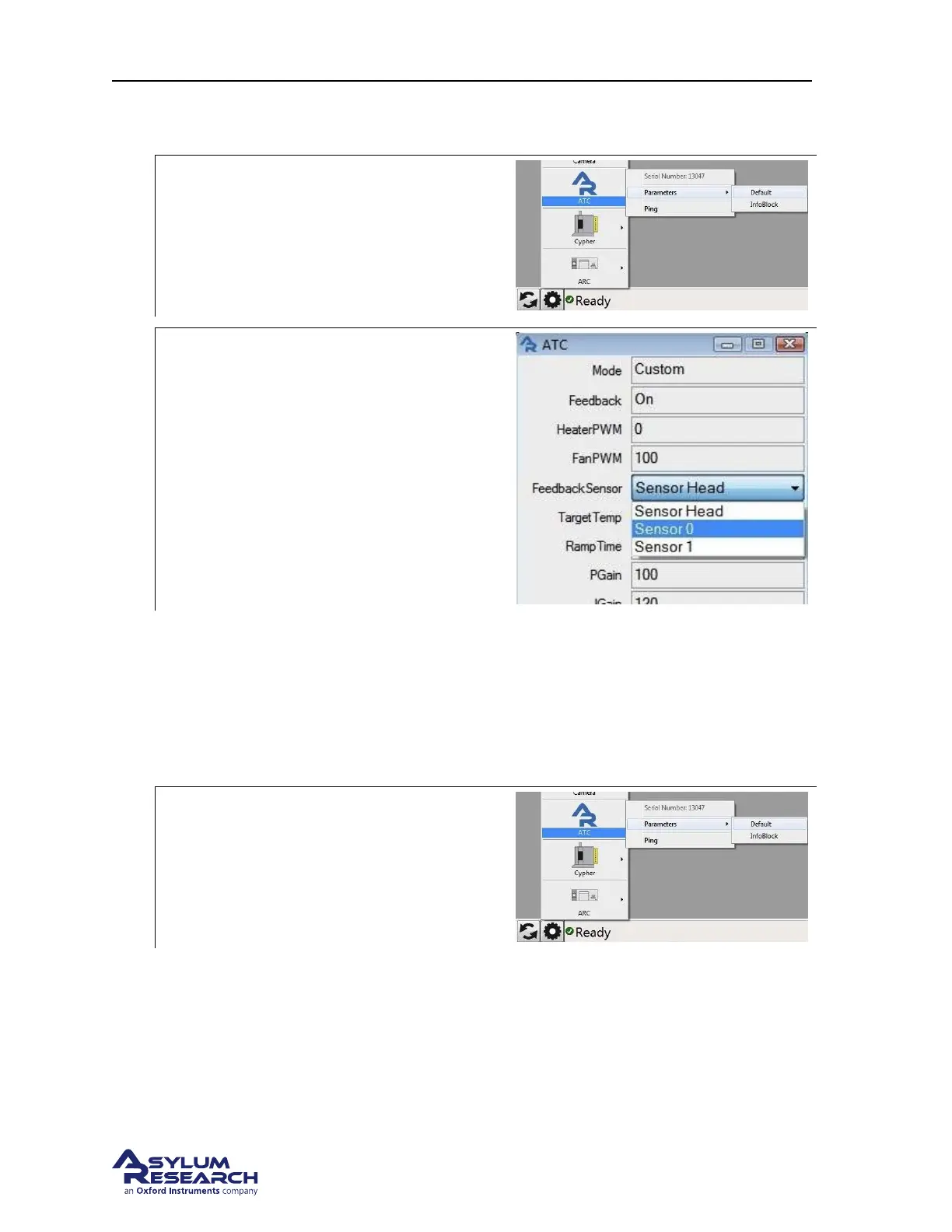
Open the ATC default parameter window:
• Click on the device list (Gear Icon).
• Select ATC ⊲ Parameters ⊲ Default.
2.
Select the feedback sensor:
• Change the feedback sensor to the
sensor input channel you are using.
• Set the change by clicking on the ‘Write’
button.
NOTE: This will change the feedback sensor
temporarily. The software will default to the
Head Sensor when you exit the software.
19.8.3. Permanently assigning feedback control to the remote sensor
NOTE: This change is not advised in a multi-user facility or for long term use. If you feel strongly that
the location of the standard head feedback sensor should be different, it can be relocated. The sensor is
on a 12” cable and can be moved or a replacement sensor can be purchased and substituted leaving the
original one in place. Please contact Asylum Research for additional information.
1.
Open the ATC default parameter window:
• Click on the device list (Gear Icon).
• Select ATC ⊲ Parameters ⊲ InfoBlock.
BETA
Page 221



 To Next Page