Ch. 19. Air Temperature Controller Sec. 19.8. Using the Remote Temperature Sensor
2.
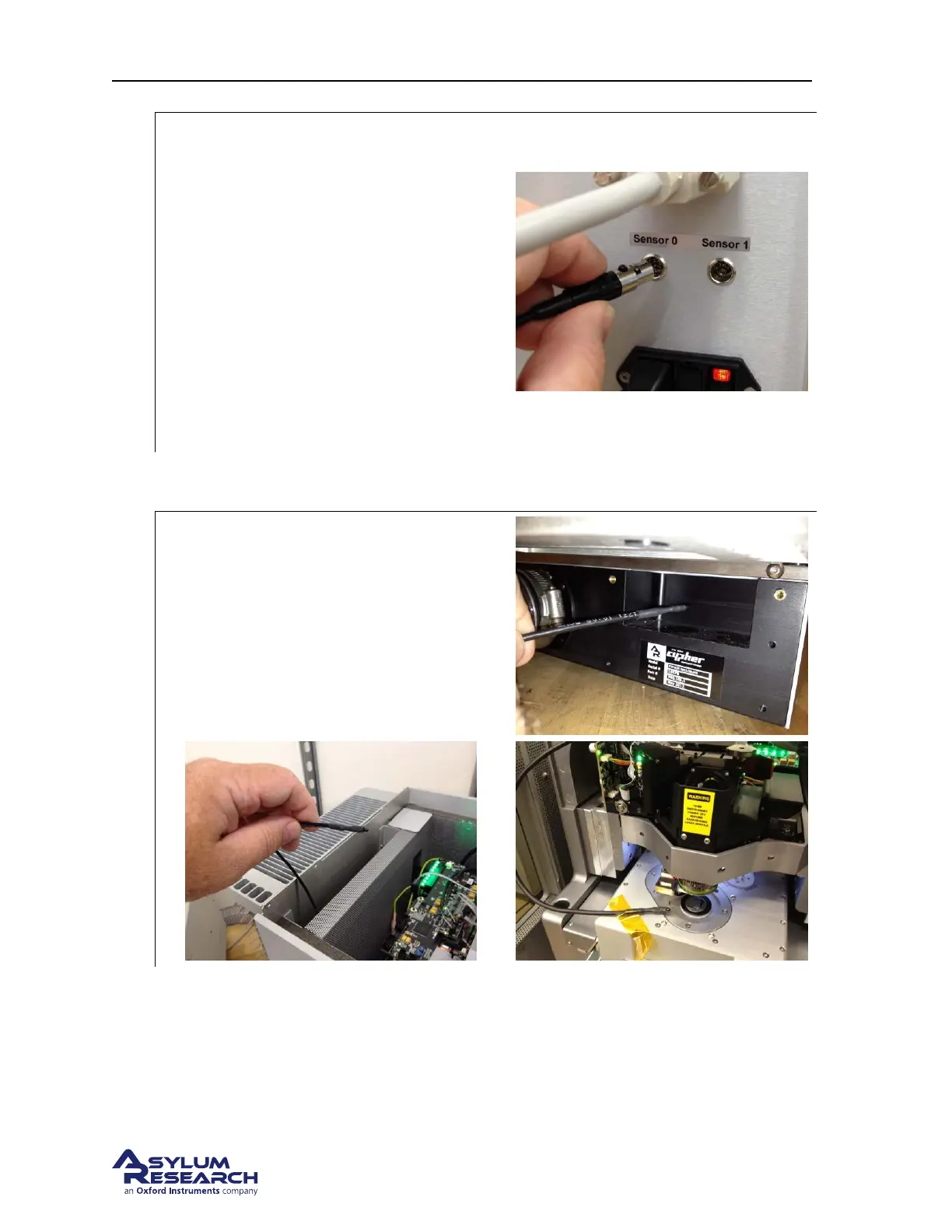
Connecting the Sensor Plug the remote
temperature sensor into either Sensor input
connector on the back of the ATC unit.
• The temperature will displayed on the
corresponding sensor channel in the
ATC control window.
• Hold the sensor between your fingers
and watch the temperature rise as a test.
• Log the sensor data in the data logger as
an additional channel.
Note Additional sensors can be purchased
from Asylum Research.
3. Remove the top of your Cypher enclosure by following these instructions: Section 21.4.2 on
page 242
.
4.
Insert Sensor inside the Cypher enclosure:
• Insert the sensor into the exhaust port on
the back of the enclosure.
• Pull the sensor cable up through the
space in the back of the enclosure.
• Locate and secure the sensor in the
position you wish to monitor.
5. Replace the top of the enclosure. See Section 18.4.1.3 on page 201.
6. Turn the ARC2 and ATC power back on.
7. You can now monitor the sensor from the ATC control panel or its data logging function.
BETA
Page 220



 To Next Page