Ch. 21. Shipping or Moving Sec. 21.4. Shipping a Complete Cypher AFM System
21.4.2. Enclosure: Remove Top
STOP!! Call or otherwise contact Asylum Research and talk to us before moving anything. Chances
are that with a few phone calls and the help of this chapter you can do the job yourself. Not calling us
will likely result in instrument damage, costly repairs and downtime, and the voiding of your warranty.
Tools 290.134: 3/32” Hex Driver
Minimum Preparation System Shut Down: (
Section 21.3 on page 238)
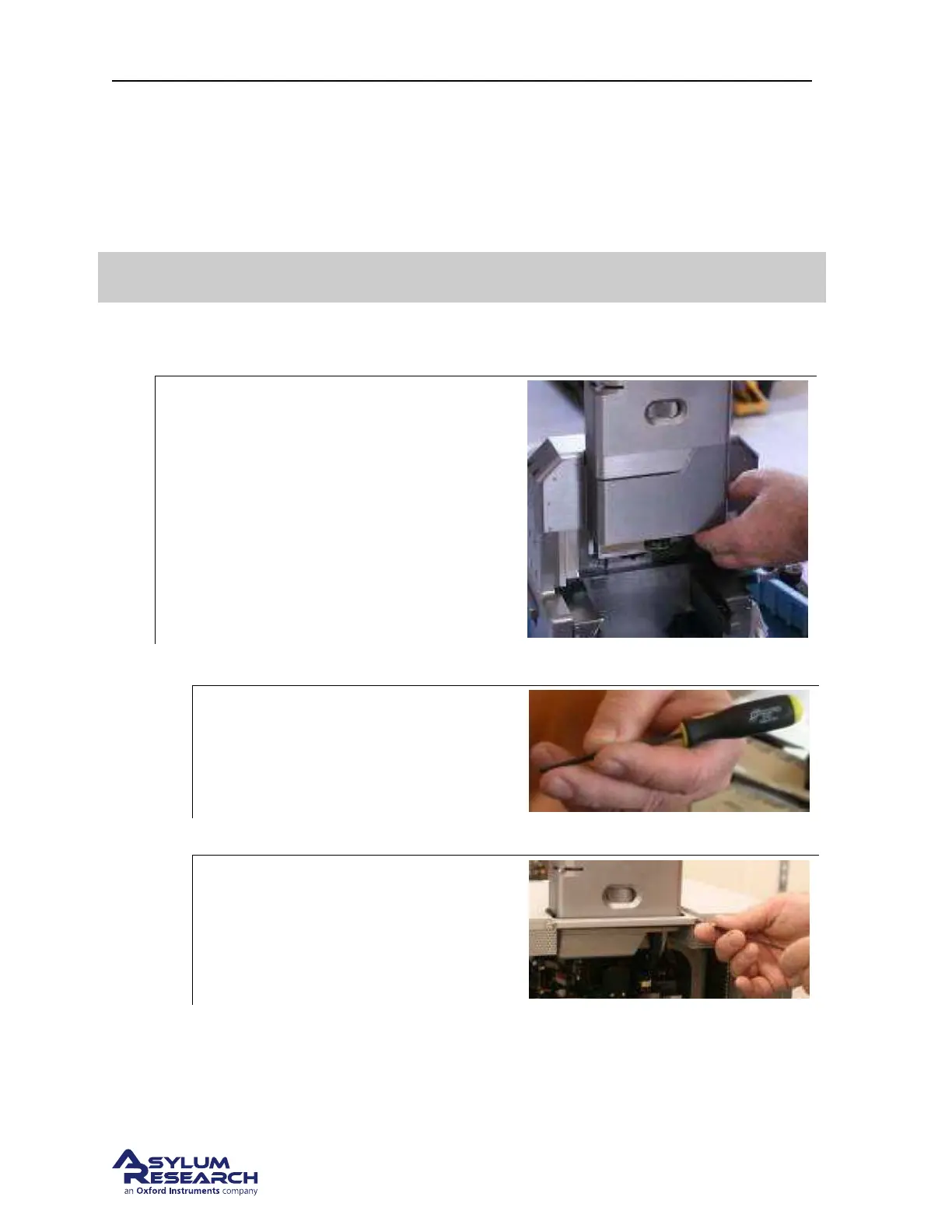
1. Remove the Airflow Shield – the metal piece right above scanner- by pulling it off (it is magnetic).
2.
Remove the Optics Cover – the big metal
piece in front of chassis and view module –
by pulling it off (it is magnetic).
3. Take the top enclosure cover off.
a)
Locate the 3/32 Hex Driver (part#290.134).
b) Open the enclosure door with the latch found on the right side.
c)
• Undo the bracket in front of the view
module; take the 2 screws out and set
them aside.
• After removing both screws, pull this
piece out and set it aside.
BETA
Page 242



 To Next Page