Ch. 6. Fluid Imaging in a Droplet Sec. 6.4. Imaging with the Droplet Holder
Once an amplitude peak is selected and the engage routine initiated it is not uncommon for the system
to false engage as the driving forces on the cantilever change. It is therefore common to re-tune the
system as the tip gets closer to the surface. A typical tuning session goes something like this:
1.
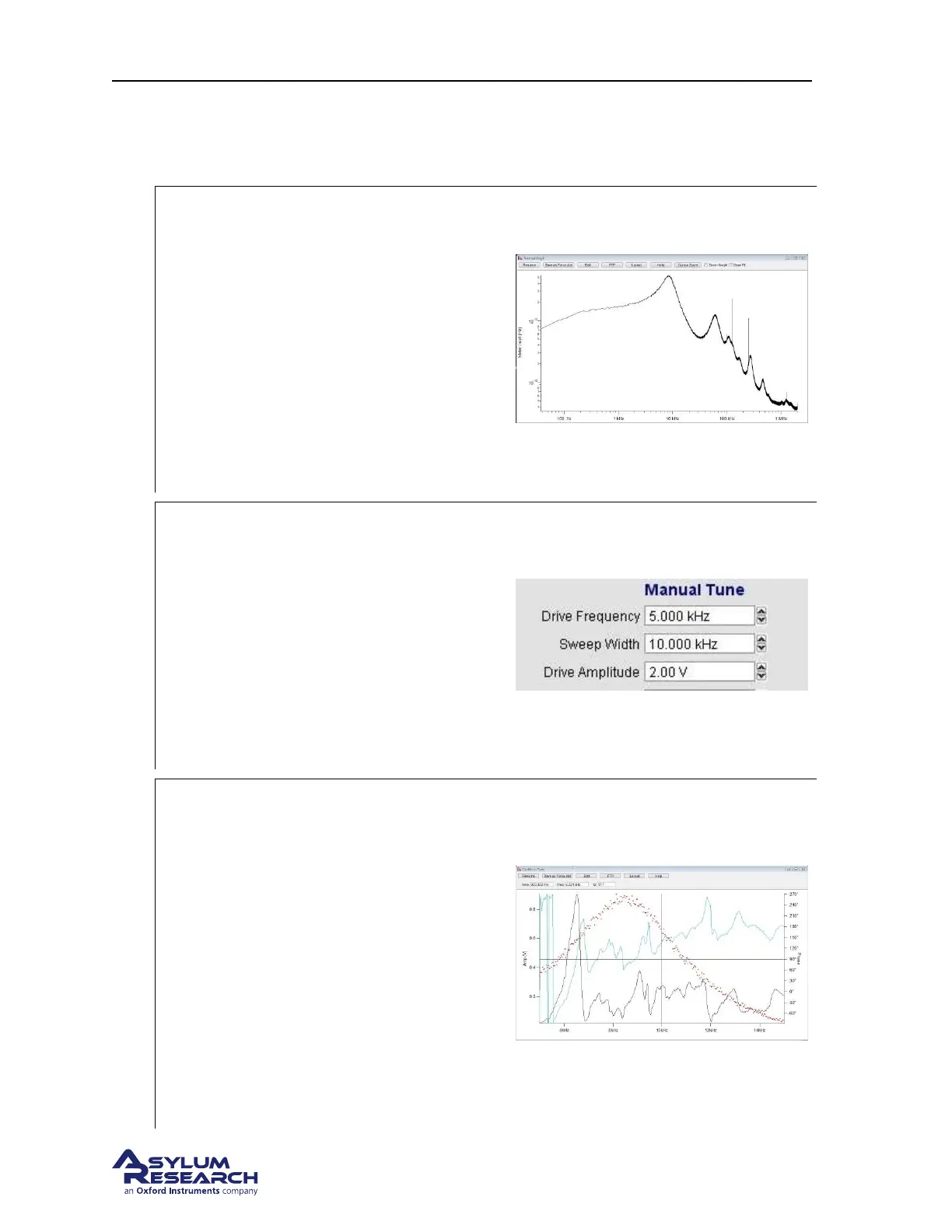
Capture a thermal plot
• Collect the thermal signature of the
cantilever.
• For more information on capturing
thermal spectra please read Applications
Guide, Chapter: Thermals.
In this example the cantilever used is an
Olympus TR400PSA having a nominal air
resonance of about 40KHz and a spring
constant of .1nN/nM.
In water, the thermal resonance is about
7KHz.
2.
Manually tune the cantilever
• In the manual tune parameters set the
drive frequency to the approximate
frequency of the cantilever’s thermal
resonance.
• Set the sweep width to 10KHz.
• Set the drive amplitude to 1-2v.
• Click on the continuous tune button and
sweep the drive frequency.
3.
Select an amplitude peak
• Click on the append thermal check box
to overlay the thermal data onto the
amplitude plot
• Look for a peak inside the thermal
signature. Generally the peak with the
highest amplitude is the one to try. The
peak should have a smooth rise in
amplitude and have stable output as the
frequency is swept.
• The peak near 6Khz is good although
the lower amplitude peak at 9KHz
would also work.
BETA
Page 66



 To Next Page