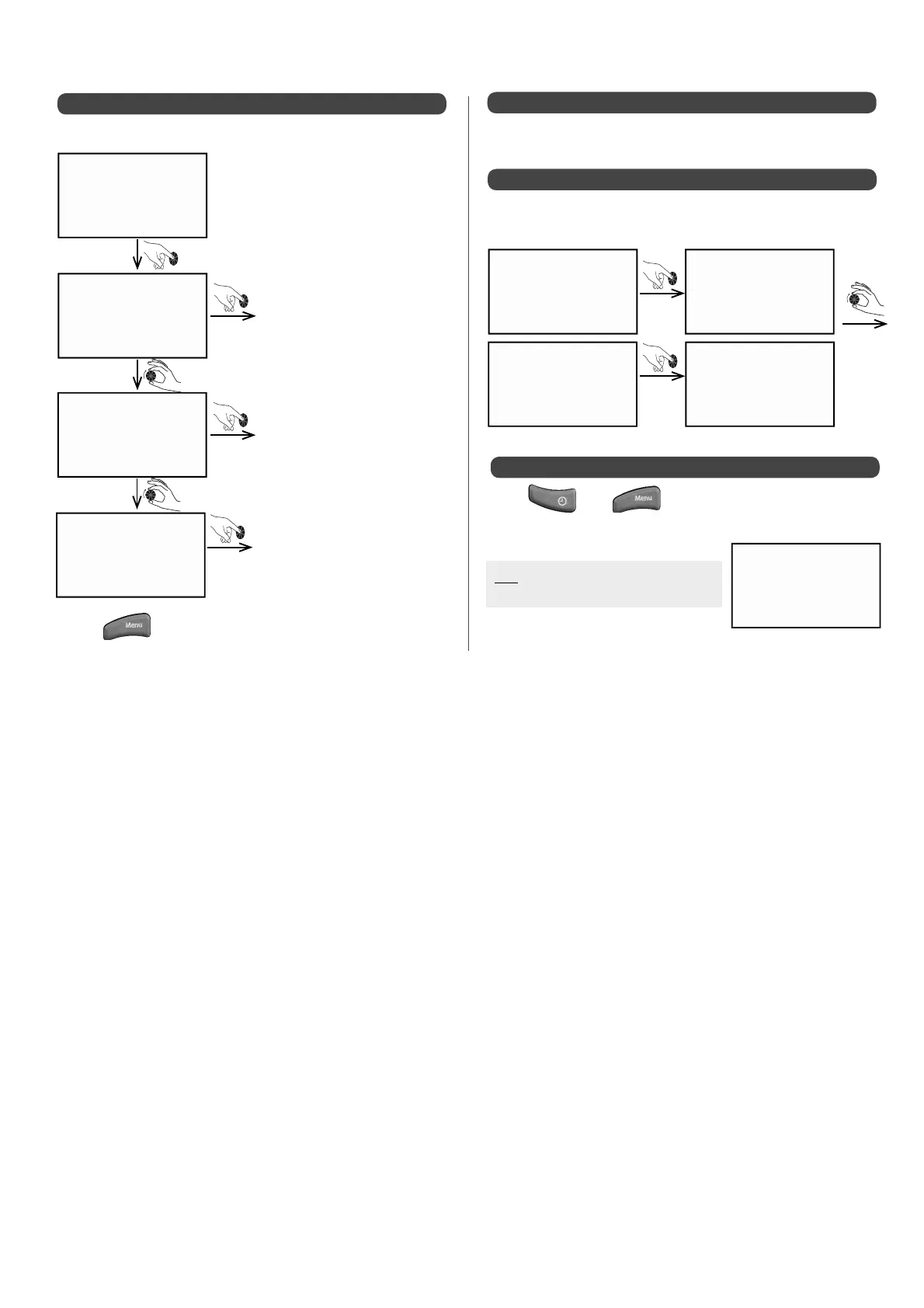
to return to main screen.
5.3.5 - Selecting summer / winter mode
The summer / winter mode enables you to switch modes manually:
Enter
Enter
Enter
su m m e r
w i n t e r
a u t o m at i c
su m m . / w i n t .
Heating circuits are put into
standby mode
All installed circuits are active
Summer and winter mode will
automatically switch according
to outside temperature and
after a time delay, PAR.209 and
215
be e p
y e s
example
Enter
turn to
select
be e p
See § "Appliance confi guration / Language".
5.3.6 - Selecting the LANGUage
5.3.7 - BeeP alert
5.3.8 - Accessing the INST. MENU
Enter
Be e p
in s t . m e n u
be e p
N O
• This menu is for choosing a sound alert for each press of the dial.
• Press then and keep them held down
simultaneously for 3 seconds to access the installer menu.
N.B: See §"Appliance Confi guration /
Installer Menu"


 To Next Page